

DroidOCR for WooCommerce
Czech invoices, proforma invoices, receipts and credit notes for WooCommerce orders, issued through the DroidOCR.cz invoicing service.
DroidOCR for WooCommerce connects your shop to DroidOCR.cz, a Czech invoicing service, and issues the documents for your orders there. Documents are numbered, stored and archived by DroidOCR; the plugin keeps a link and a copy of the PDF with each order.
WooCommerce stays the source of truth for prices and VAT: the plugin sends the order lines with the rates WooCommerce applied and DroidOCR checks the totals.
Documents
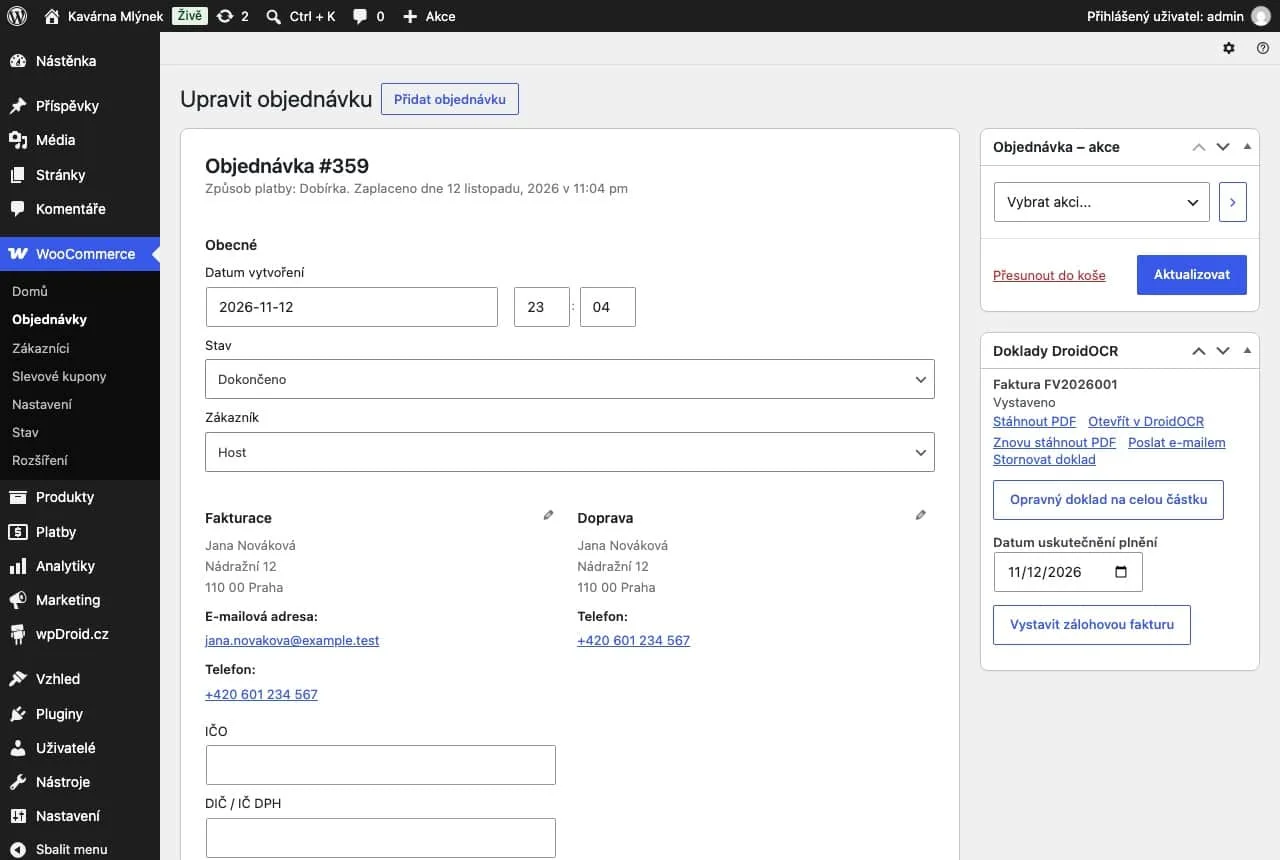
- Invoice (tax document) when the order is delivered – the taxable supply date is the delivery date, never the payment date.
- Proforma invoice for bank transfer orders, marked as paid when the payment arrives.
- Advance tax document for proforma invoices paid in advance by VAT payers, issued within the statutory deadline.
- Payments in the VAT records for consumer orders paid in advance without a proforma invoice and delivered in a later month: the payment goes to the DroidOCR VAT records and the invoice takes it over on delivery.
- Receipt for card, online and cash payments.
- Credit notes for WooCommerce refunds (full or per item), and cancellation of documents of cancelled orders.
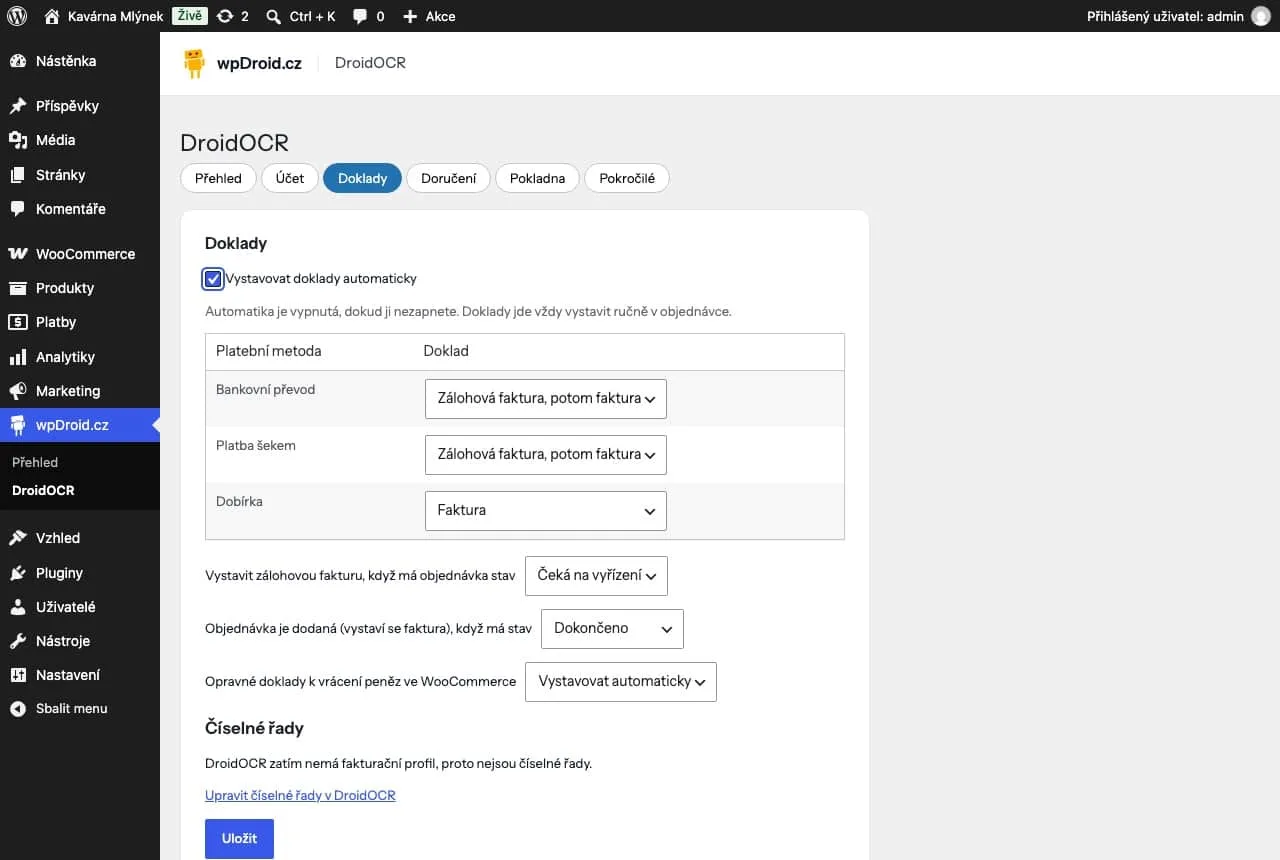
- Automatic issuing by order status and payment method, or manual issuing from the order screen. Automation is off until you turn it on.
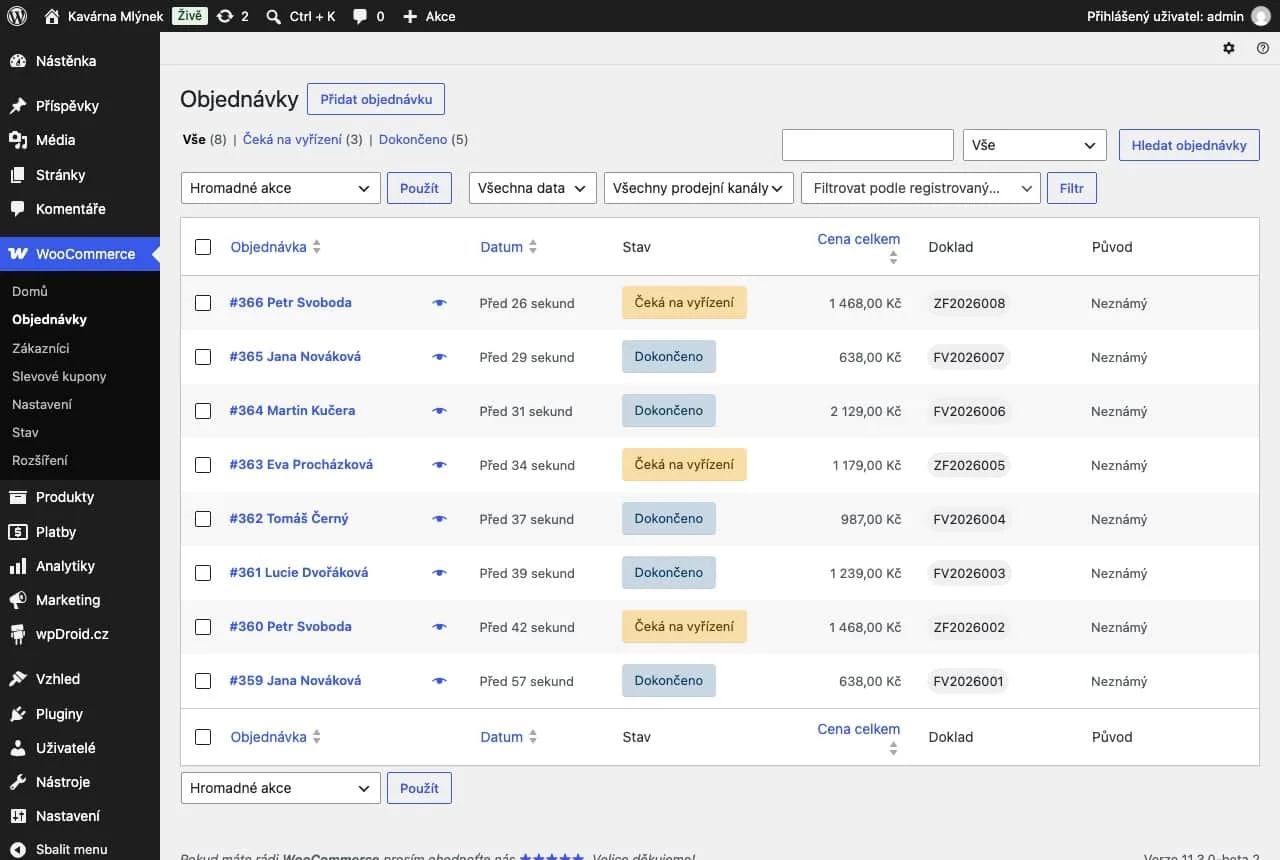
- Bulk issuing of invoices or proforma invoices from the orders list (up to 500 orders, in the background, with progress).
Delivery to the customer
- PDF attached to the WooCommerce e-mails you choose.
- Documents in My Account and on the order details.
- Optional e-mail from DroidOCR with its own template.
Checkout
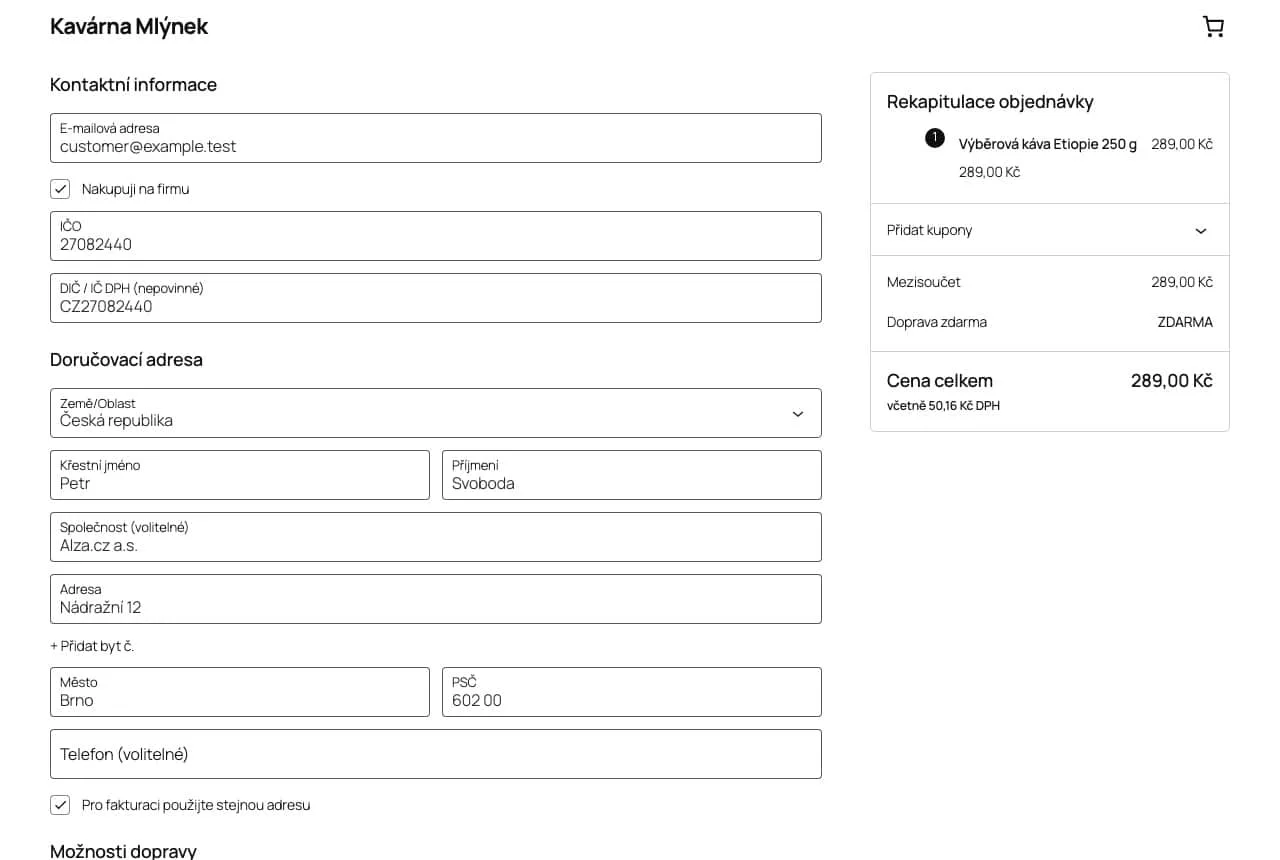
- Company ID (IČO) and VAT ID (DIČ / IČ DPH) fields in the classic and the block checkout (block checkout on WooCommerce 8.9 or newer), or values taken from WPify Woo / Woolab IČ DIČ, SuperFaktura or your own order meta keys.
- Company details filled in from the Czech business register (ARES) by the company ID.
- VAT ID validation in VIES and, optionally, no VAT for EU business customers with a valid VAT ID (reverse charge, classic checkout).
Overview
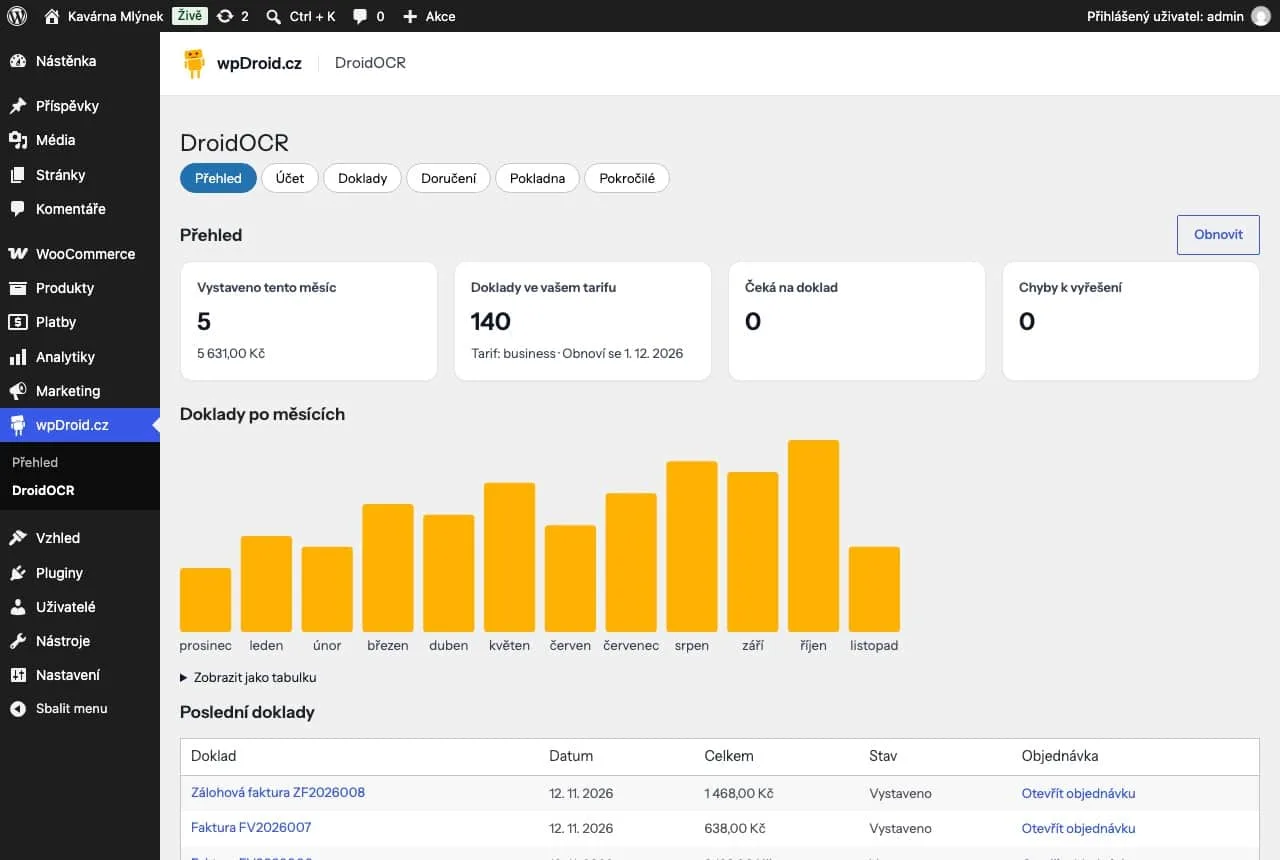
- Documents issued per month (chart and table), latest documents, plan usage and errors to solve.
- Notices at 80 % and 100 % of the plan's document limit; orders that could not get a document wait and can be issued later in one click.
Sync from DroidOCR
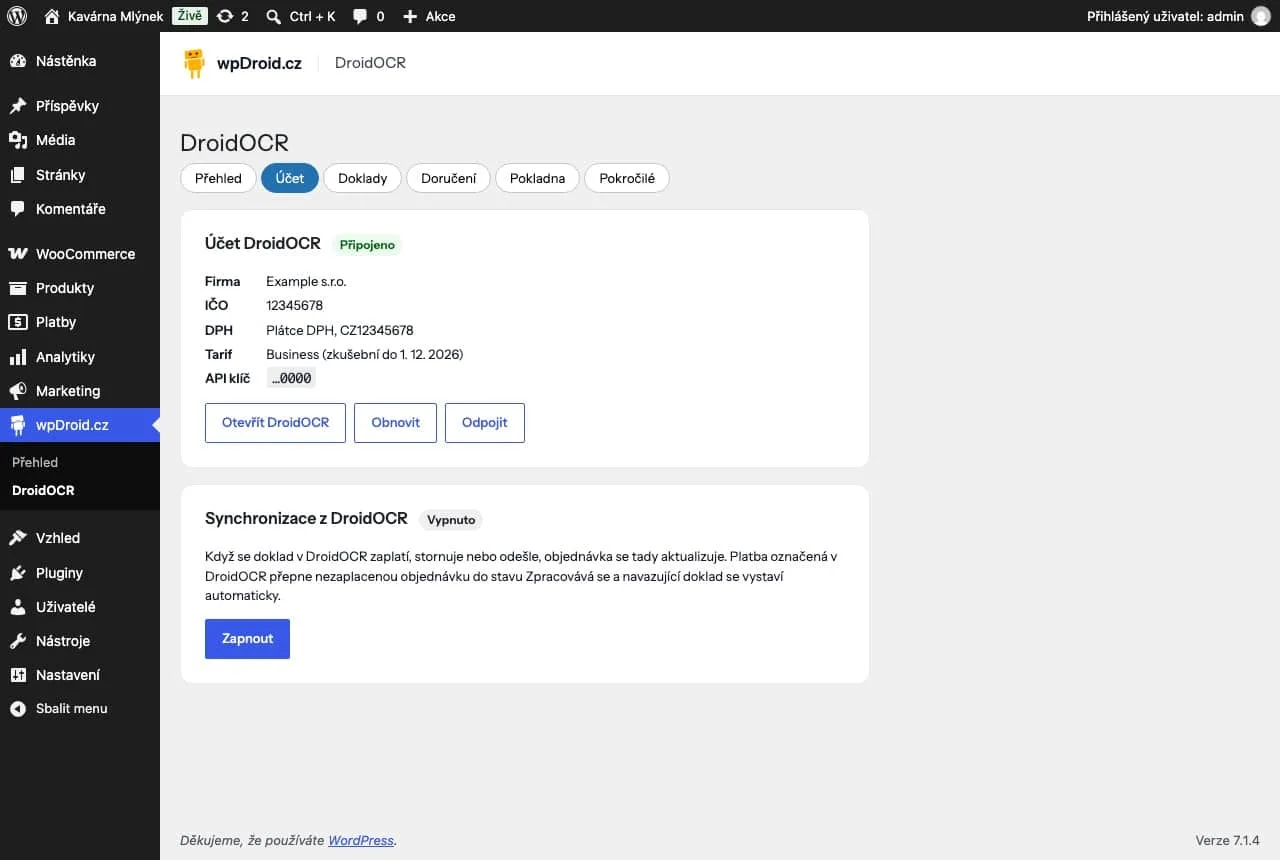
- Optional webhook (DroidOCR Business plan, https sites): when a payment is marked in DroidOCR, an unpaid order moves on and the follow-up document is issued automatically; cancelled and sent documents are updated on the order. Turn it on in the Account tab.
Multisite
- Network activated, the network administrator connects one DroidOCR API key (without a site ID) for the whole network in Network Admin → wpDroid.cz → DroidOCR. Sites inherit it, or use their own key. One webhook serves all sites using the network key. Every site keeps its own settings.
Compatible with HPOS (custom order tables) and the block checkout. Supported currencies: CZK and EUR.
Requirements
- A DroidOCR.cz account and an API key. Registration is free and includes a 30-day trial; limits and features depend on your DroidOCR plan.
- WooCommerce 8.0 or newer.
External services
This plugin connects to the following services.
DroidOCR.cz API
The plugin uses the DroidOCR.cz API (https://droidocr.cz/api/v1) to issue and manage documents. It connects only after you paste an API key; before that, nothing is sent.
- When you connect, about once a day, when you refresh the Account tab and, after the plan's period ends, on an administration page (at most every 10 minutes until it is renewed): the API key, to read the account, plan, limits and number sequences.
- When you open the overview: the request for the list of recent documents and their monthly counts.
- When a document is issued, cancelled, sent or credited (automatically or by you): the order data needed for the document – customer name, billing address, delivery address when it differs, e-mail, phone, company ID and VAT ID, order number and dates, items, prices, VAT rates, payment method and totals – plus the address of your shop and a link to the order in your administration.
- When you disconnect the account: a request that revokes the connection.
- When a customer enters a company ID or a VAT ID in the checkout: the entered company ID (looked up in the Czech business register ARES) or VAT ID (validated in the EU VIES system). DroidOCR performs these lookups.
- When a PDF is downloaded: the document identifier.
- When you turn on sync from DroidOCR in the Account tab: the address of the webhook endpoint of your site (
/wp-json/droidocr/v1/webhook) and the list of events. DroidOCR then sends signed notifications about documents of your orders (paid, cancelled, sent, PDF ready) to that address. Turning sync off or disconnecting the account stops them.
The service is provided by DroidOCR.cz: Terms, Privacy policy, Data processing agreement.
wpDroid.cz plugin catalog
The shared wpDroid.cz → Overview page loads the list of wpDroid.cz plugins from https://wpdroid.cz/api/wp/catalog, only when an administrator opens that page, at most once every 12 hours (every hour while the catalog is unavailable). No shop or customer data is sent; like every WordPress HTTP request it carries the WordPress version and the site address in the User-Agent header. The catalog is provided by wpDroid.cz.
Plugin updates (copy downloaded from wpdroid.cz only)
WordPress asks https://wpdroid.cz/api/v1/update/droidocr-for-woocommerce for new versions of this plugin about twice a day and when an administrator checks for updates or installs one. The request carries the installed plugin version, the PHP version and the site language, no shop or customer data; like every WordPress HTTP request it also carries the WordPress version and the site address in the User-Agent header. Updates are downloaded from wpdroid.cz. A copy from wordpress.org does not contact wpdroid.cz for updates. The service is provided by wpDroid.cz.
Screenshots
What you get
- DroidOCR for WooCommerce plugin, free download
- Download for your e-mail – no payment and no billing details
- Updates right in the WordPress admin
Installation
- Download the plugin from wpdroid.cz, upload it in Plugins → Add New → Upload Plugin and activate it (WooCommerce must be active).
- In DroidOCR, create an API key with the WooCommerce platform and the address of your shop.
- Go to wpDroid.cz → DroidOCR → Account and paste the key.
- On the Documents, Delivery and Checkout tabs choose when documents are issued and how they reach your customers.
Common questions
- Do I need a DroidOCR account?
Yes. Invoices and other documents are issued, numbered and archived by the DroidOCR.cz service – the plugin only connects it to WooCommerce. Nothing is sent to DroidOCR until you connect your account in the plugin. Registration is free.
- I am not a VAT payer. Can I use the plugin?
Yes. If DroidOCR is set up to say you are not a VAT payer, documents are issued without VAT. WooCommerce must not add VAT to prices, though – for such an order the plugin does not issue a document and tells you why, so you can fix your tax settings.
- Does the plugin calculate VAT?
No. Prices and VAT are calculated by WooCommerce according to your tax settings, and the plugin passes them to DroidOCR unchanged. If DroidOCR arrives at different totals, the plugin alerts you to the difference.
- How much does the plugin cost?
The plugin is free and has no paid version. DroidOCR.cz offers a free plan with limits. You only pay for your DroidOCR.cz plan, which determines how many documents you can issue per month.
- What happens when I run out of my document limit?
You keep receiving orders; documents are just not issued for them yet. The plugin warns you at 80 % of the limit and remembers the orders without a document. After you upgrade your plan or the limit renews, you issue them all at once with a single button.
- Where are the document PDFs stored?
The original is in DroidOCR.cz. The plugin stores a copy on your site in a protected folder. It can only be opened by the shop administrator, a logged-in customer for their own order, or someone with the link from the order e-mail.
- Does the plugin work on a multisite network?
Yes. Network-activate the plugin and enter one API key for all sites in the network admin. The key must not be assigned to a specific site in DroidOCR. Each site can use its own key instead at any time.
- What data does the plugin send?
To DroidOCR.cz only what a document needs (name, addresses, e-mail, phone, company ID/VAT ID and the order items), and only after you connect your account. Company ID checks in ARES and VAT ID checks in VIES also go through DroidOCR when the customer enters them at checkout. When checking for updates, the plugin sends wpdroid.cz only its version, the PHP version and the site language – nothing about the shop or its customers.
- Can I move the licence to another site?
Yes. Deactivate the domain in the customer portal and use the freed slot elsewhere.
- What happens if I do not renew?
Your site keeps running and the plugin stays installed and working. After a 14-day grace period, updates and support stop. The exception are add-ons where the licence unlocks Pro features (Droid ČNB Pro, Droid MCP Bridge Pro): there those features switch off after the grace period too. Renewing switches everything back on and the key stays the same.
- Can I get a refund?
You may withdraw within 14 days of the purchase until you ask in the customer portal for the licence key and the downloads to be released — that ends the right of withdrawal. If the product does not work as described, get in touch — that is a defect and it gets fixed.
- Will I get a tax document?
Yes, sent to the e-mail on the order. Businesses from another EU country with a valid VAT ID buy under the reverse charge mechanism.