Droid WPBakery Audit
How much does your site depend on WPBakery Page Builder? Audit of pages, elements and add-ons, and conversion of simple pages to core blocks.
Site owners and agencies find out what leaving WPBakery Page Builder (formerly Visual Composer) would take – and move the simple pages to the block editor right away.
- Content scan: every page, post and custom post type (WPBakery templates and Grid Builder items included), in batches with a progress bar. A scan whose browser tab was closed is finished by WP-Cron. Works with WPBakery active or already deactivated – it reads the shortcodes stored in the content.
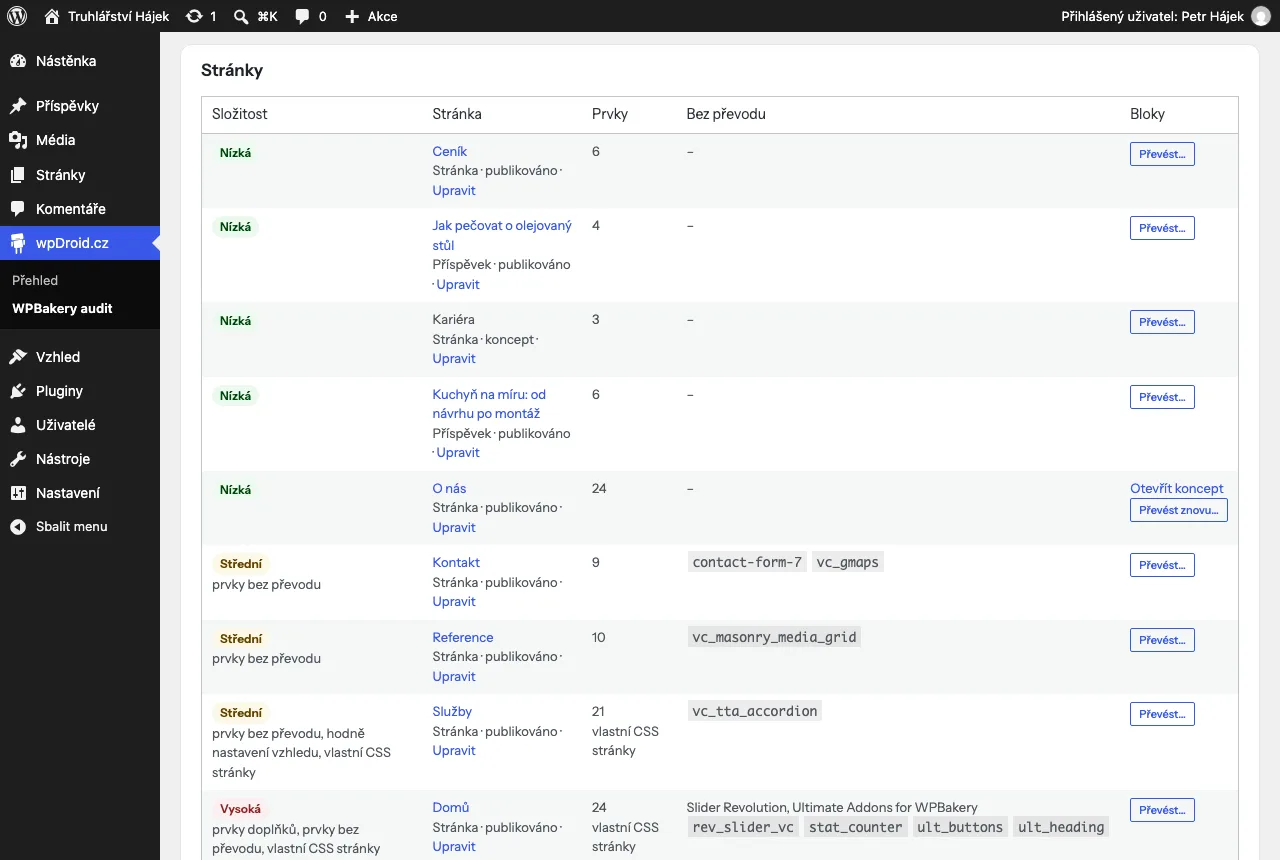
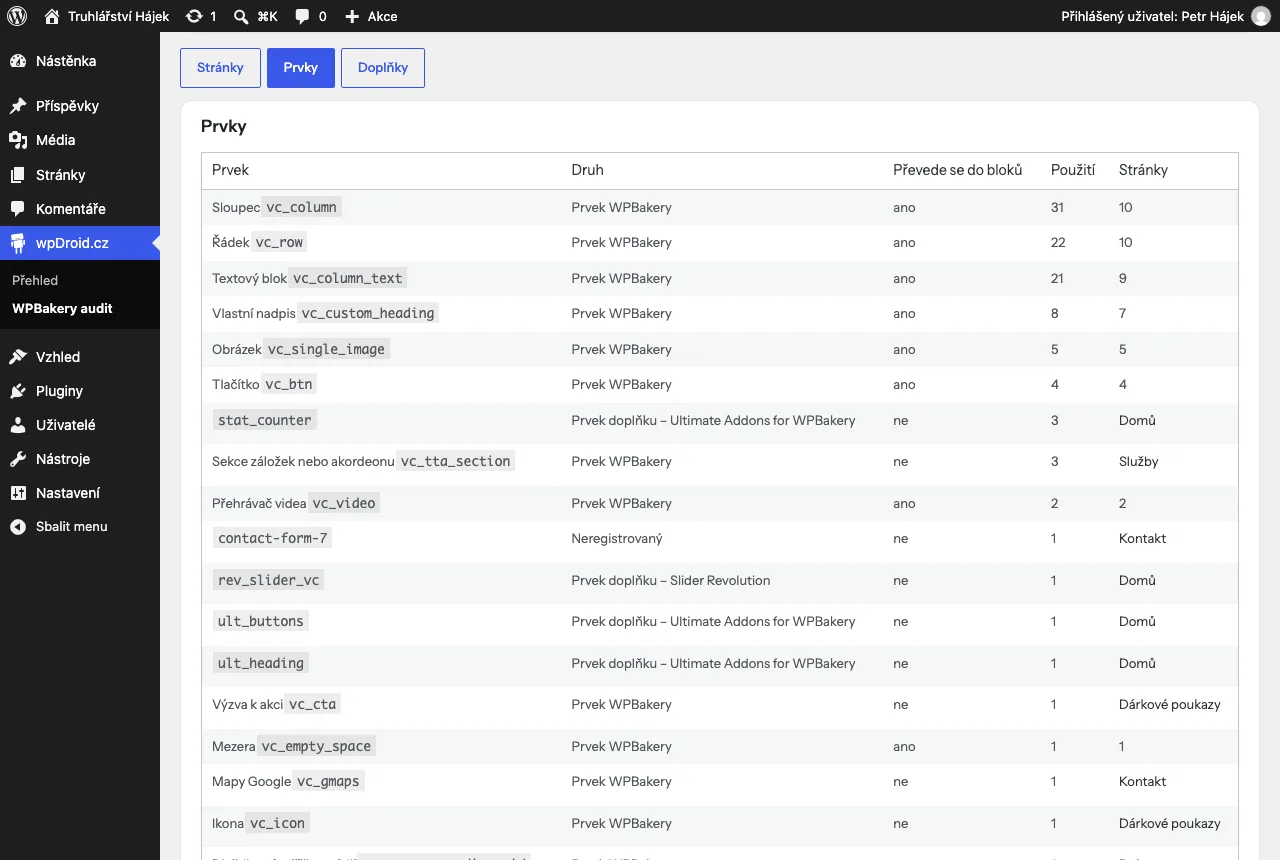
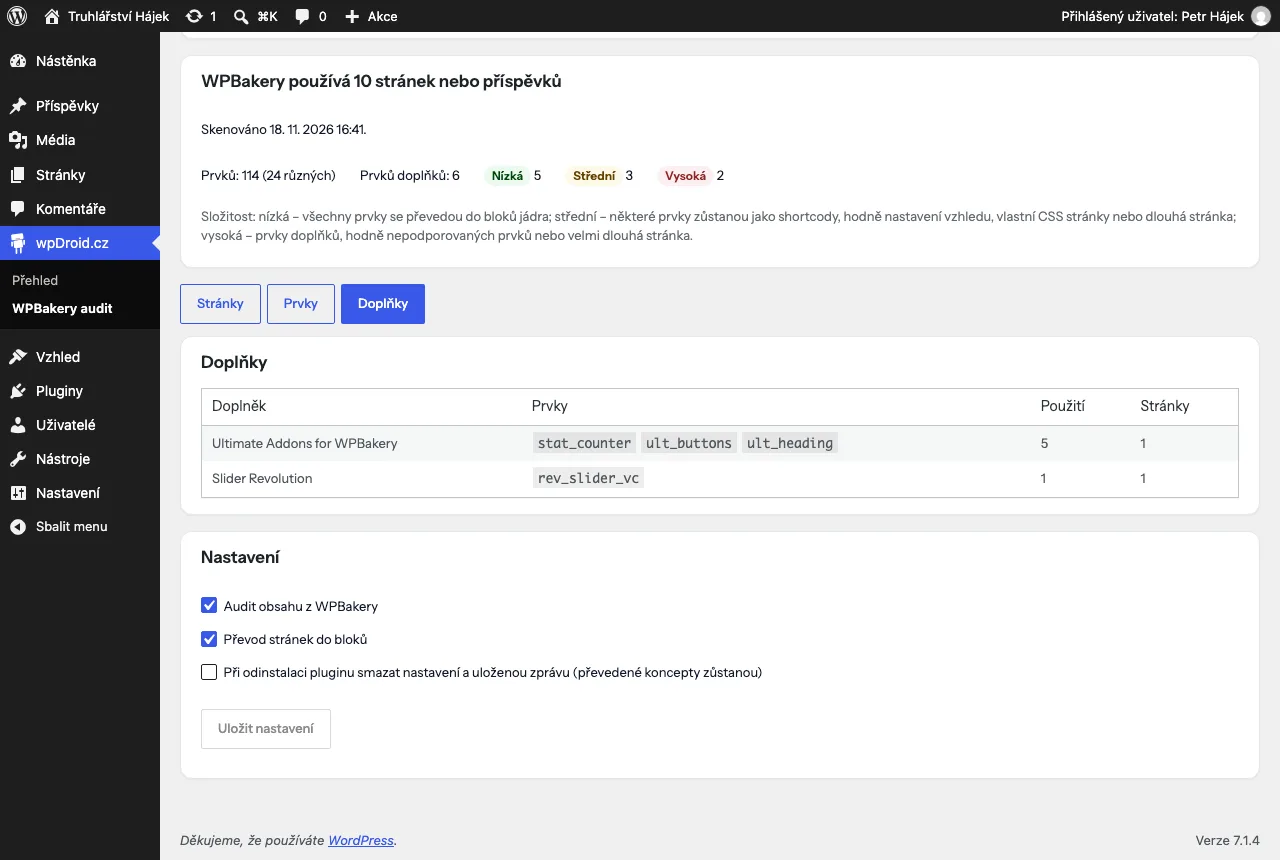
- Report: number of pages built with WPBakery, every element with its use count and pages, elements of add-ons (Ultimate Addons, Slider Revolution, Salient, Impreza, Total, The7 and more) and shortcodes nobody registers any more.
- Complexity score per page – low, medium, high – with the reasons: add-on elements, elements without conversion, many design options, page custom CSS, long pages.
- Export of the report to CSV (opens in Excel and LibreOffice).
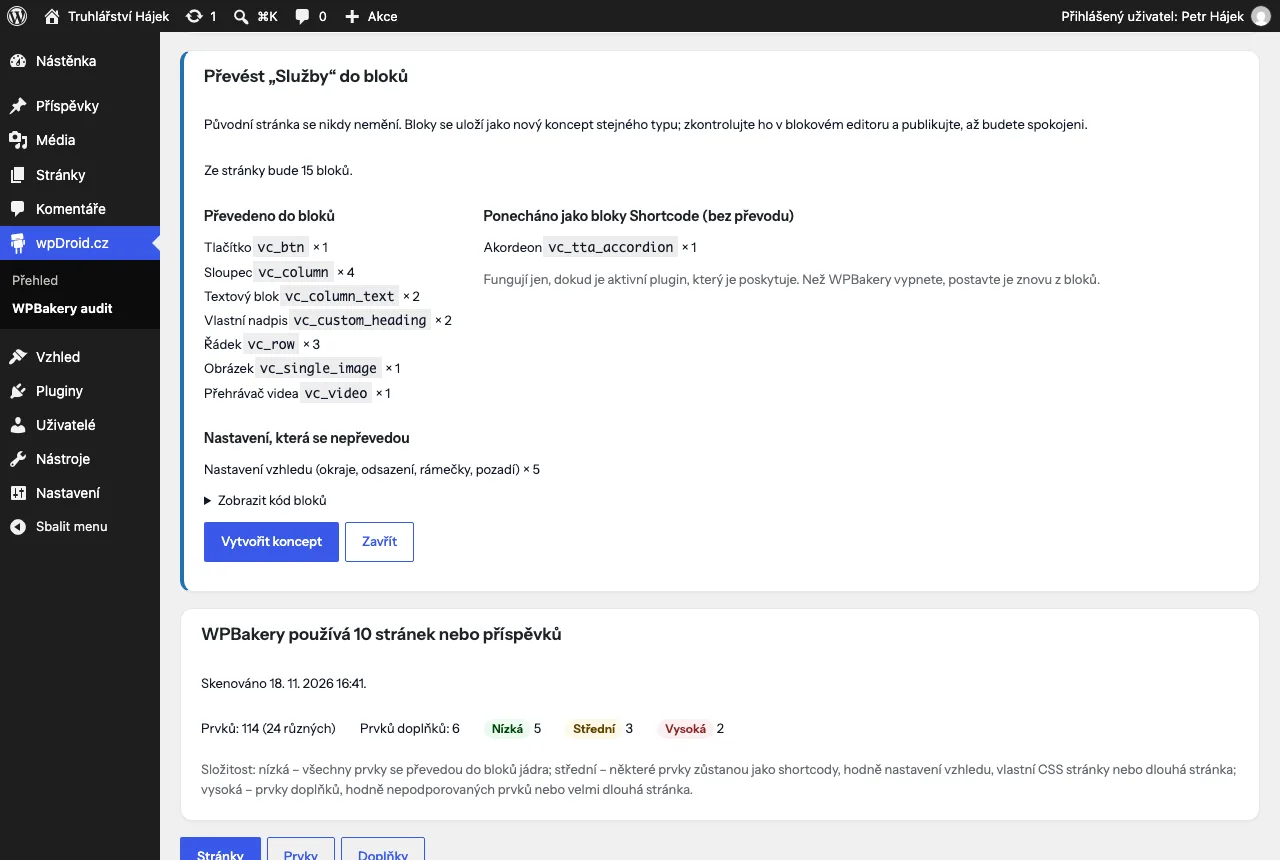
- Conversion to core blocks of rows, inner rows, sections, columns, text blocks (paragraphs, headings, lists, quotes, images), custom headings, single images, buttons, separators, empty space, videos and raw HTML.
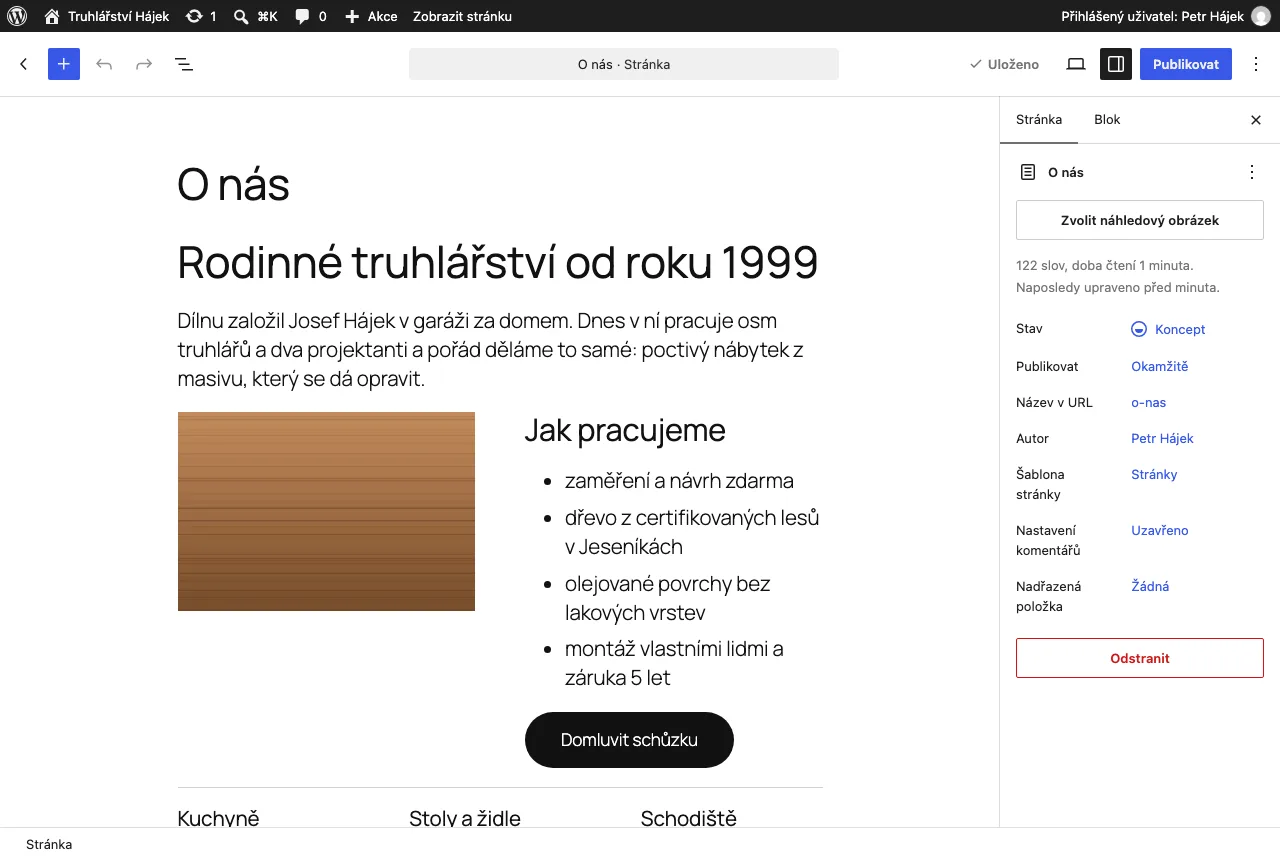
- Safe conversion: you see a preview first (blocks, unsupported elements, settings that are not carried over). The result is saved as a new draft; the original page is never changed. An element without a converter is kept as a Shortcode block and listed. Undo moves the draft to the trash.
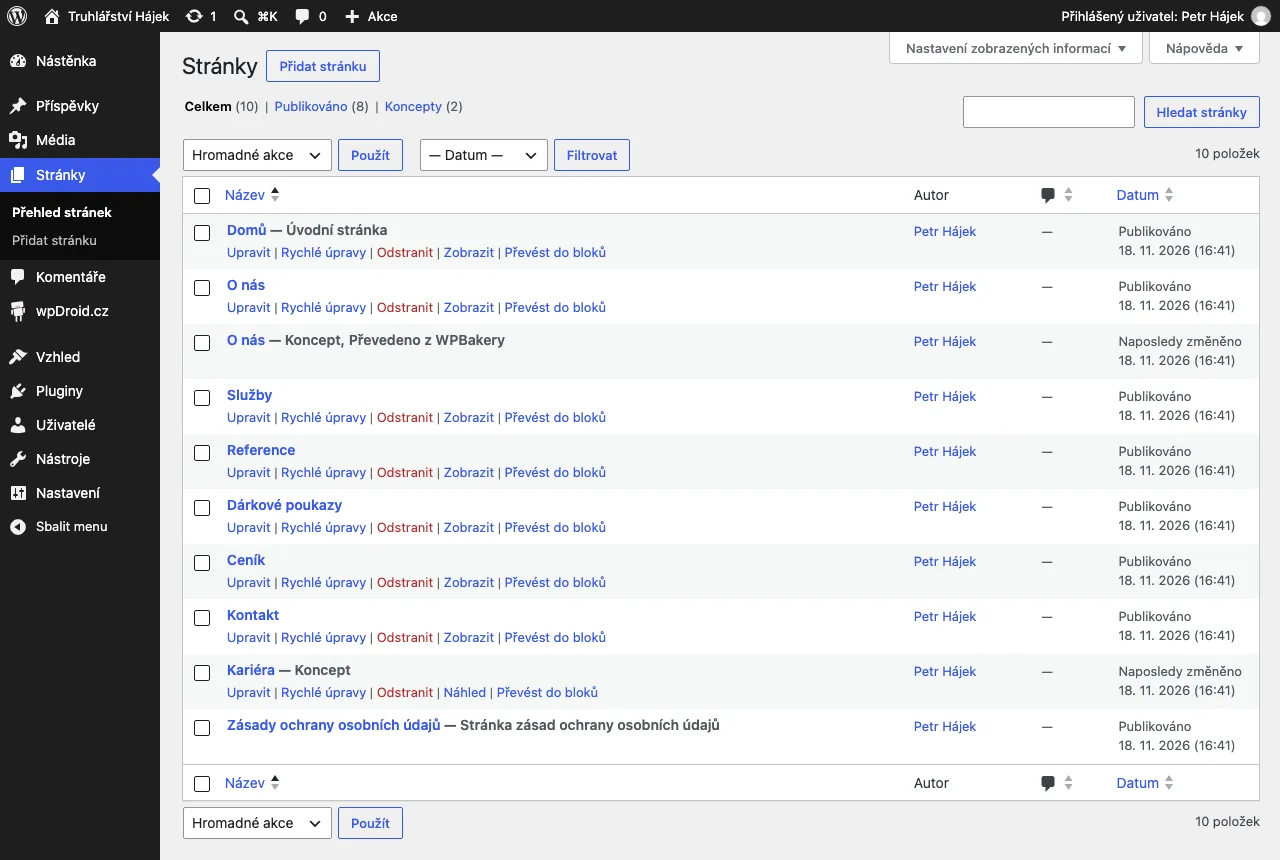
- "Convert to blocks" link in the list of pages and posts.
- Every part can be switched off in the settings.
The converted content is valid block markup: the block editor opens it without "unexpected or invalid content" warnings.
For developers
droid_wpbakery_audit_converters– add or replace element converters (WpDroid\WpbakeryAudit\Convert\ElementConverter:convert( array $atts, string $content ): string).droid_wpbakery_audit_elements,droid_wpbakery_audit_addons– lists of WPBakery elements and known add-ons.droid_wpbakery_audit_complexity_thresholds– thresholds of the complexity score.droid_wpbakery_audit_draft_args, actiondroid_wpbakery_audit_draft_created– the new draft.droid_wpbakery_audit_modules– module registry.
External services
The audit and the conversion contact no external service.
wpDroid.cz plugin catalog
The shared wpDroid.cz → Overview page loads the list of wpDroid.cz plugins from https://wpdroid.cz/api/wp/catalog, only when an administrator opens that page, at most once every 12 hours. No site or visitor data is sent; like every WordPress HTTP request it carries the WordPress version and the site address in the User-Agent header. The catalog is provided by wpDroid.cz.
Plugin updates (copy downloaded from wpdroid.cz only)
WordPress asks https://wpdroid.cz/api/v1/update/droid-wpbakery-audit for new versions of this plugin about twice a day and when an administrator checks for updates or installs one. The request carries the installed plugin version, the PHP version and the site language, no site or visitor data; like every WordPress HTTP request it also carries the WordPress version and the site address in the User-Agent header. A copy from wordpress.org does not contact wpdroid.cz for updates. The service is provided by wpDroid.cz.
Screenshots
What you get
- Droid WPBakery Audit plugin, free download
- Download for your e-mail – no payment and no billing details
- Updates right in the WordPress admin
Installation
- Download the plugin from wpdroid.cz, then in Plugins → Add New Plugin → Upload Plugin upload the zip and activate it.
- Open wpDroid.cz → WPBakery audit and click Scan the site.
Common questions
- How much does the plugin cost?
Nothing, the plugin is free.
- Do I need WPBakery?
No. The plugin reads the shortcodes stored in the content. It works with WPBakery active, deactivated or deleted.
- Will my page be changed?
No. The scan only reads content. The conversion saves a new draft of the same type with the same title. You review it in the block editor and publish it yourself. You then also retire or delete the old page yourself.
- What happens to elements that cannot be converted?
They stay in the draft as Shortcode blocks with the original shortcode, and you will see them in the preview. They work only as long as the plugin providing them is active. Before you deactivate WPBakery, rebuild them from blocks.
- What is not carried over?
Design settings (margins, padding, borders, backgrounds), animations, parallax, background videos, custom fonts and colours, and column offsets for different screen sizes. Colours and spacing are taken from your theme. Stretched rows become full-width groups, and custom CSS classes on rows and columns are kept.
- Does the plugin also convert add-on elements? Or to Elementor or Bricks?
Not in this version. It converts only the core WPBakery elements to core blocks. Developers can add their own conversion via the
droid_wpbakery_audit_convertersfilter.- Can it handle a large site?
The scan runs in batches. In testing, it went through 1,005 pages without timing out. If you close the tab, WP-Cron finishes the scan.
- How is complexity calculated?
High: the page has add-on elements, many elements with no conversion, or is very long. Medium: at least one element with no conversion, several elements with design settings, custom page CSS, or a longer page. Otherwise low. For each page you will see the reasons, both in the report and in the CSV.
- What data does the plugin send?
Neither the audit nor the conversion sends anything. The scan results stay in your site’s database. The wpDroid.cz → Overview page loads the list of plugins from wpdroid.cz only when an administrator opens it, at most once every 12 hours. A copy downloaded from wpdroid.cz checks wpdroid.cz for updates, sending only the plugin version, PHP version and site language.
- Is the plugin affiliated with the company that develops WPBakery?
No. It is an independent plugin by wpDroid.cz. WPBakery Page Builder is a trademark of its owner.