Droid Spots Pro
Positions in lists of posts, sticky positions, fallback images and statistics with an overview for Droid Spots.
An add-on to the free plugin Droid Spots. It plugs into the free plugin only through its public hooks; the security of the free plugin (signed ads, permissions, sandboxed network code, no network code for logged-in staff) stays exactly the same.
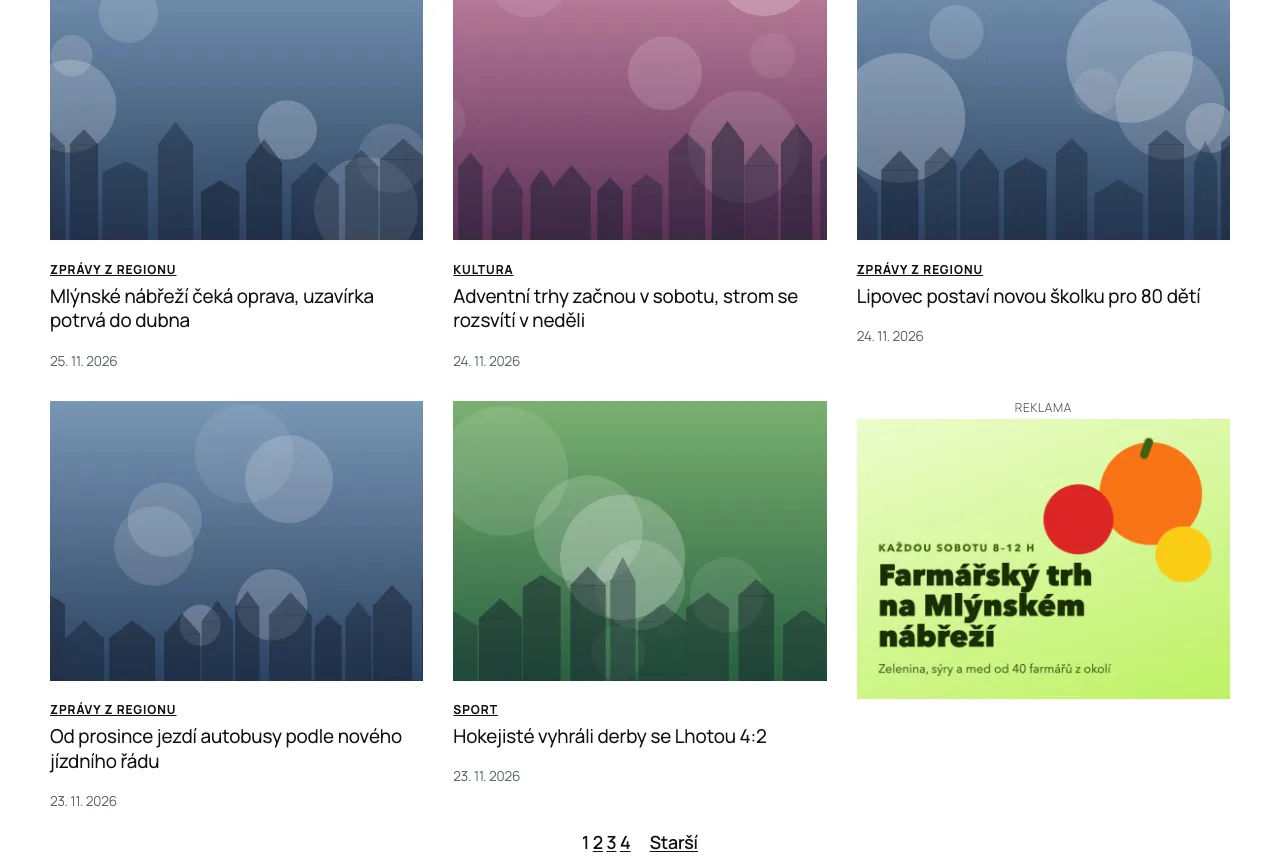
Positions in lists of posts
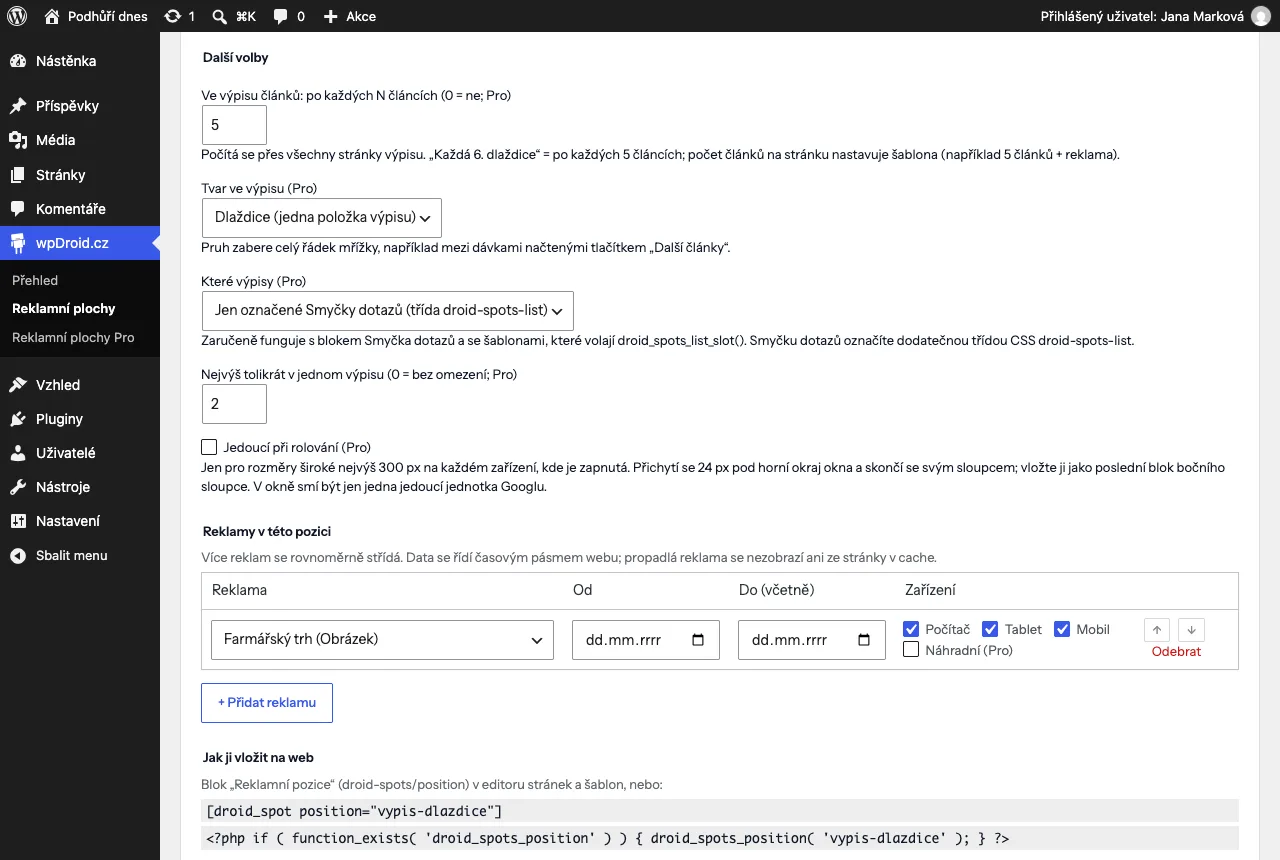
- Every Nth item of a list – for example every 6th tile of the blog: the position is added after every 5 posts of a Query Loop, counted across pages (page 2 continues with post 6). The add-on never changes the number of posts per page; the theme sets it so the rows stay full (for example 5 posts + the ad).
- Strip between batches – a position over the whole width of the grid after every N posts, e.g. between batches loaded by a "More posts" button.
- Which lists: every Query Loop, only Query Loops of the blog and archives (main query), only Query Loops marked with the CSS class
droid-spots-list, or only the theme function. - Guaranteed with the Query Loop block of WordPress and with themes that call
droid_spots_list_slot( $ordinal ). Lists of page builders are not guaranteed. - "More posts": the theme loads the next page as HTML, appends the items and calls
droidSpots.start( root )(never automatic: HTML injected by something else cannot start a position).
Sticky positions
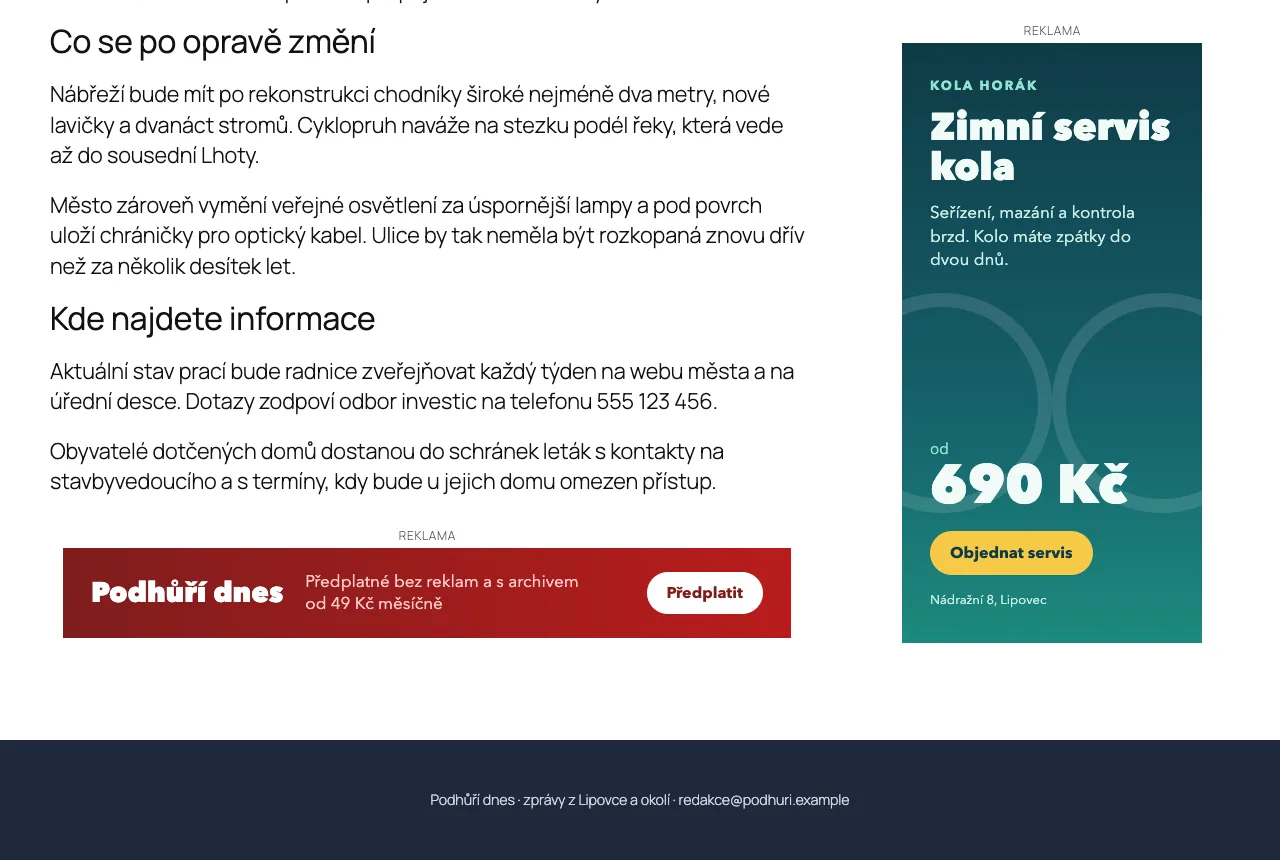
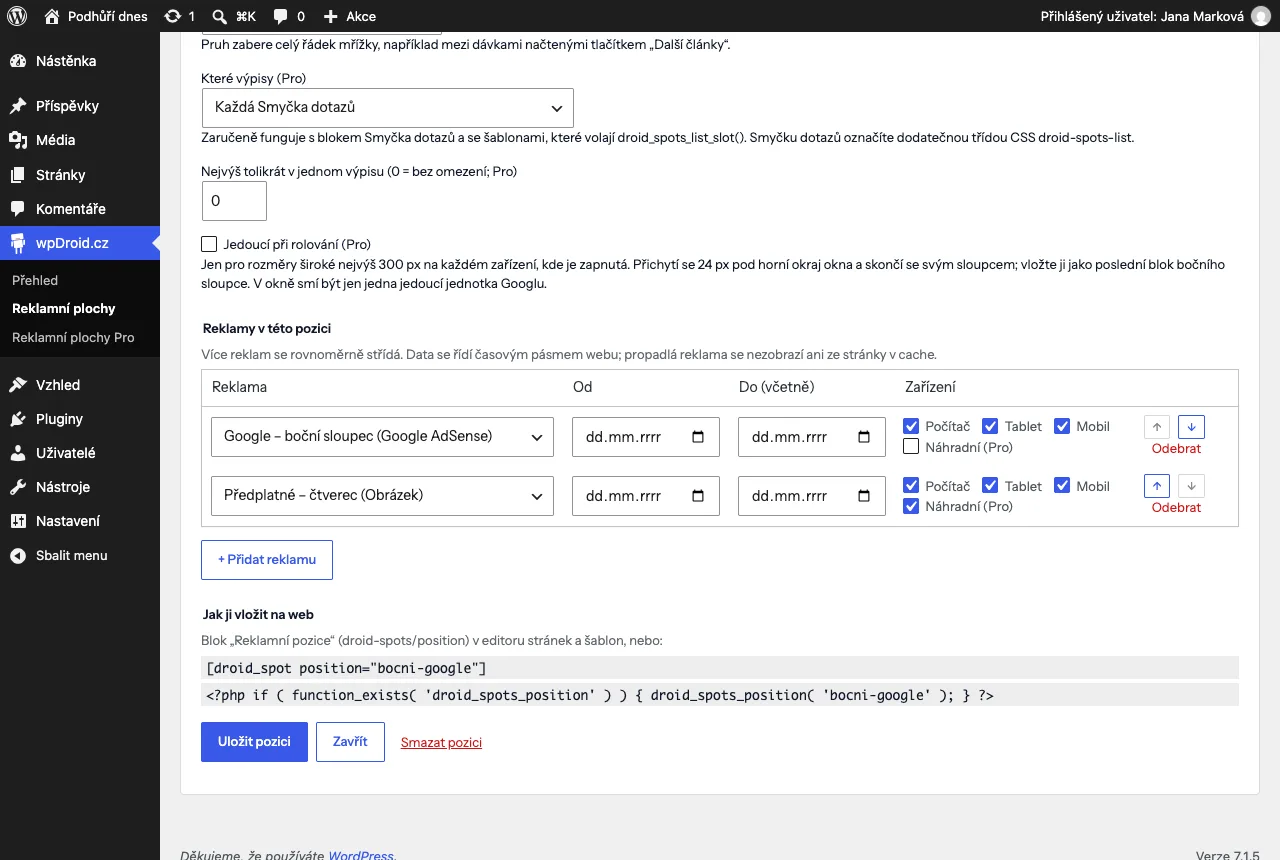
- The position sticks 24 px below the top of the window while scrolling, moves only vertically and ends with the column it travels beside.
- Never covers other content: it sticks only as the last element of its column, when the column is taller and the window is high enough.
- Only for sizes at most 300 px wide. The settings check warns when more than one sticky position can show a Google unit (only one sticky Google ad may be in the window).
Fallback images
- An own image assigned to a position as "fallback" is shown when the main ad is not: no consent yet, Google delivered nothing, the ad expired, an error or a blocker hid it. Without a fallback the place collapses as before.
- Works behind a page cache: the fallback is part of the page data, picked in the browser, never fetched from elsewhere.
Statistics
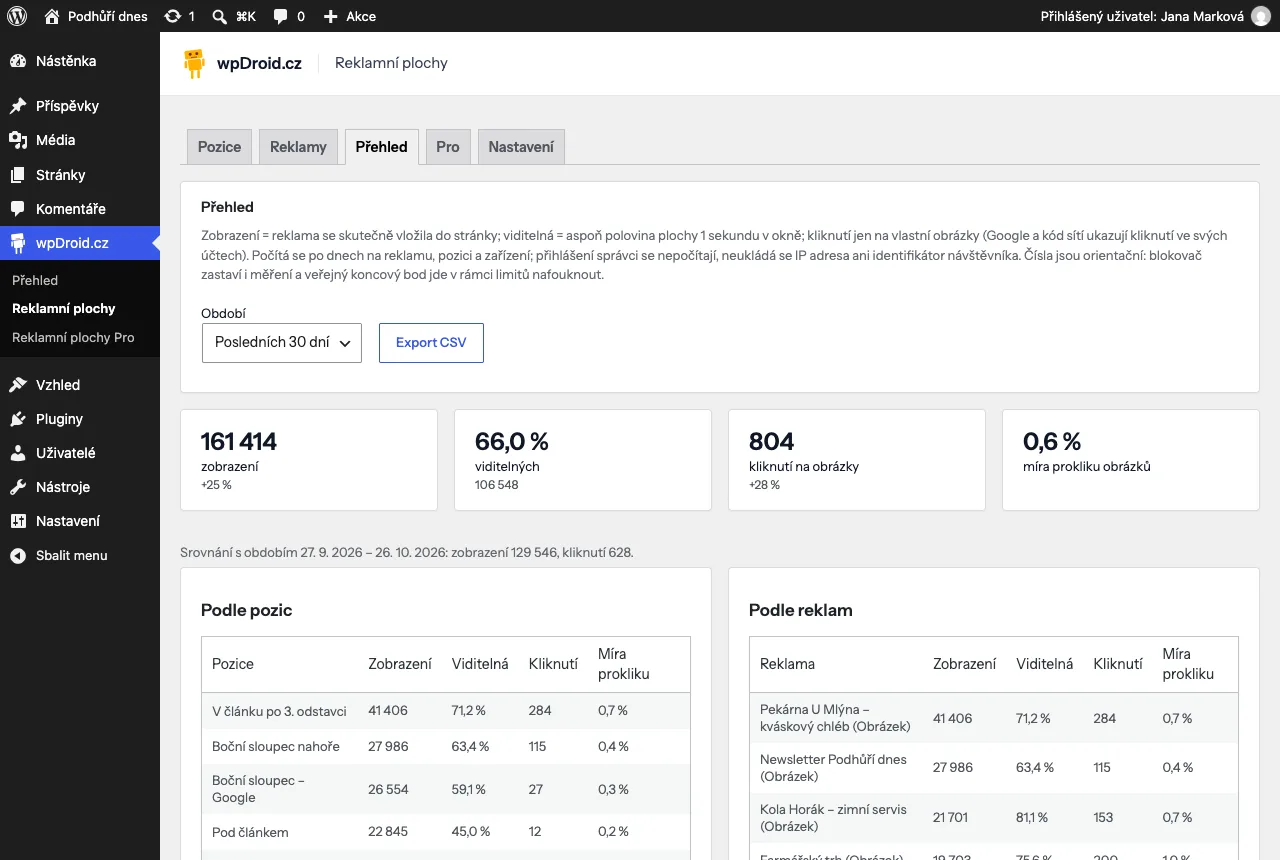
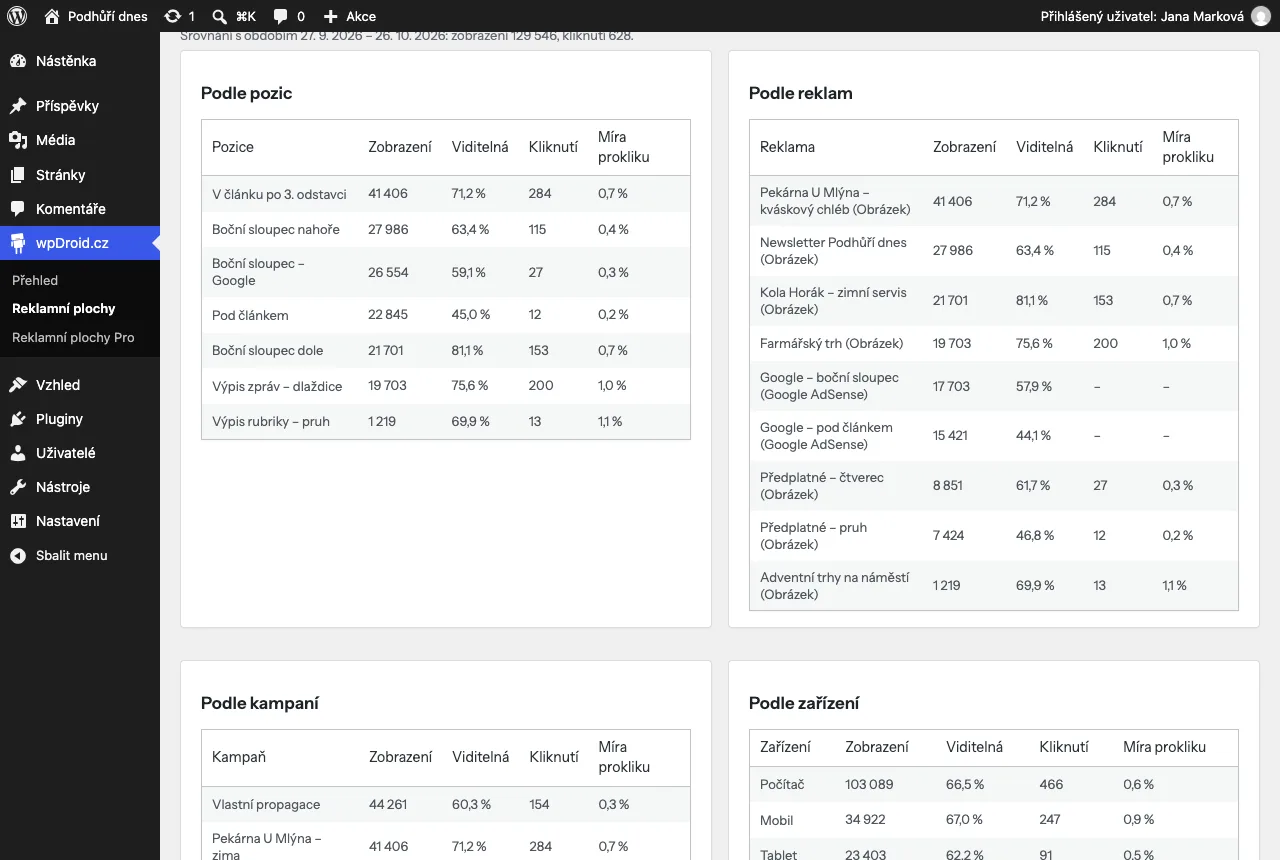
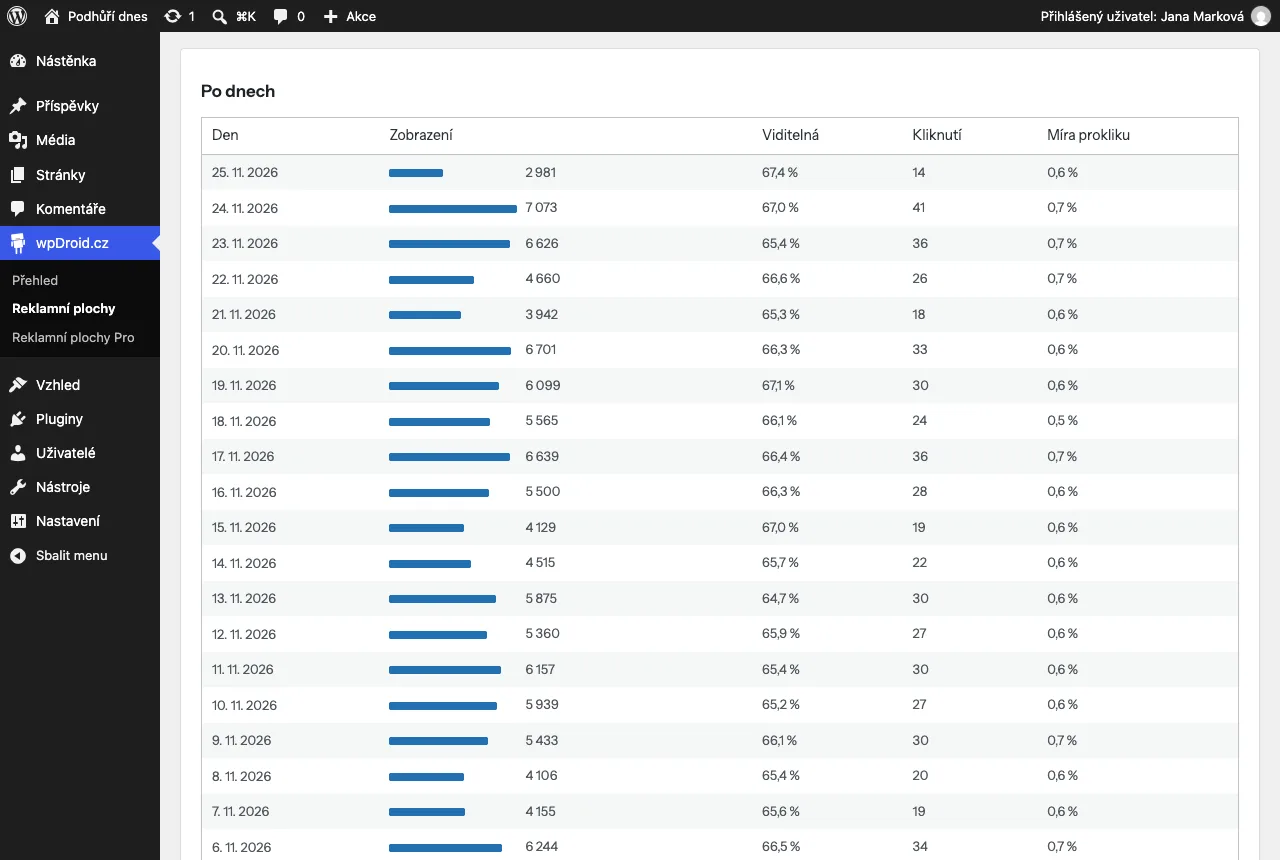
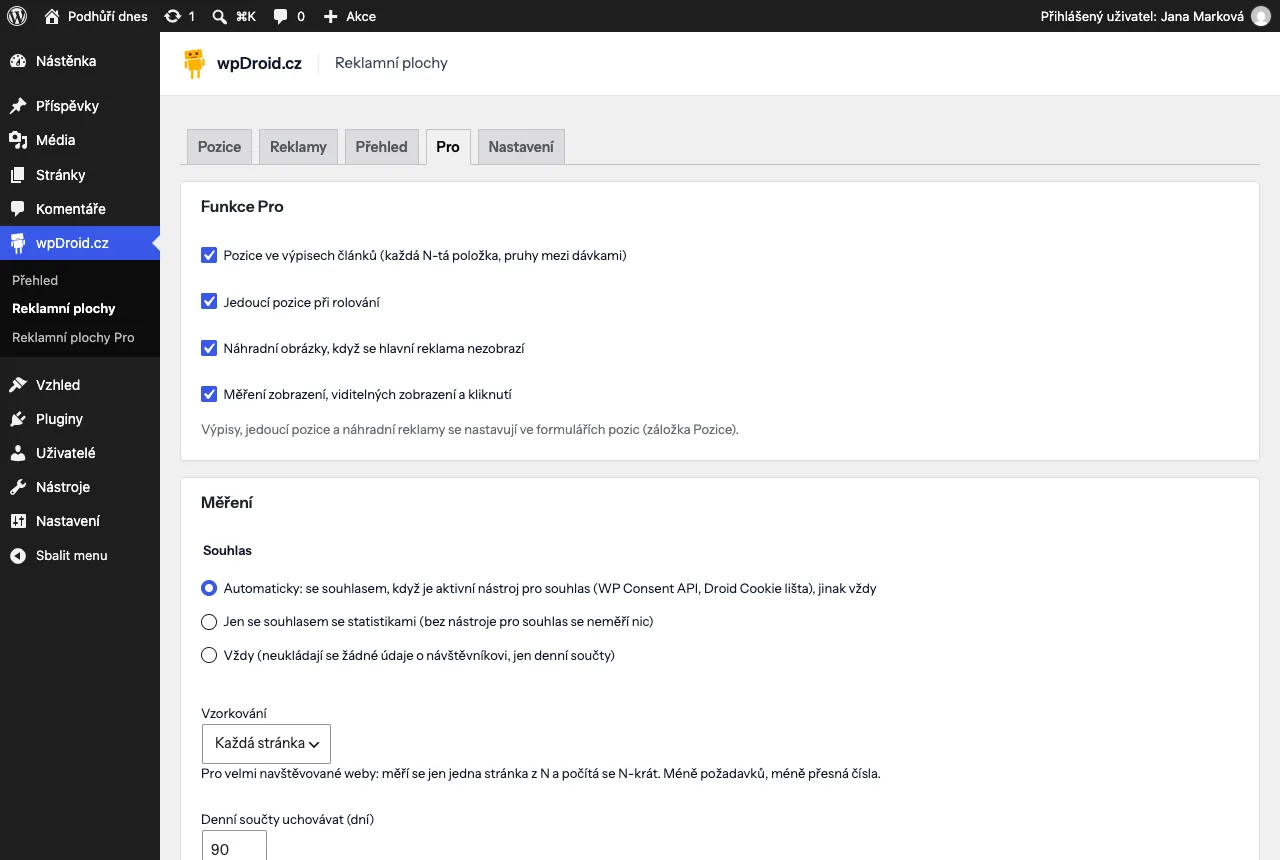
- Views (the ad was really inserted into the page), viewable views (at least half of it for one second in the window) and clicks on own images, per day, ad, position and device.
- Overview by position, ad, campaign and device, comparison with the previous period, CSV export.
- Clicks on Google and network ads are not measured: they run in foreign frames and AdSense forbids touching them; the numbers are in your AdSense account.
- Cache-safe: the page carries a signed description of the position (valid on the day of rendering and the next day), the same for every visitor; links stay direct (no redirect). All events of a page go in one batch when it is left; optional sampling for busy sites.
- Logged-in staff are never counted. No IP address or visitor identifier is stored. With a consent tool (WP Consent API, Droid Cookie lišta) only visitors who allowed statistics are counted (adjustable).
- The numbers are indicative, not a basis for invoicing advertisers: blockers stop the measuring too, and the public endpoint can be inflated within its limits (signature, events per request, requests per client and per site).
- Older daily totals are merged into months or deleted after a set number of days.
For developers
droid_spots_list_slot( int $ordinal, string $tag = 'div' ): string– positions due after post number$ordinalof a theme's own list (wrapped inliordiv).- Statistics through
\WpDroid\Core\Core::metrics()of the bundled wpdroid/core (0.6+). droid_spots_pro_license_config,droid_spots_pro_license_validfilters (testing).
External services
Licence and updates (wpdroid.cz)
The licence key is checked at https://wpdroid.cz/api/v1 when you activate or deactivate it and once a day afterwards; the request carries the licence key, the product, the plugin version, the PHP version and the site domain. WordPress asks https://wpdroid.cz/api/v1/update/droid-spots-pro for new versions about twice a day. No content of the site is sent anywhere. The service is provided by wpDroid.cz.
Screenshots

What you get
- Droid Spots Pro plugin to download from your customer account
- Licence key for one site (Agency licence: five sites)
- Updates right in the WordPress admin while the licence is valid
- E-mail support while the licence is valid
Installation
- Install and activate the free plugin Droid Spots (1.0.1 or newer).
- Download Droid Spots Pro from wpdroid.cz, then in Plugins → Add New Plugin → Upload Plugin upload the zip and activate it.
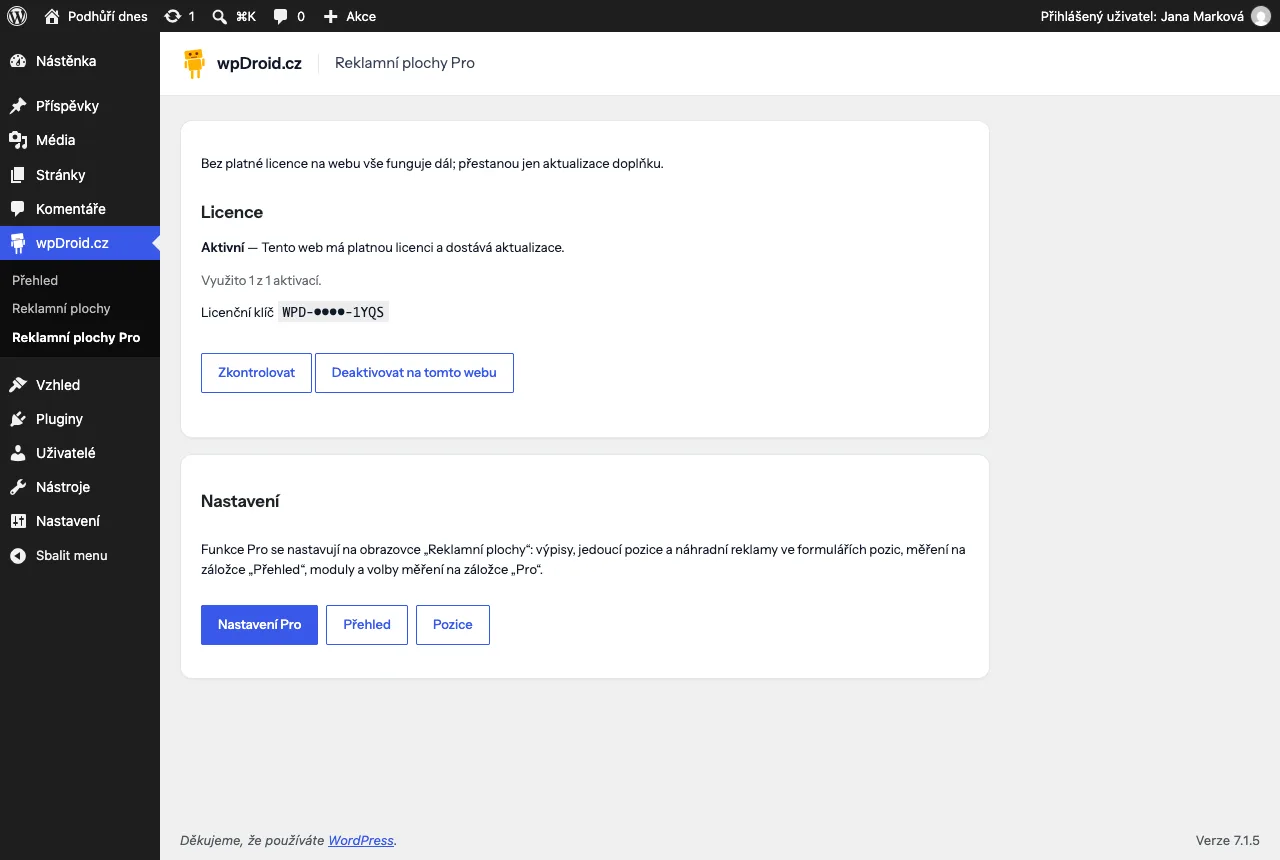
- Open wpDroid.cz → Reklamní plochy Pro and enter the licence key. Lists, sticky positions and fallbacks are set in the forms of the positions in wpDroid.cz → Reklamní plochy, the statistics are in its "Overview" tab and the Pro options in the "Pro" tab.
Common questions
- Do I also need the free Ad Spots plugin?
Yes. The Pro add-on extends the free Droid Spots plugin (1.0.1 or later) and will not activate without it.
- Does the add-on change the number of posts per page?
No. Set it in the theme or in the Query Loop so that rows stay full – for example 5 posts + an ad.
- Does the listing work with my page builder?
It is guaranteed with the Query Loop block and with themes that call
droid_spots_list_slot(). Page builder listings are not guaranteed.- Can several ads be sticky at once?
Any slot up to 300 px wide that is the last element in its column can be sticky. Under Google’s policies, only one sticky AdSense unit may be in the viewport – the settings check warns you about this.
- When is the fallback image shown?
When the main ad is not shown: consent is missing, Google served nothing, the ad has expired, there is an error, or an ad blocker hid it. Only your own image can be used as a fallback.
- Are AdSense clicks tracked?
No. Google ads and network code run in third-party frames and AdSense forbids interfering with them – you will find clicks in your AdSense account. The add-on tracks impressions and viewability of all ads, and clicks on your own images.
- Do the statistics store personal data?
No. Only daily totals per ad, slot and device are stored. The IP address is not stored, only its salted hash for two minutes for rate limiting. With a consent tool, only visitors who have allowed statistics are counted.
- Can I invoice advertisers based on the statistics?
Better not. The figures are indicative – ad blockers also stop tracking, and the public endpoint can be inflated within the rate limits.
- What happens without a valid licence?
Everything on the site keeps working. The administrator sees a notice and the add-on does not receive updates.
- Can I move the licence to another site?
Yes. Deactivate the domain in the customer portal and use the freed slot elsewhere.
- What happens if I do not renew?
Your site keeps running and the plugin stays installed and working. After a 14-day grace period, updates and support stop. The exception are add-ons where the licence unlocks Pro features (Droid ČNB Pro, Droid MCP Bridge Pro): there those features switch off after the grace period too. Renewing switches everything back on and the key stays the same.
- Can I get a refund?
You may withdraw within 14 days of the purchase until you ask in the customer portal for the licence key and the downloads to be released — that ends the right of withdrawal. If the product does not work as described, get in touch — that is a defect and it gets fixed.
- Will I get a tax document?
Yes, sent to the e-mail on the order. Businesses from another EU country with a valid VAT ID buy under the reverse charge mechanism.