

Droid Shipping Info
Parcel tracking links for Czech and Slovak carriers and delivery times with a "ships today" countdown for WooCommerce.
Parcel tracking
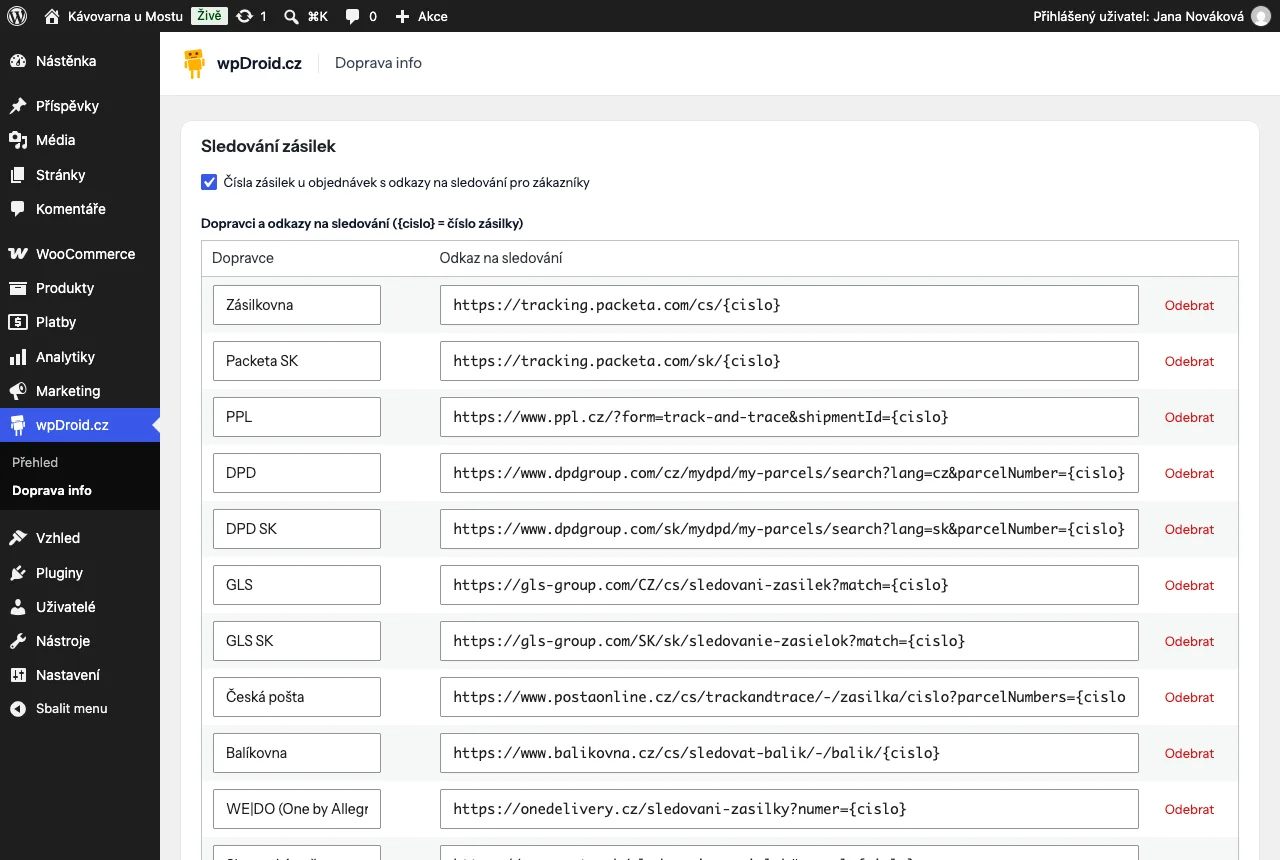
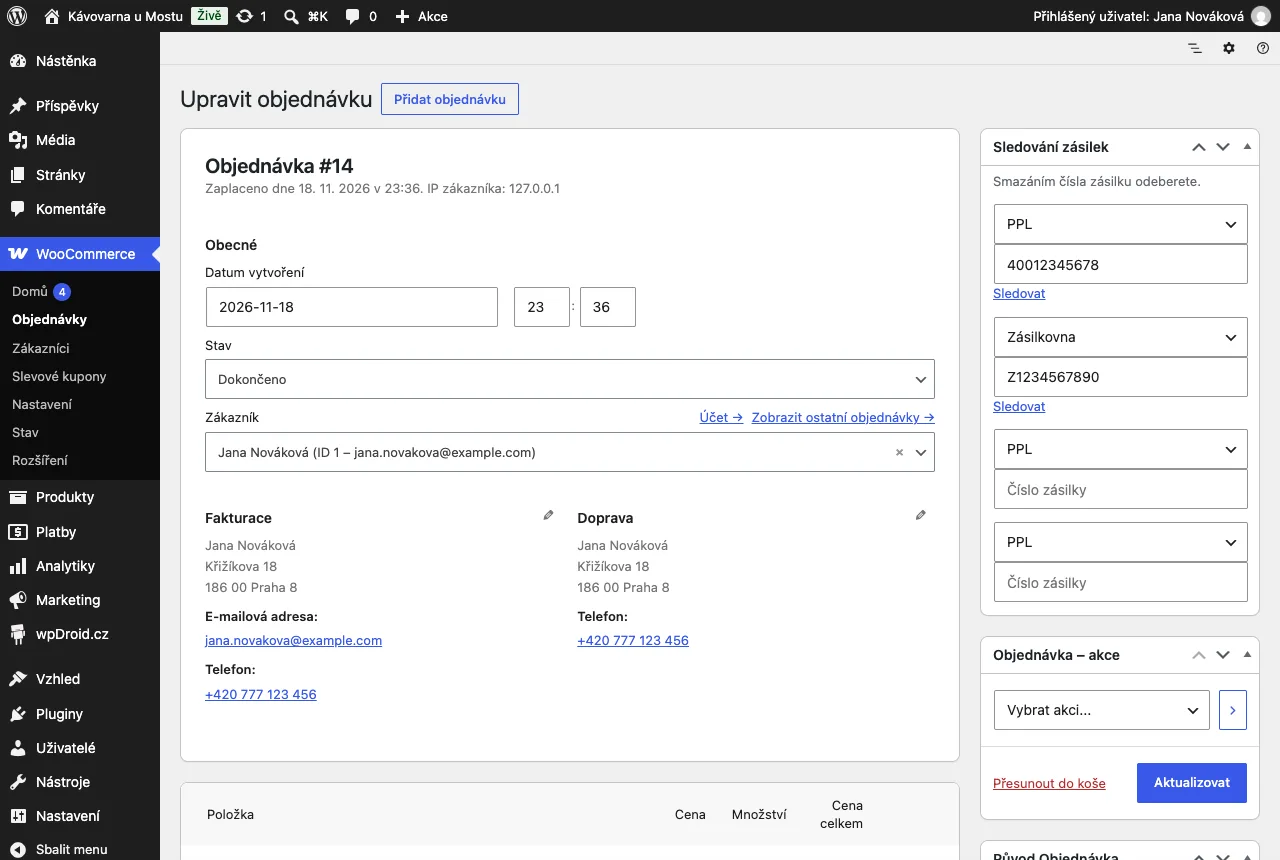
- Parcel numbers at the order: choose the carrier and type the number in the "Parcel tracking" box; one order can have several parcels.
- Preset carriers with tracking links: Zásilkovna, Packeta SK, PPL, DPD, DPD SK, GLS, GLS SK, Česká pošta, Balíkovna, WE|DO (One by Allegro), Slovenská pošta, DHL Express, Geis. Edit the list or add your own carrier;
{cislo}in the link is the parcel number. - E-mails: the tracking links in the "Completed order" e-mail, and optionally a separate "Parcel shipped" e-mail (WooCommerce → Settings → Emails).
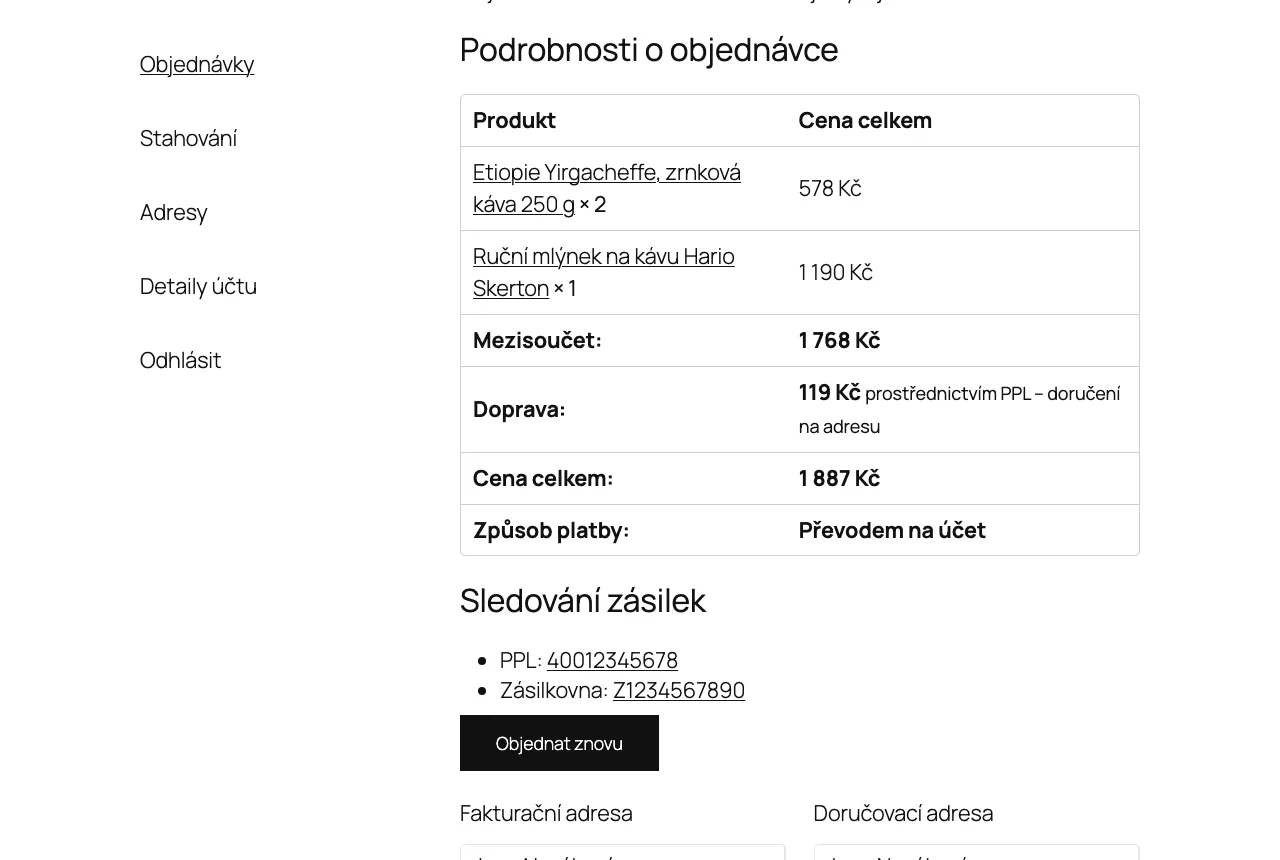
- My account: the links in the order detail.
- CSV import: rows "order number; carrier; parcel number", processed in batches (500 rows without a time-out); rows with errors are listed. Optionally switches the orders to Completed.
- For developers: the field
droid_trackingin the WooCommerce REST API of orders (read and write) and the actiondroid_tracking_added. - From České služby: one click copies the parcel numbers saved by the old plugin.
Delivery time
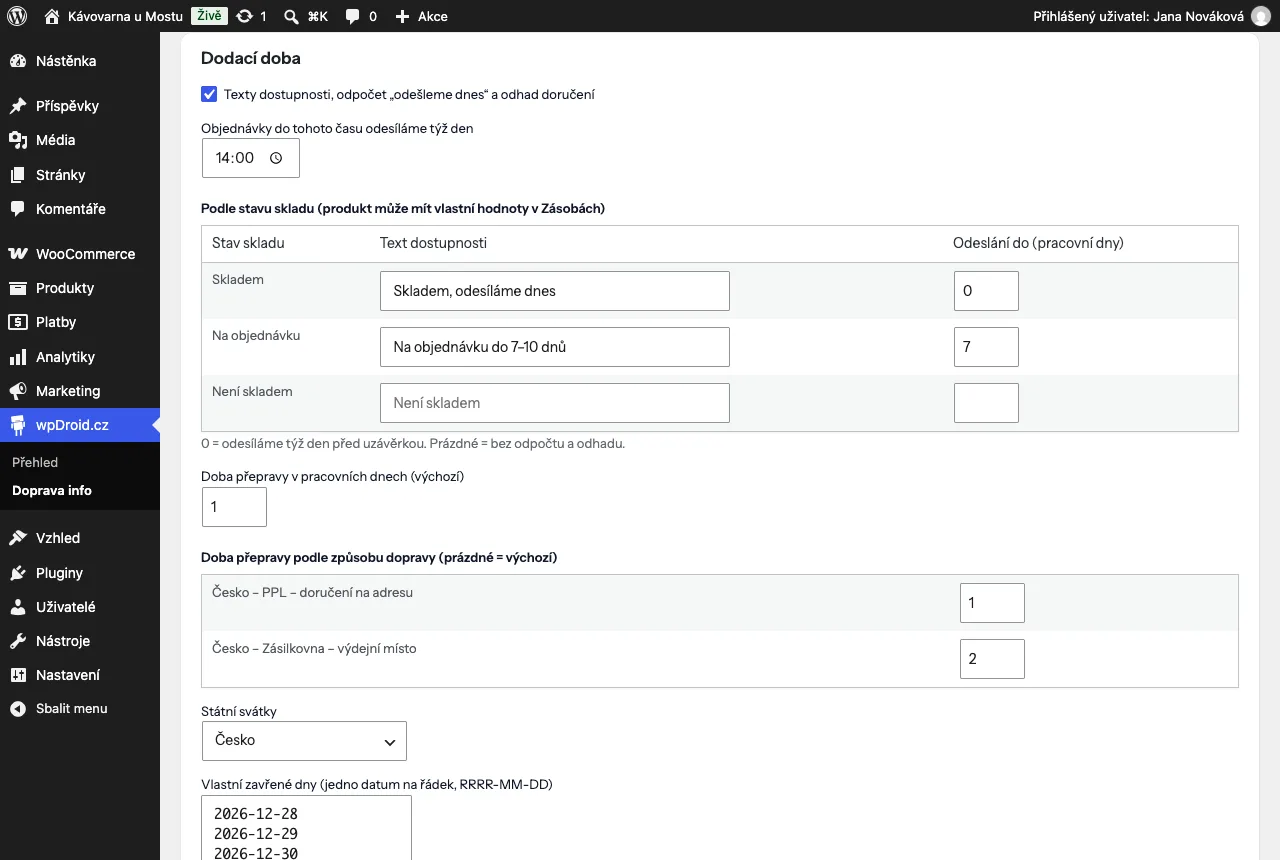
- Availability texts by stock status and per product or variation: "In stock, ships today", "Within 3 working days", "On order 7–10 days".
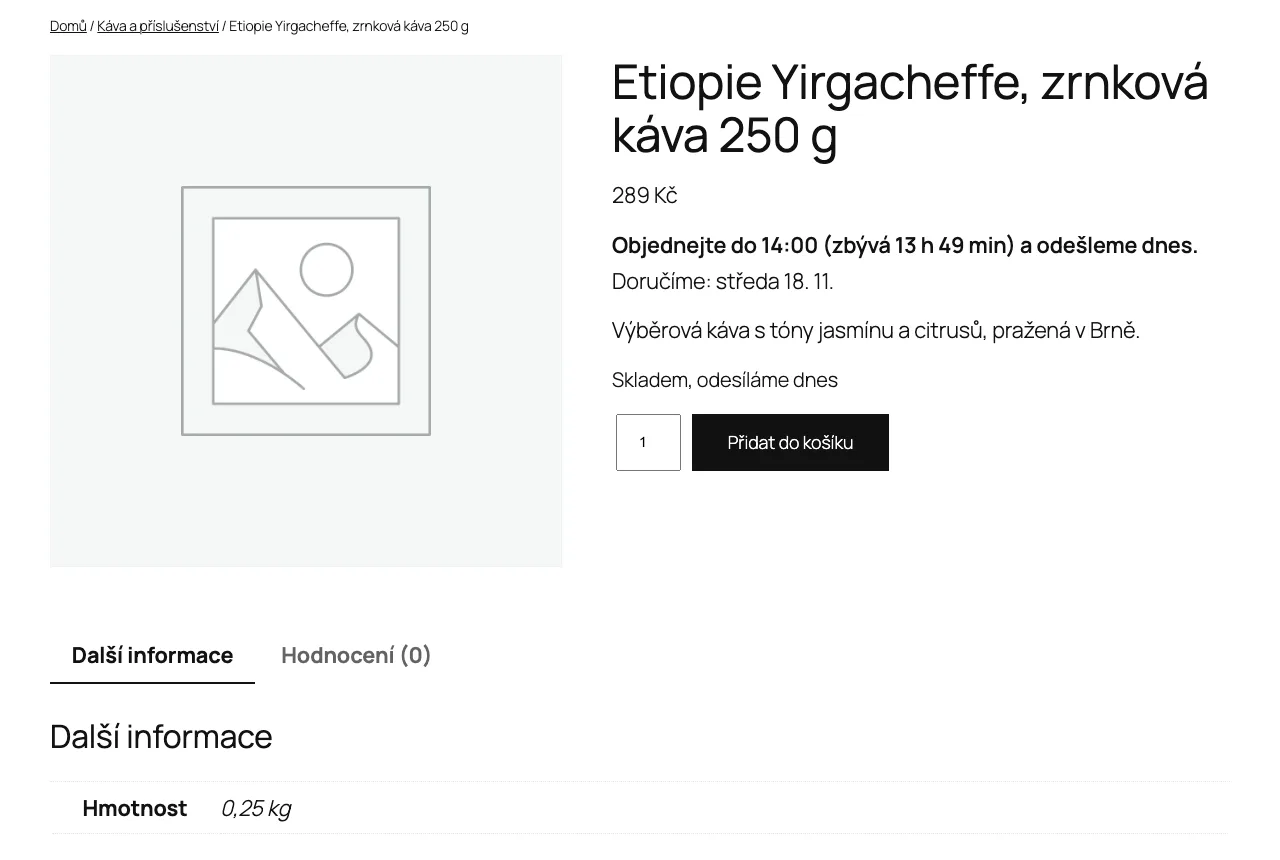
- Countdown: "Order by 14:00 (1 h 20 min left) and we ship today." It switches to the next working day when the cut-off passes, without reloading the page.
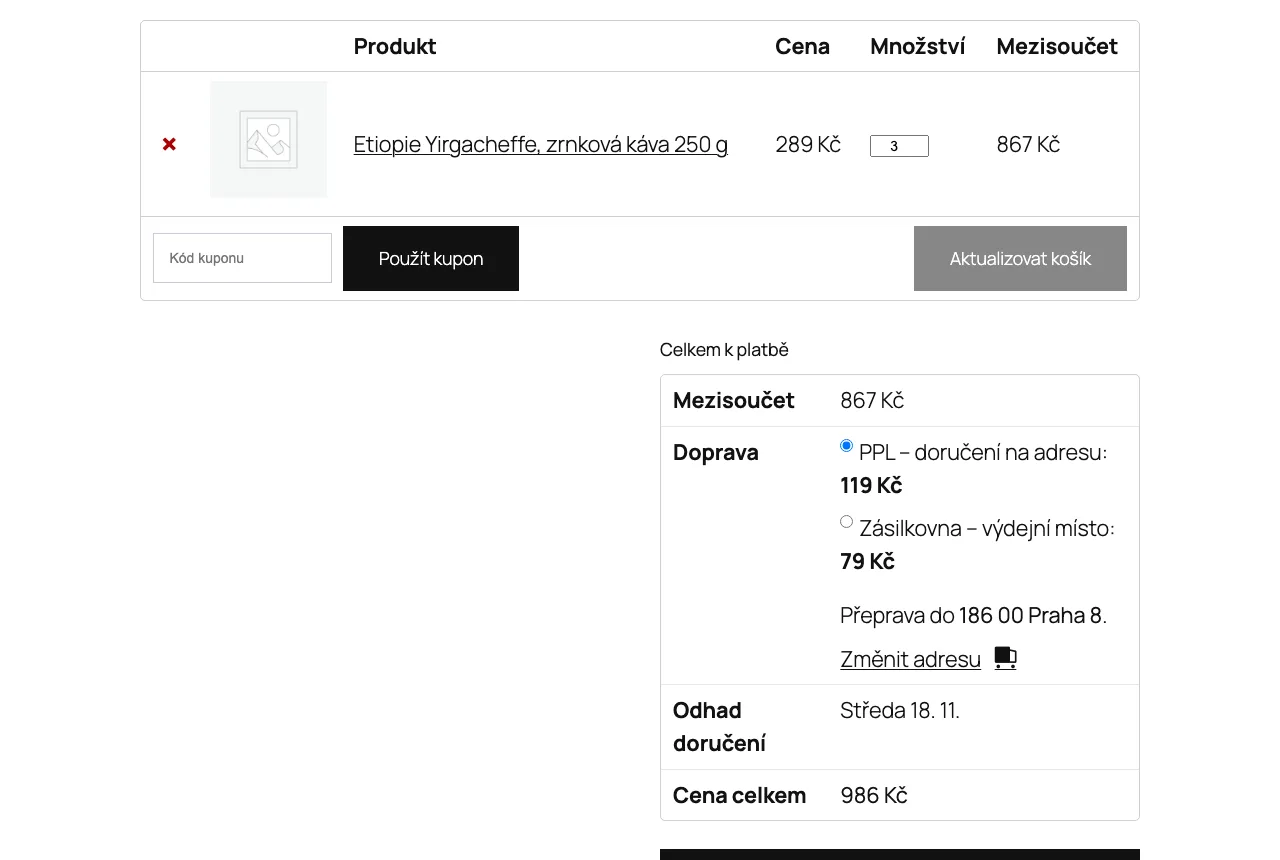
- Delivery estimate by the shipping method (transit days per method): on the product page, in the cart, the checkout and the order e-mails – the e-mail shows the date the checkout showed.
- Working days: weekends, Czech or Slovak public holidays (including the Slovak changes of 2025 and 2026) and your own closed days.
- Variations: dispatch time per variation.
- Page cache friendly: the product page carries the data and the browser computes the dates.
- From České služby: copies the delivery times of products and variations.
All data stay on your site; the plugin calls no external service.
External services
The plugin itself contacts no external service. The tracking links lead the customer to the carrier's website only when they open a link.
wpDroid.cz plugin catalog
The shared wpDroid.cz → Overview page loads the list of wpDroid.cz plugins from https://wpdroid.cz/api/wp/catalog, only when an administrator opens that page, at most once every 12 hours. No site or visitor data is sent; like every WordPress HTTP request it carries the WordPress version and the site address in the User-Agent header. The catalog is provided by wpDroid.cz.
Plugin updates (copy downloaded from wpdroid.cz only)
WordPress asks https://wpdroid.cz/api/v1/update/droid-shipping-info for new versions of this plugin about twice a day and when an administrator checks for updates or installs one. The request carries the installed plugin version, the PHP version and the site language, no site or visitor data; like every WordPress HTTP request it also carries the WordPress version and the site address in the User-Agent header. A copy from wordpress.org does not contact wpdroid.cz for updates. The service is provided by wpDroid.cz.
Screenshots
What you get
- Droid Shipping Info plugin, free download
- Download for your e-mail – no payment and no billing details
- Updates right in the WordPress admin
Installation
- Download the plugin from wpdroid.cz, then in Plugins → Add New Plugin → Upload Plugin upload the zip and activate it.
- Open wpDroid.cz → Doprava info: check the carriers, the cut-off time and the transit days of your shipping methods.
- Add parcel numbers in the "Parcel tracking" box of an order, or import them from a CSV file.
Common questions
- How much does the plugin cost?
Nothing, the plugin is free.
- Does the plugin fetch the shipment status from the carrier?
No. The customer gets a link to the carrier’s page, where they can see the shipment status. The plugin does not connect to carriers and needs no access credentials for them.
- Can I add a carrier that is missing from the list?
Yes. In the settings, add the carrier and a link to its tracking page, with the placeholder
{cislo}in place of the tracking number. You can edit the links of carriers already on the list in the same way.- How do I import tracking numbers in bulk?
On the wpDroid.cz → Shipping Info page, upload a CSV file or paste lines in the format “order number; carrier; tracking number”. The import runs in batches and lists any invalid lines. Optionally, it switches the orders to Completed status. The order number means its ID in WooCommerce.
- The delivery estimate shows the wrong day. What should I check?
The shop’s time zone (Settings → General), the cut-off time, the transit days of the selected shipping method and the days you are closed.
- Does the countdown work if the site uses page caching?
Yes. The product page carries only the source data, and the browser calculates the dispatch and delivery dates from the shop’s clock. After the cut-off, the text switches by itself, without reloading the page.
- Does the plugin work with the block checkout?
The delivery estimate is saved with orders from both the classic and the block checkout and is shown in emails. However, the estimate line in the cart and checkout is currently shown only in the classic cart and checkout.
- I used České služby. Will I lose my data?
No. Shipping Info converts the tracking numbers and the delivery times of products and variations stored by the České služby plugin. The conversion does not overwrite data you already have in Shipping Info.
- What data does the plugin send?
No data about the shop or customers. Tracking numbers, settings and delivery estimates stay in your WordPress. The customer reaches the carrier’s website only when they click the tracking link. A copy downloaded from wpdroid.cz checks wpdroid.cz for updates, sending only the plugin version, PHP version and site language. The wpDroid.cz → Overview page loads the list of plugins from wpdroid.cz, at most once every 12 hours.