Droid Related
Related posts below the article and a "You might be interested" box in the text, computed in the background so pages stay fast and cacheable.
Offer your readers what to read next, without slowing the site down.
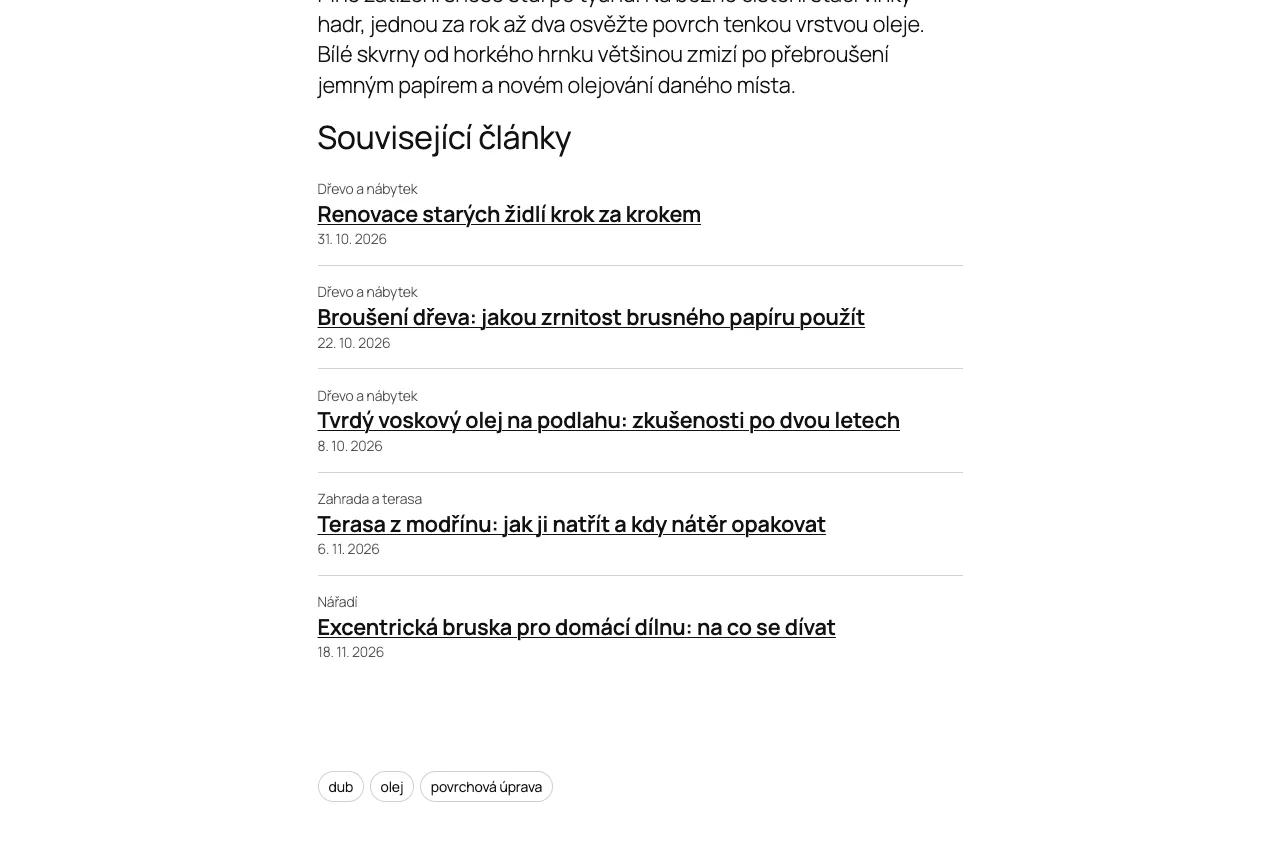
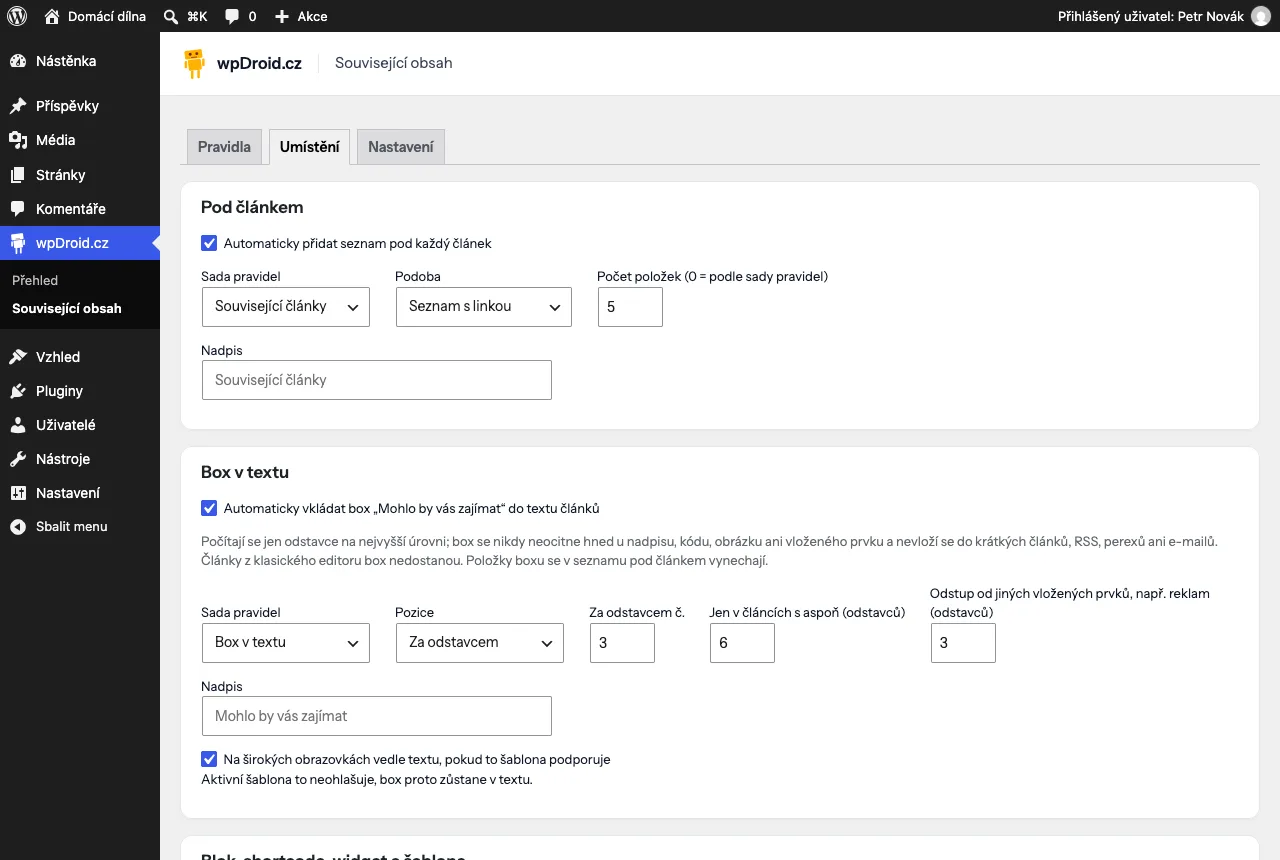
- Below the post: a list of related posts (list with a rule, tiles with images, or a compact box), added automatically.
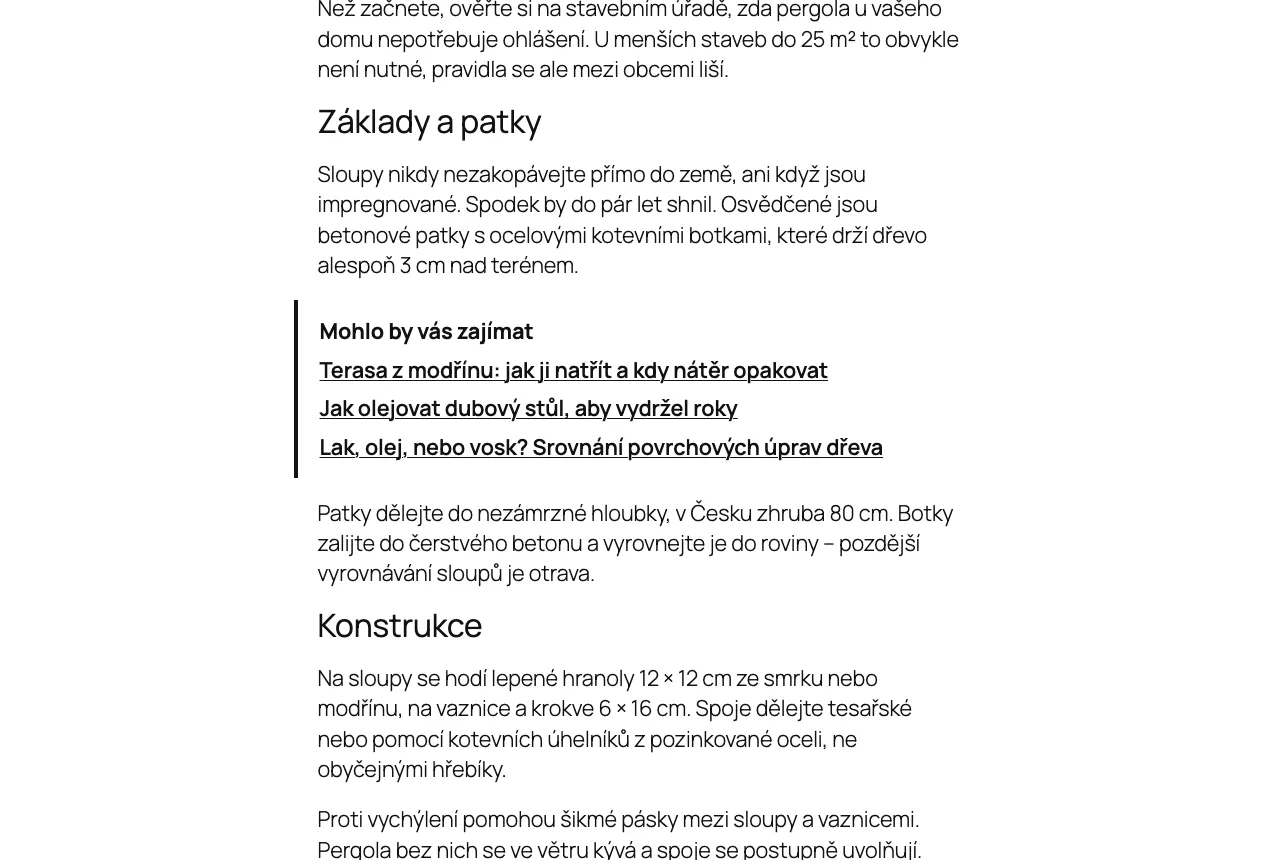
- In the text: a "You might be interested" box after the N-th paragraph or in the middle of the text. Only top-level paragraphs count; it never lands next to a heading, code, image or embed, and never in short posts, feeds, excerpts, the REST API or e-mails.
- Block "Recommended content",
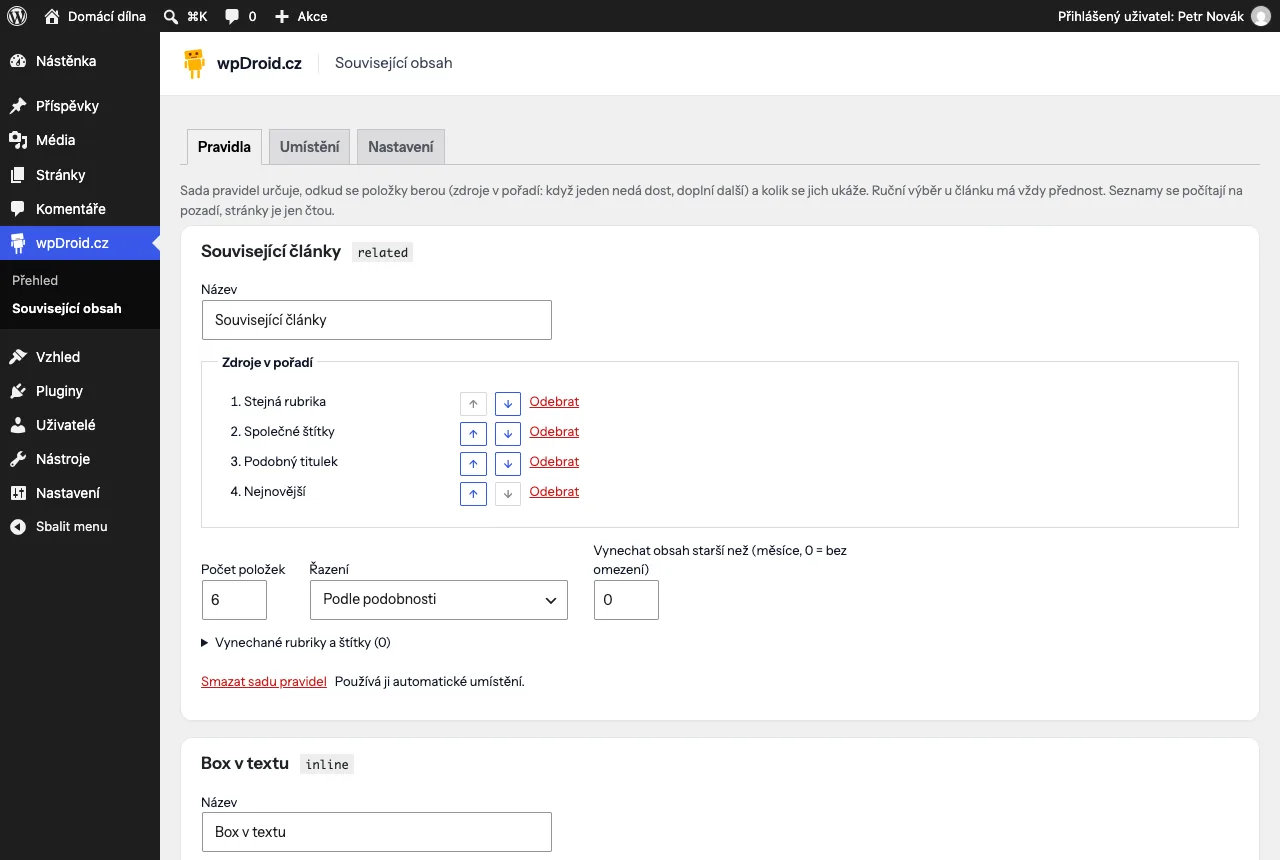
[droid_related]shortcode, classic widget and thedroid_related()template function for places without blocks. - Rule sets: sources in order (same category, shared tags, similar title words, latest), number of items (at most 12), order (by similarity, by date, random drawn once a day), leave out old content and chosen categories or tags. Several placements can share one rule set.
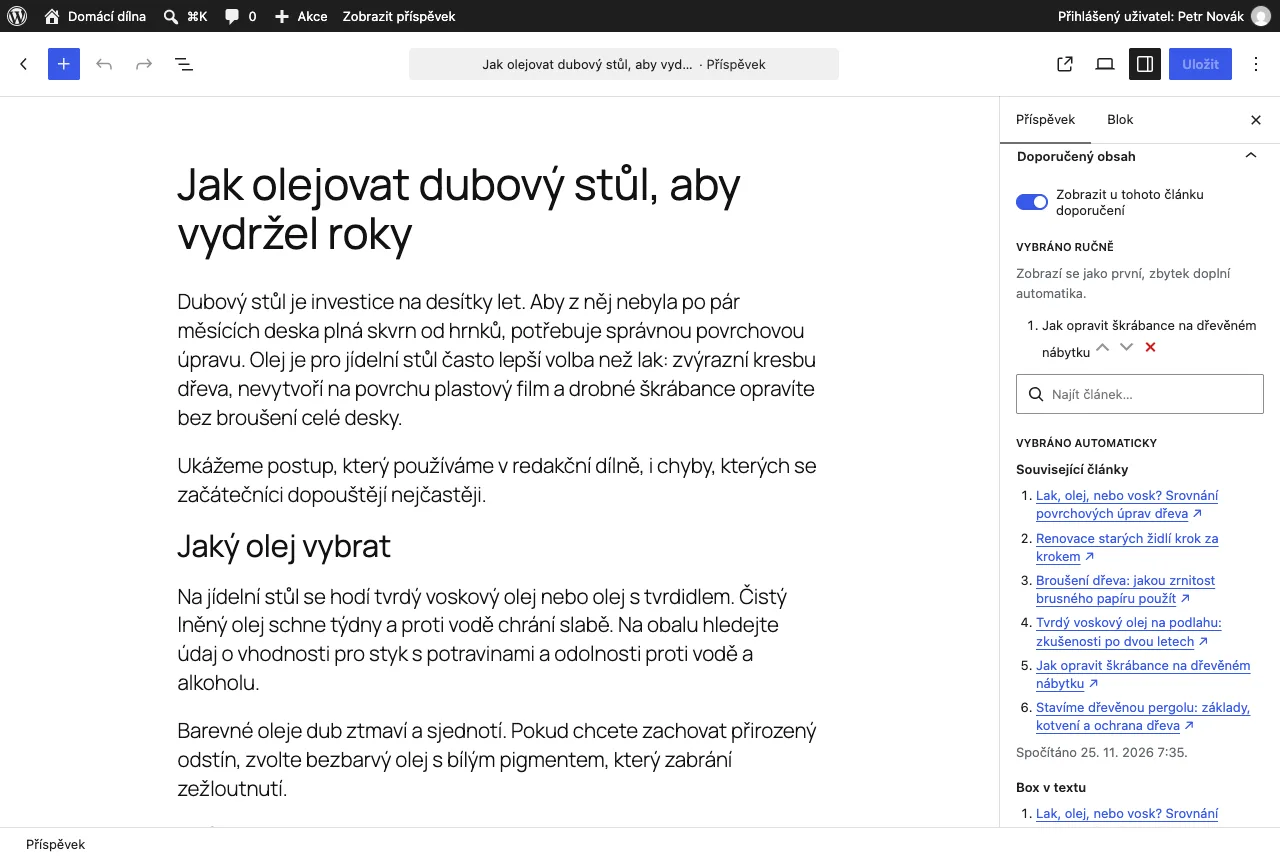
- In the editor: a panel shows what was picked automatically, lets you choose posts by hand (they always come first) or switch recommendations off for the post.
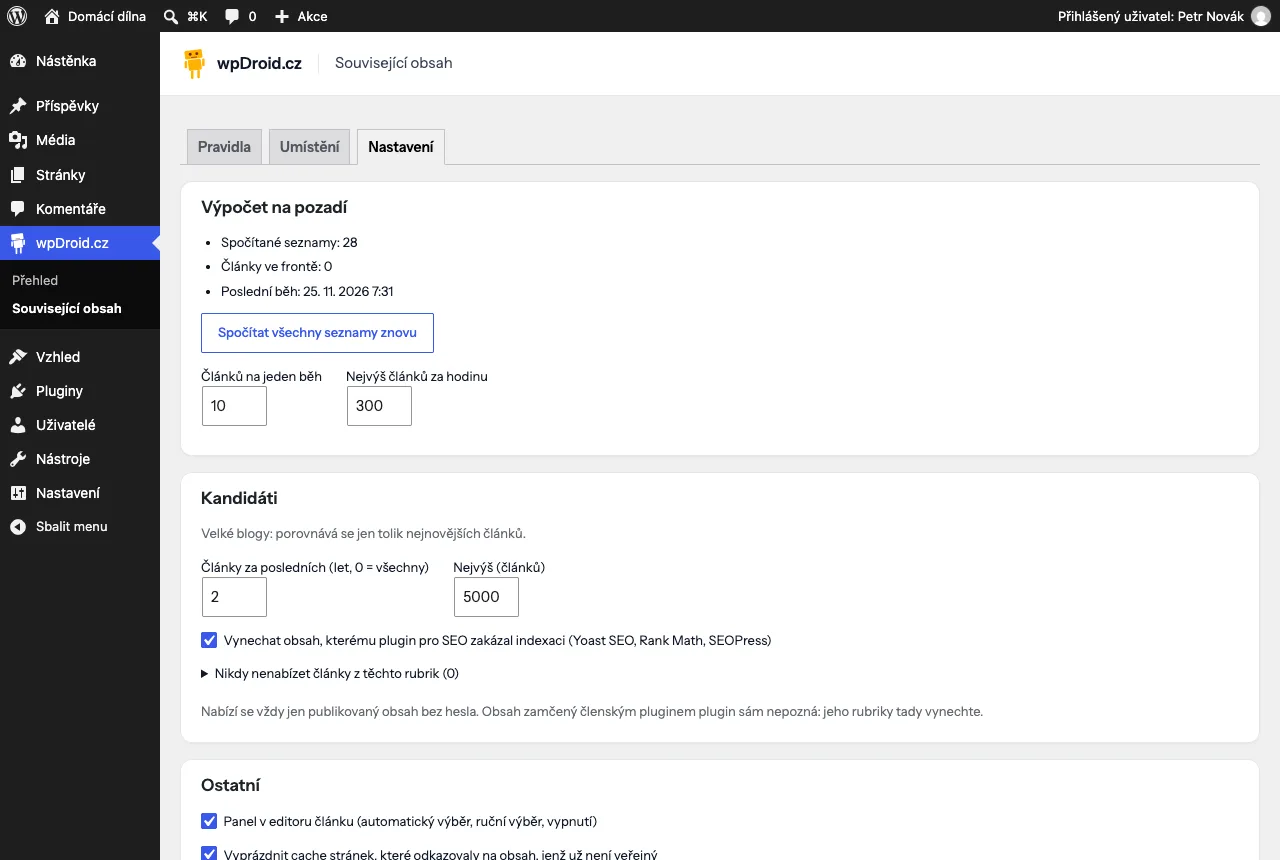
- Fast on shared hosting: nothing is computed while a page renders. Lists are computed in the background when a post is saved and gradually for the others, in small batches with an hourly cap. No full-text search, no random ordering in the database, no new indexes on WordPress tables.
- Cache friendly: the same HTML for every visitor; links go straight to the post, without redirects or parameters. When a post stops being public, the pages that offered it are purged from common page caches (WP Rocket, W3 Total Cache, WP Super Cache, LiteSpeed Cache, SiteGround Optimizer, Cache Enabler).
- Safe by design: only content a logged-out visitor can see is ever offered – published, no password, not private, scheduled, draft or trashed – checked again on every render, also for posts chosen by hand or typed into a block or shortcode. Content marked noindex by Yoast SEO, Rank Math or SEOPress can be left out. Only post IDs are stored, never HTML, titles or links.
- Colours, fonts and radius come from your theme. Themes can offer a "beside the text" box and their own card classes for tiles.
- Works together with other wpDroid plugins that insert into the text (ads of Droid Spots keep a minimum distance from the box).
- Full Czech and Slovak translation.
Shortcode parameters: ruleset, layout (list, tiles, box), title, count (1–12), outside (none, category, tag, manual), term, items (comma separated post IDs). On a page that is not a post the block and shortcode show nothing unless outside chooses a fixed source.
External services
The plugin itself sends nothing to any outside service.
wpDroid.cz plugin catalog
The shared wpDroid.cz → Overview page loads the list of wpDroid.cz plugins from https://wpdroid.cz/api/wp/catalog, only when an administrator opens that page, at most once every 12 hours. No site or visitor data is sent; like every WordPress HTTP request it carries the WordPress version and the site address in the User-Agent header. The catalog is provided by wpDroid.cz.
Plugin updates (copy downloaded from wpdroid.cz only)
WordPress asks https://wpdroid.cz/api/v1/update/droid-related for new versions of this plugin about twice a day and when an administrator checks for updates or installs one. The request carries the installed plugin version, the PHP version and the site language, no site or visitor data; like every WordPress HTTP request it also carries the WordPress version and the site address in the User-Agent header. A copy from wordpress.org does not contact wpdroid.cz for updates. The service is provided by wpDroid.cz.
Screenshots
What you get
- Droid Related plugin, free download
- Download for your e-mail – no payment and no billing details
- Updates right in the WordPress admin
Installation
- Download the plugin from wpdroid.cz, then in Plugins → Add New Plugin → Upload Plugin upload the zip and activate it.
- In wpDroid.cz → Související obsah check the rule sets and placements. The list below posts is on, the box in the text is off until you switch it on.
- Lists are computed in the background within minutes (WP-Cron). Use the block "Recommended content" or the
[droid_related]shortcode anywhere else.
Common questions
- How much does the plugin cost?
The plugin is free. The bbPress forum, category mixing and statistics are added by the paid add-on Droid Related Pro.
- Why does a new post not have recommendations yet?
The lists are calculated in the background shortly after saving (WP-Cron). In the editor panel you can click Compute now. If WP-Cron is disabled on the server (
DISABLE_WP_CRON),wp-cron.phpmust be called by a server cron job.- How is similarity calculated?
By the main category (the primary category from Yoast SEO or Rank Math, otherwise the first one assigned), shared tags and shared words in the title. Words are compared without diacritics and common words, and by their beginning, so different grammatical cases match. It is a simple method: good tags give good results, and hand-picked posts always come first.
- Will the plugin slow down my site?
No. Nothing is calculated when a page is displayed; the page just reads the stored list. The calculation runs in the background in batches of 10 posts, at most 300 per hour.
- Does it work with page caching?
Yes. The HTML is the same for all visitors and the links lead directly to the post. When a post stops being public, the pages that offered it are purged from common caching plugins.
- Where is the “You may also be interested in” box inserted?
After a chosen paragraph or in the middle of the text, only between two top-level paragraphs – never next to a heading, code, image or video, and never after the last paragraph. It is not inserted into short posts (fewer than 6 paragraphs by default) or into posts from the Classic Editor.
- Can a non-public post be suggested?
No. Only published content without a password is suggested, and this is checked on every view – including hand-picked posts. The plugin cannot detect content locked by another plugin (a members’ area): exclude its categories in Settings.
- Can a theme show the box beside the text?
Yes, if the theme declares it (
add_theme_support( 'droid-related', array( 'aside' => true ) )). Tiles can take on the theme’s card classes via'tile_class' => 'card'.- Does it work on multisite?
Yes, including network activation. Each site has its own tables and settings, and content from other sites is never suggested.
- What data does the plugin send?
None. A copy downloaded from wpdroid.cz only checks for updates (plugin version, PHP version and site language), and the shared Overview page loads the catalogue of wpDroid plugins.