Droid QR Payment
Payment QR codes (QR Platba, PAY by square) for donations, fees and invoices as a block and shortcode, with an amount the payer can fill in.
Show a QR code for a bank transfer on any page – donations, membership fees, deposits, invoices – without WooCommerce. The payer scans it in a banking app and the account, amount and symbols are filled in.
Block "QR payment"
- Account as an IBAN or a Czech number
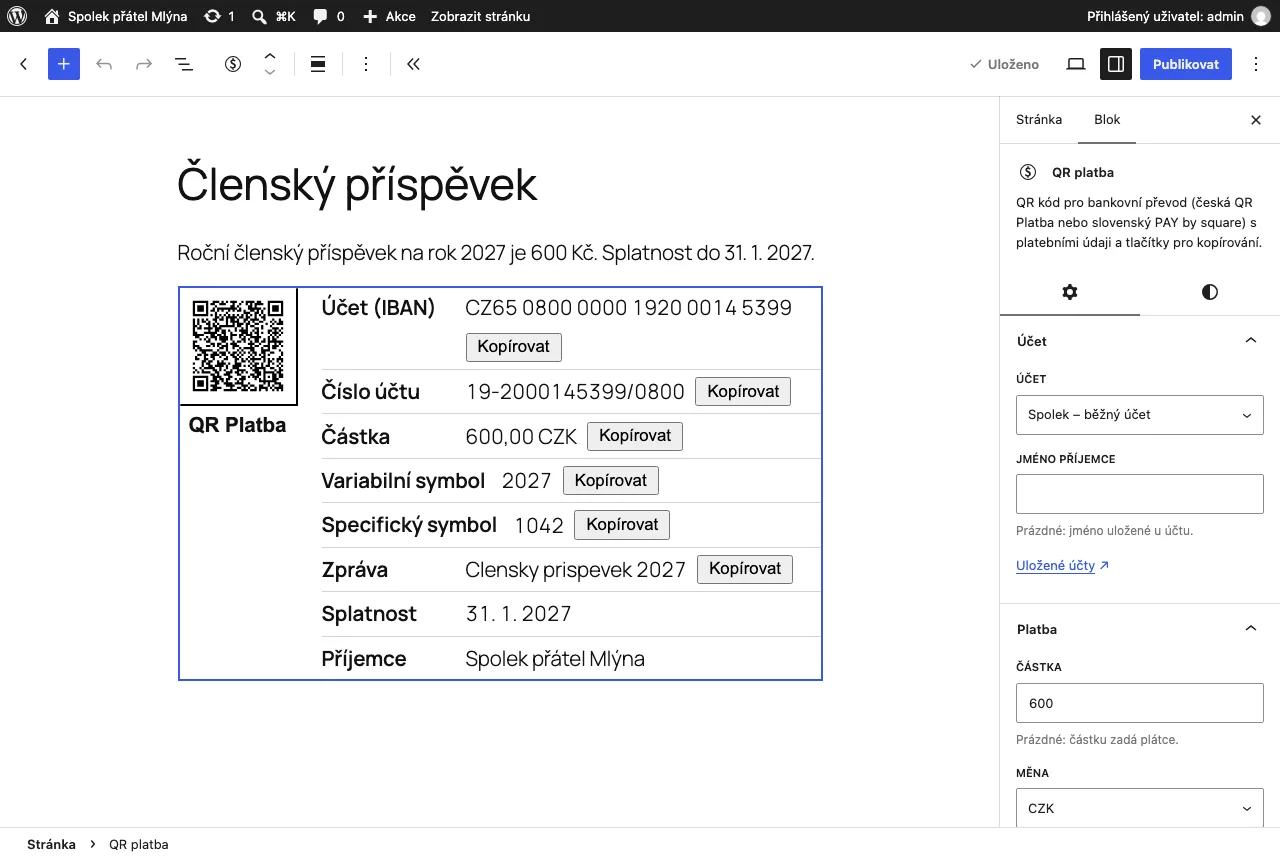
prefix-number/bank code– the plugin checks it and converts it to an IBAN. - Amount, currency (CZK, EUR), variable, constant and specific symbol, message, due date, recipient name, size.
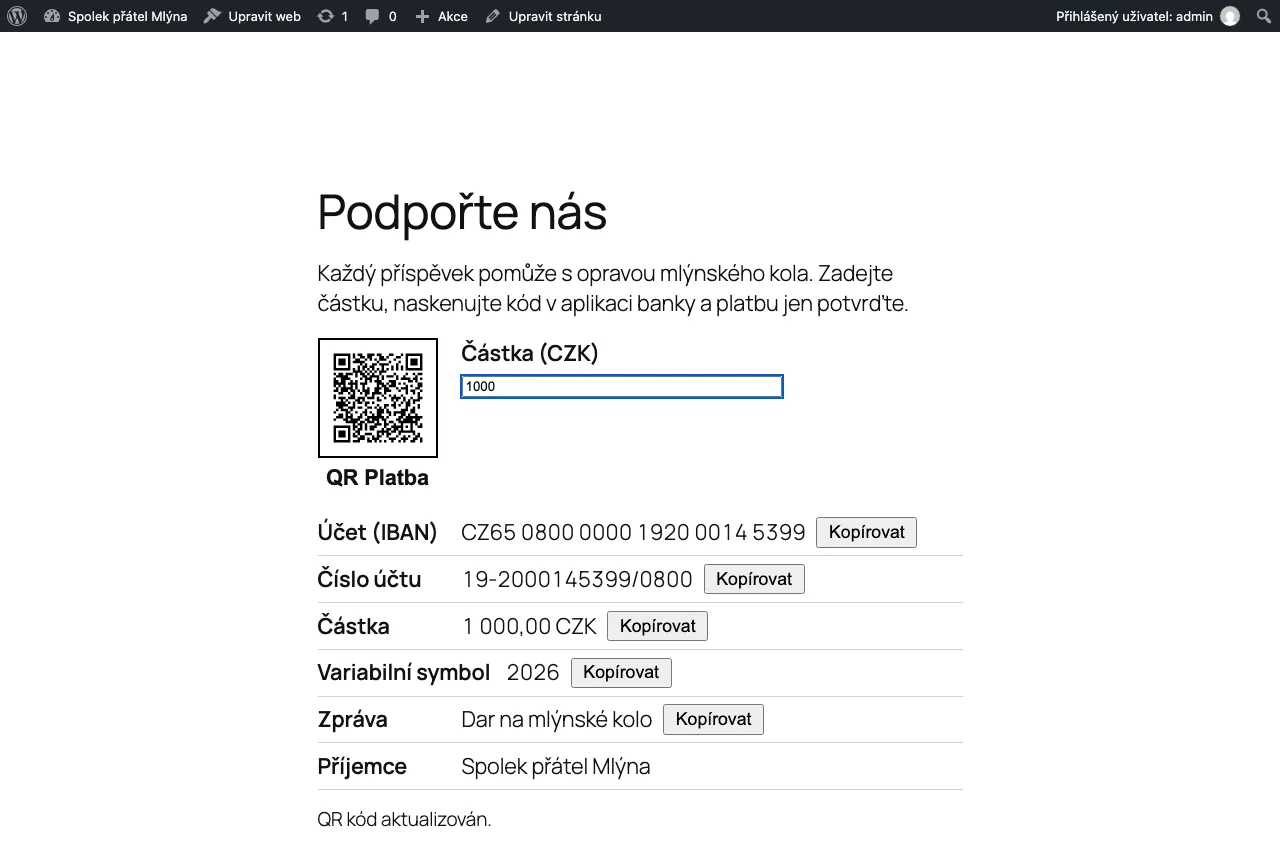
- Fixed payment – everything set in the block – or the payer fills in the amount (and, if you like, the variable symbol or the message); the code is redrawn as they type.
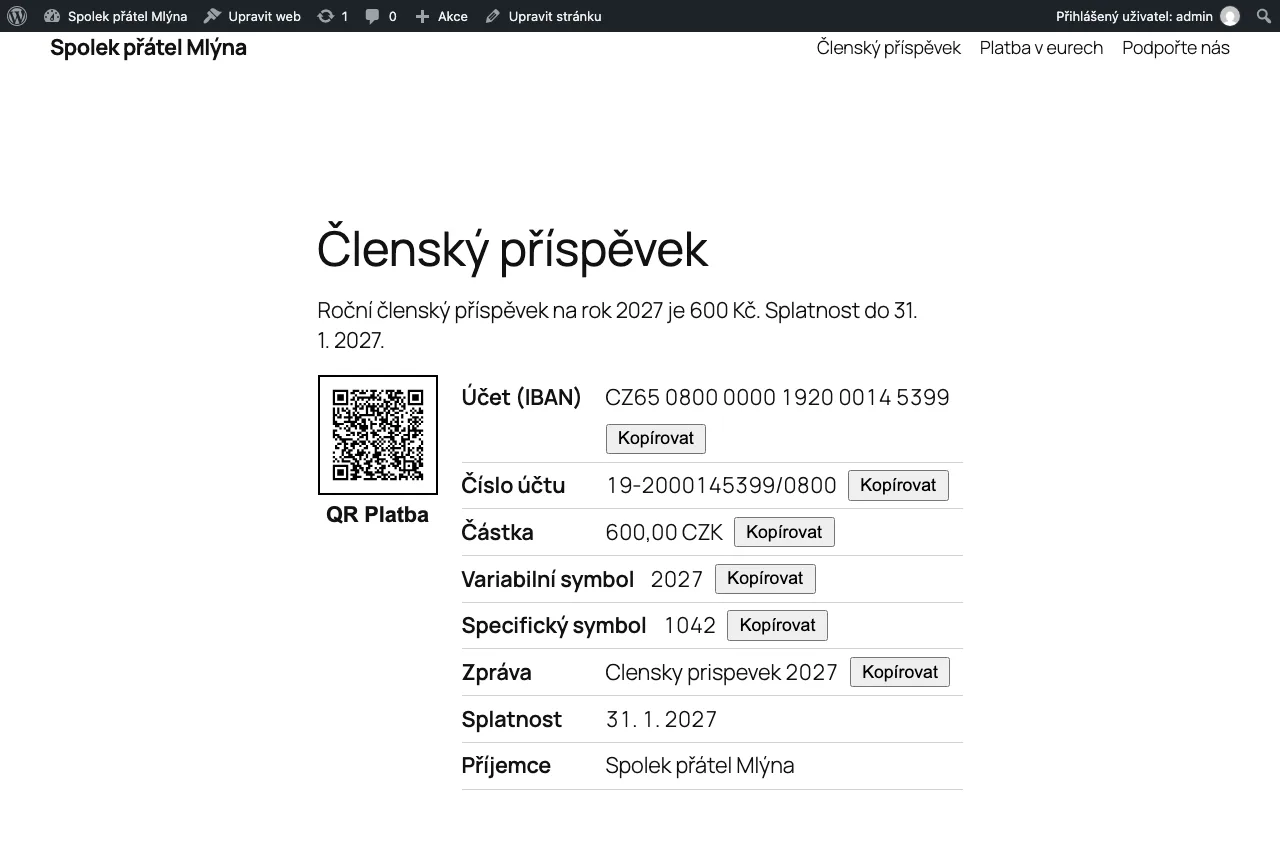
- Payment details as text under the code with Copy buttons, for payers without a phone at hand.
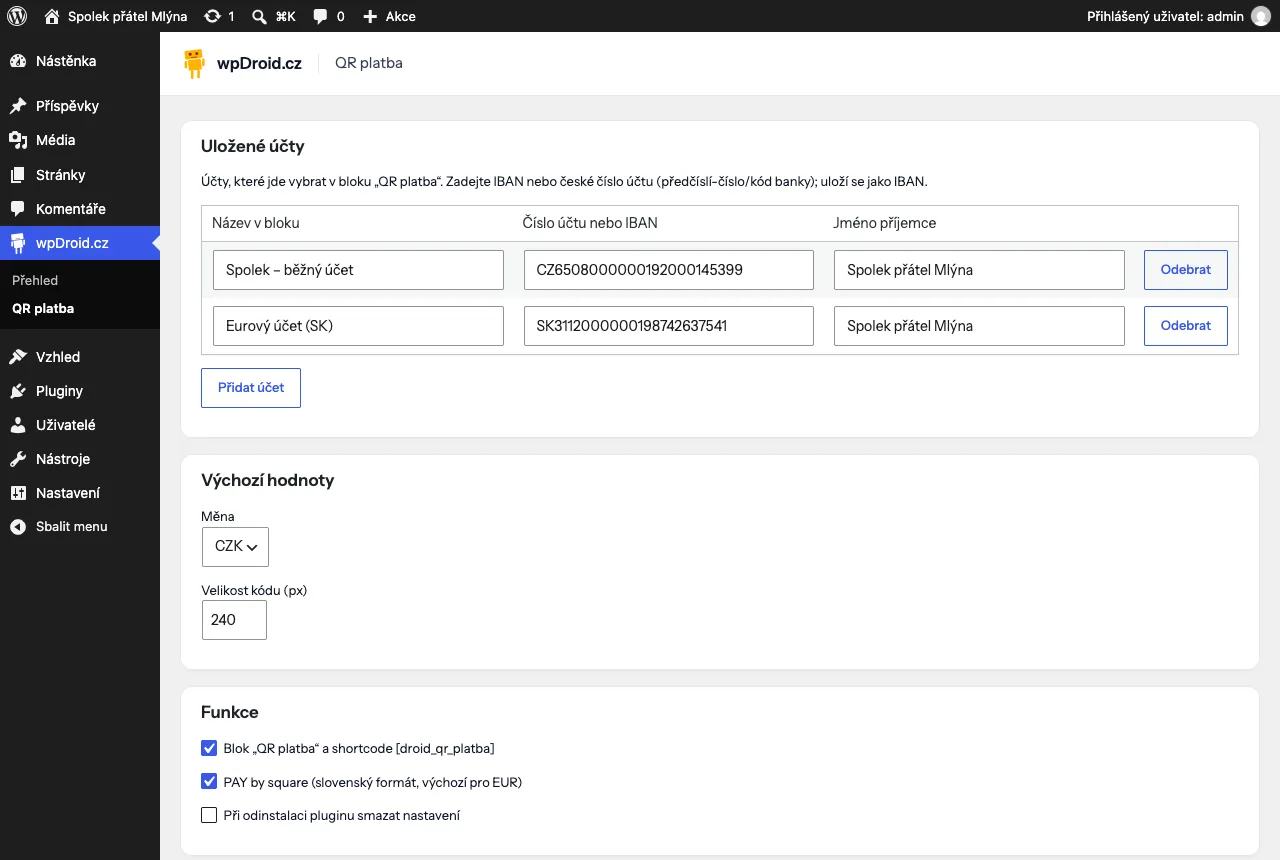
- Saved accounts in the settings, chosen from a list in the block.
- Invalid details (wrong account checksum, a symbol with more than 10 digits) are shown in the editor; the site shows nothing until they are fixed.
- The code is drawn on your server as SVG – no external service, no tracking.
Formats
- QR Platba (Czech standard of the Czech Banking Association, SPAYD).
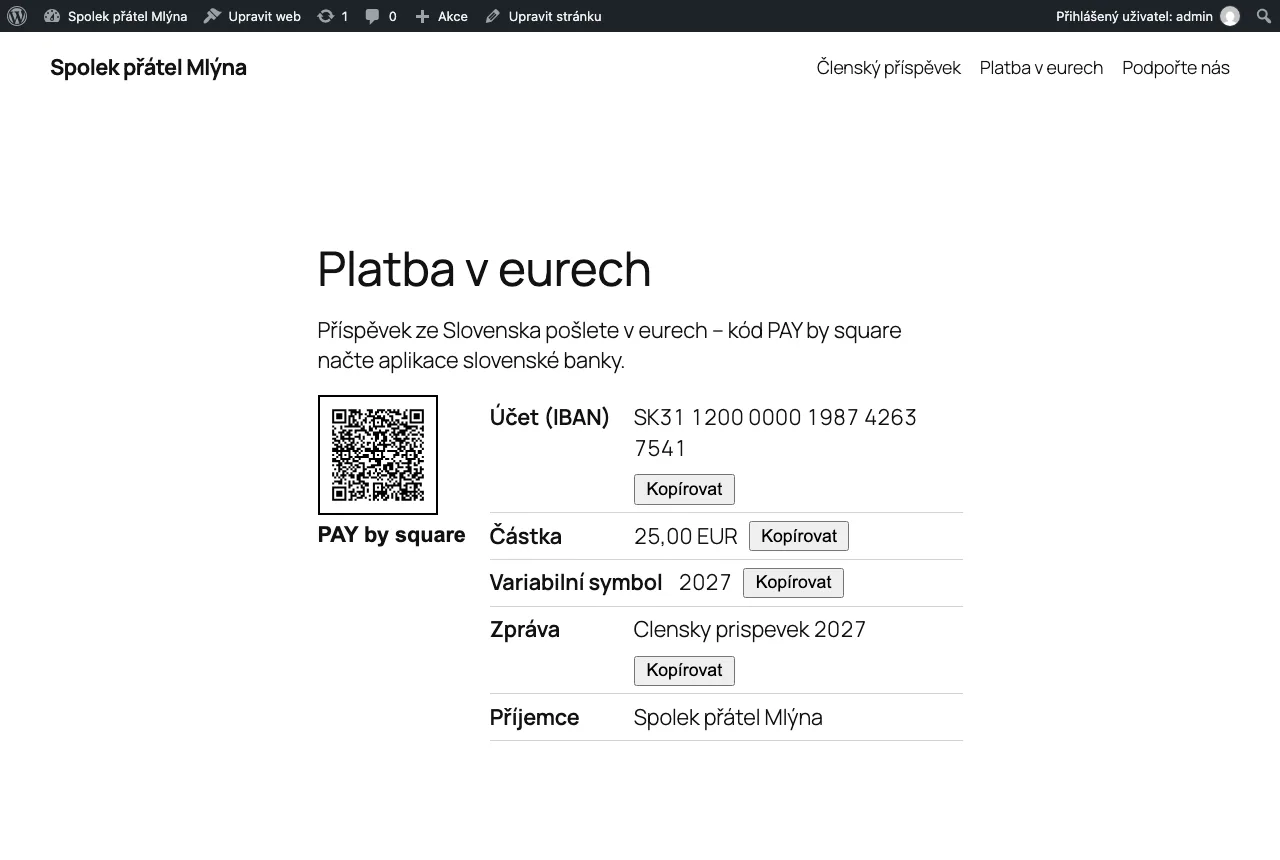
- PAY by square (Slovak standard of the Slovak Banking Association).
- By default CZK payments use QR Platba and EUR payments PAY by square; the block can choose either.
Shortcode
[droid_qr_platba ucet="19-2000145399/0800" castka="500" vs="2026" zprava="Clensky prispevek" prijemce="Spolek"]
Attributes: ucet (account or IBAN), ucet_id (saved account), castka, mena (CZK, EUR), vs, ks, ss, zprava, splatnost (YYYY-MM-DD), prijemce, velikost (px), format (qr, paybysquare), volitelna_castka, volitelny_vs, volitelna_zprava (ano). English names work too (account, amount, currency, message, due, recipient, size, edit_amount…).
External services
None. QR codes are drawn on your server; no payment details leave your site.
wpDroid.cz plugin catalog
The shared wpDroid.cz → Overview page loads the list of wpDroid.cz plugins from https://wpdroid.cz/api/wp/catalog, only when an administrator opens that page, at most once every 12 hours. No site or visitor data is sent; like every WordPress HTTP request it carries the WordPress version and the site address in the User-Agent header. The catalog is provided by wpDroid.cz.
Plugin updates (copy downloaded from wpdroid.cz only)
WordPress asks https://wpdroid.cz/api/v1/update/droid-qr-platba for new versions of this plugin about twice a day and when an administrator checks for updates or installs one. The request carries the installed plugin version, the PHP version and the site language, no site or visitor data; like every WordPress HTTP request it also carries the WordPress version and the site address in the User-Agent header. A copy from wordpress.org does not contact wpdroid.cz for updates. The service is provided by wpDroid.cz.
Screenshots
What you get
- Droid QR Payment plugin, free download
- Download for your e-mail – no payment and no billing details
- Updates right in the WordPress admin
Installation
- Download the plugin from wpdroid.cz, then in Plugins → Add New Plugin → Upload Plugin upload the zip and activate it.
- Optionally save your accounts in wpDroid.cz → QR platba.
- Add the QR payment block to a page.
Common questions
- Do I need WooCommerce?
No. The plugin is intended precisely for payments outside an e-shop – donations, membership fees, deposits, invoices or course fees. You can insert the block on any page.
- Which apps can read the code?
QR Platba is read by Czech banking apps, PAY by square by Slovak banking apps. Always test the code in your bank's app before printing or sending it out.
- Can the payer enter their own amount?
Yes. In the block, turn on “The payer fills in” for the amount, and optionally also for the variable symbol or message. The code is redrawn as the payer types.
- Can someone use my site to create a code for their own account?
No. The block's fixed details (account, recipient…) are signed in the page with your site's secret key. Redrawing accepts only signed details and changes only the fields you have allowed.
- Can I enter a Czech account number instead of an IBAN?
Yes. Enter
předčíslí-číslo/kód bankyorčíslo/kód banky(prefix-number/bank code or number/bank code) – the plugin verifies the checksum and converts the number to an IBAN.- What if I make a mistake in the details?
The editor shows a list of errors (e.g. a wrong account checksum or a symbol longer than 10 digits). Nothing is displayed on the site until they are fixed, so visitors will not see a broken code.
- Why is the message in the code without diacritics?
The plugin writes texts into the QR code in capital letters without diacritics – this lets the code use a more compact mode, making it smaller and easier to read. In the details below the code, the message stays as you wrote it.
- Does it also work in Elementor or another page builder?
The plugin does not have its own widget, but you can insert the
[droid_qr_platba]shortcode into any page builder.- What data does the plugin send?
No payment details leave your site – the QR code is drawn on your server and the plugin does not call any external service. The wpDroid.cz → Overview page loads the list of plugins from wpdroid.cz, and a copy downloaded from wpdroid.cz checks for updates (plugin version, PHP version and site language).