Droid Packeta for Forms
Packeta (Zásilkovna) pickup point in Contact Form 7, WPForms and any form – the official map, the chosen point in the e-mail.
Sites that take orders through a form rather than a shop let the customer choose a Packeta (Zásilkovna) pickup point.
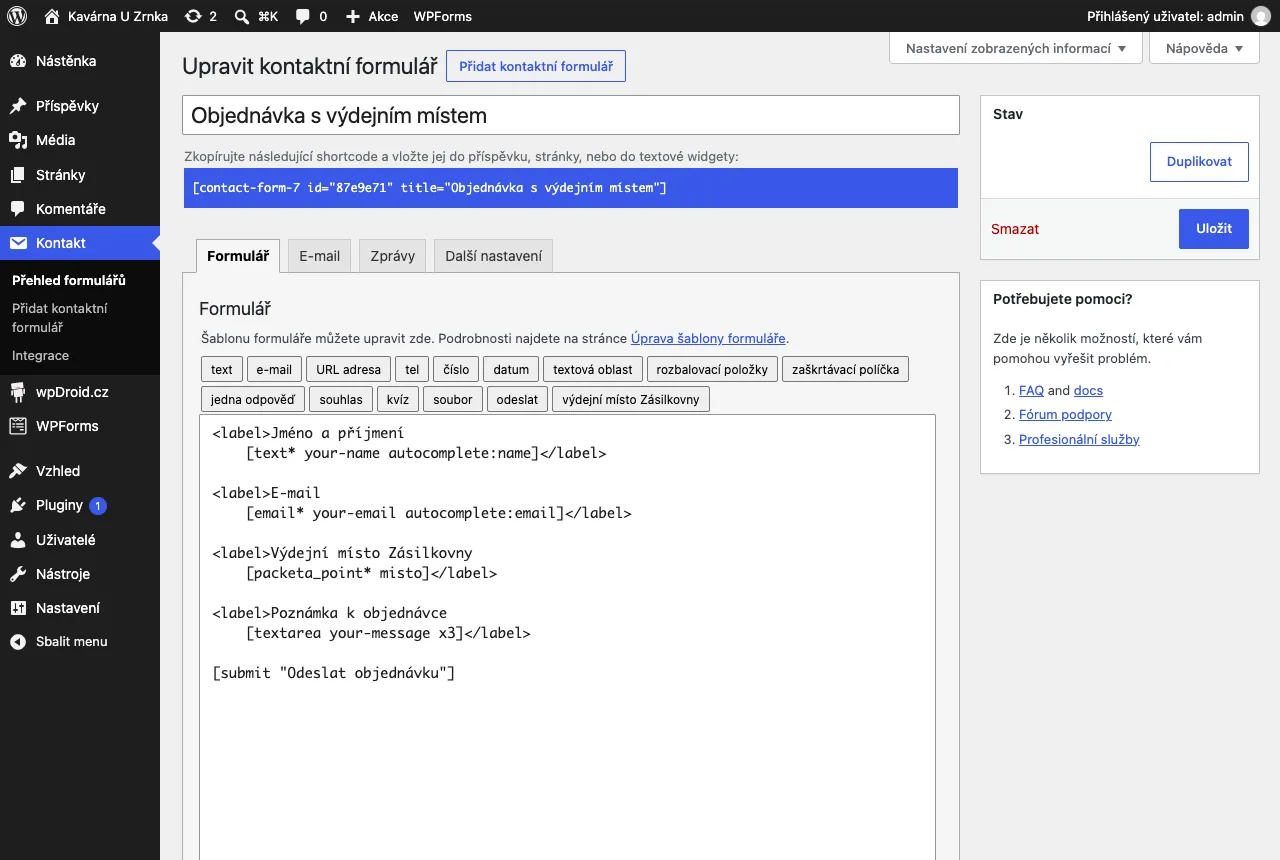
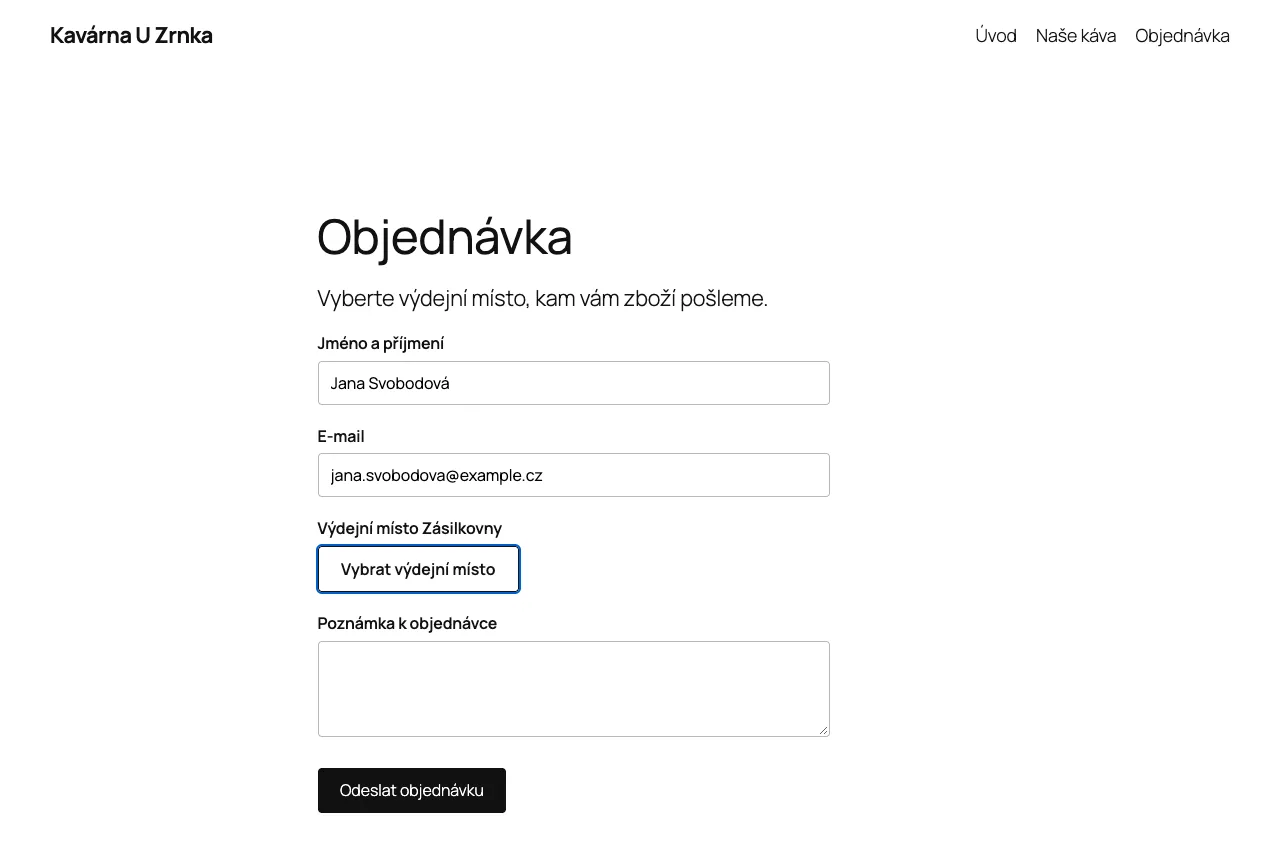
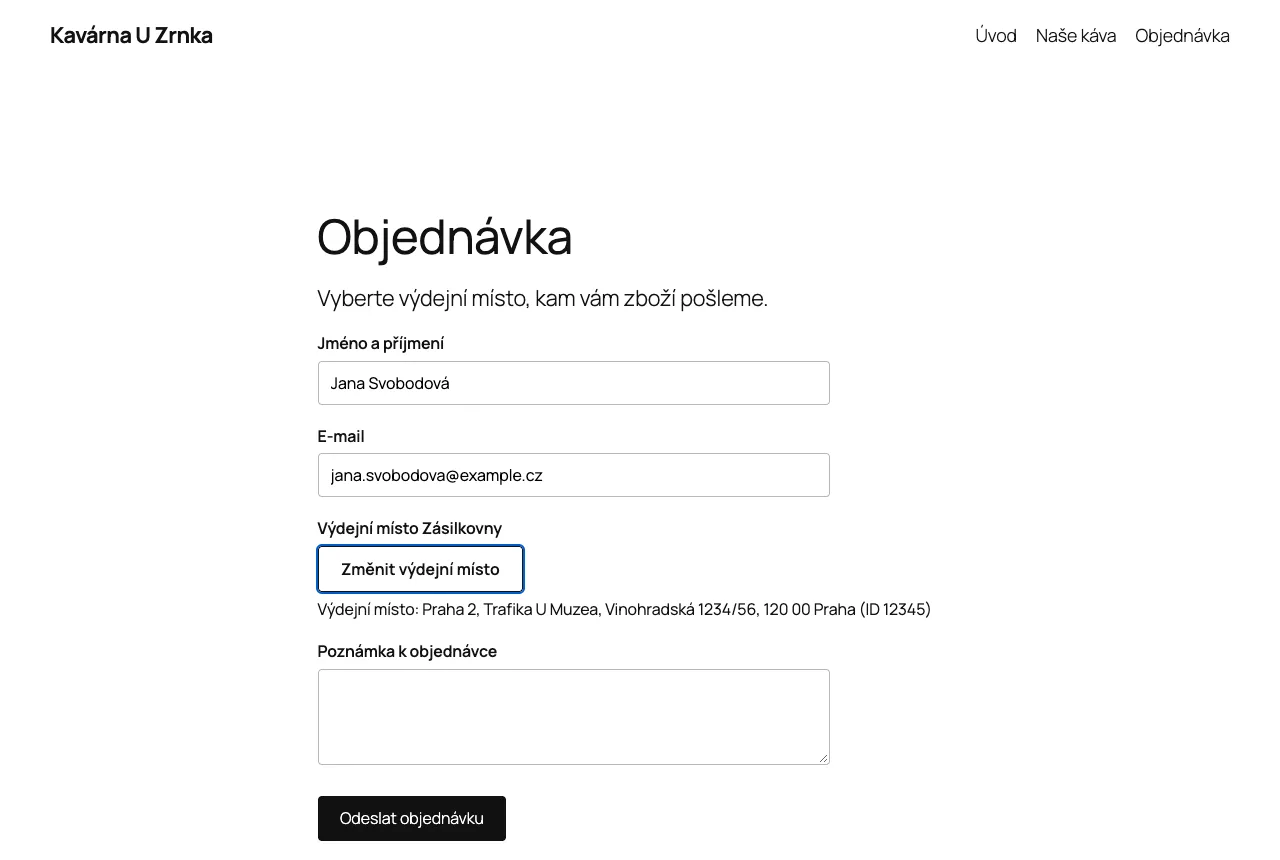
- Pickup point field: a button opens the official Packeta widget; after the choice the field shows the name and address of the point and offers to change it.
- Hidden fields with the point ID, name, street, city, postcode and country travel with the form.
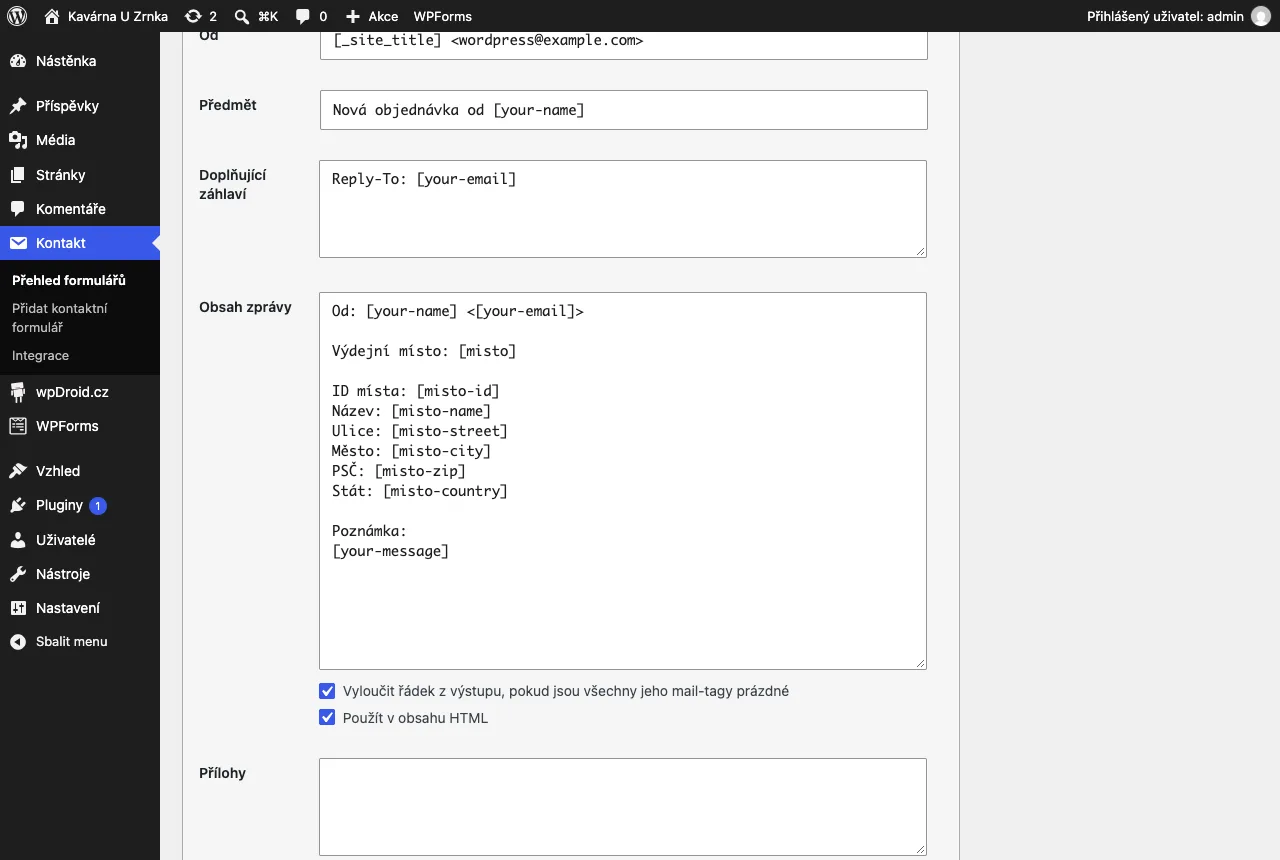
- E-mails of the form get the whole point (name, address, ID) and every value separately.
- Required field: the server refuses a form without a point; the message sits at the field and screen readers hear it.
- Privacy: the Packeta script loads only after the click on the button. Before that, nothing goes to Packeta.
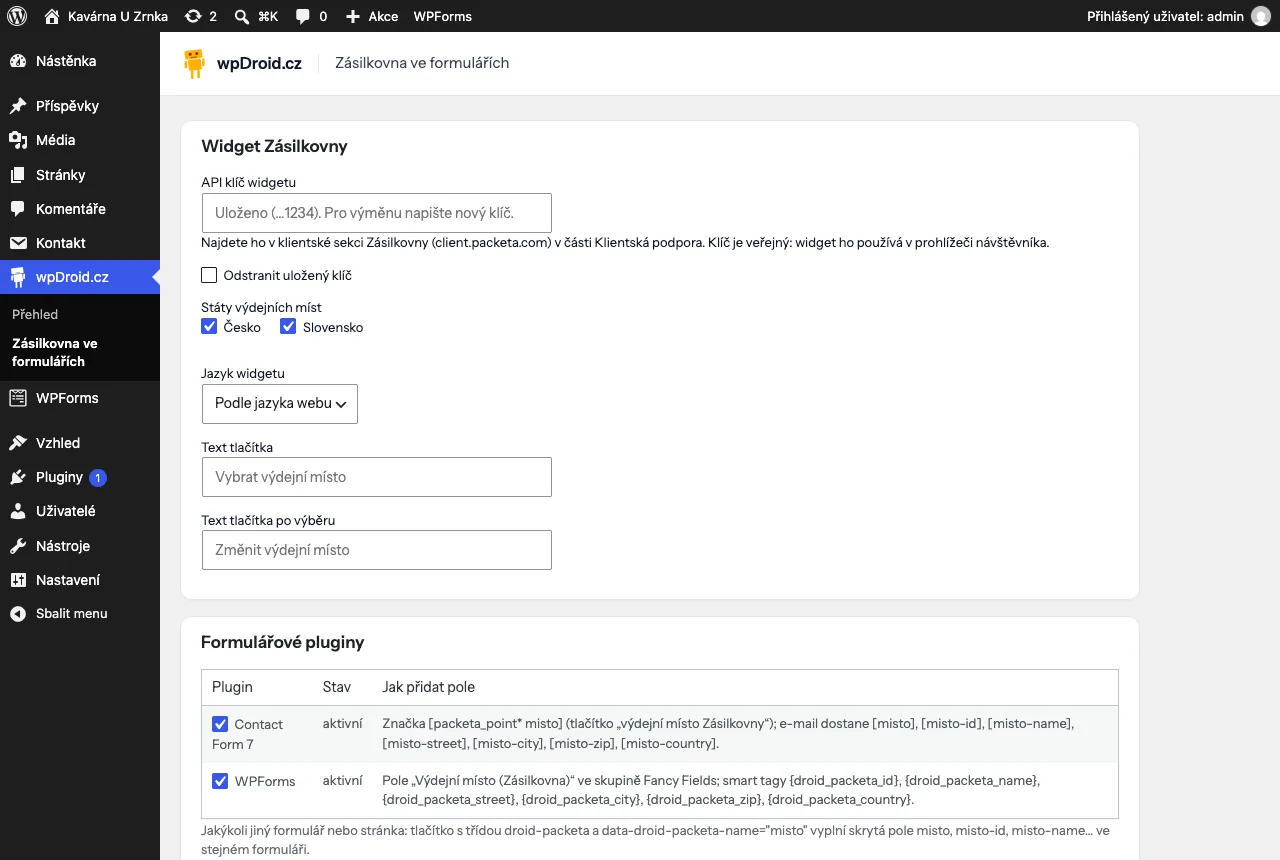
- Czech Republic and Slovakia: choose the countries of the pickup points and the language of the widget (by the site language by default).
Licence
Droid Packeta for Forms is a paid plugin distributed from wpdroid.cz with a yearly licence for 1 site or 5 sites (Agency). The licence gives you updates and support for its term. The plugin keeps working after the licence expires, only without updates: the pickup point field works the same with or without a valid licence and while the licence server is down.
Contact Form 7
Tag [packeta_point* point] (button "Packeta pickup point" in the form editor). The mail gets:
[point]– "Name, street, postcode city (ID 12345)"[point-id],[point-name],[point-street],[point-city],[point-zip],[point-country]
WPForms
Field "Pickup point (Packeta)" in Fancy Fields. {field_id="N"} gives the whole point; smart tags {droid_packeta_id}, {droid_packeta_name}, {droid_packeta_street}, {droid_packeta_city}, {droid_packeta_zip}, {droid_packeta_country} the single values.
Any form: CSS class
Put a button with the class droid-packeta into the form:
<button type="button" class="droid-packeta" data-droid-packeta-name="point">Choose a pickup point</button>
The plugin fills the hidden fields point, point-id, point-name, point-street, point-city, point-zip and point-country in the same form (it creates them when they are missing). For a page builder the plugin does not recognise, load the script with add_filter( 'droid_packeta_forms_enqueue', '__return_true' );.
External services
Packeta widget (Zásilkovna s.r.o.)
When a visitor clicks the pickup point button, their browser loads https://widget.packeta.com/v6/www/js/library.js and opens the map of pickup points from Packeta. The widget receives the API key of your account, the chosen countries and language, and a short identification of this plugin and WordPress version; Packeta also gets the usual data of a web request from the visitor's browser (IP address, browser) and what the visitor searches for in the map. Nothing is sent before the click. Packeta terms, privacy.
wpDroid.cz plugin catalog
The shared wpDroid.cz → Overview page loads the list of wpDroid.cz plugins from https://wpdroid.cz/api/wp/catalog, only when an administrator opens that page, at most once every 12 hours. No site or visitor data is sent; like every WordPress HTTP request it carries the WordPress version and the site address in the User-Agent header. The catalog is provided by wpDroid.cz.
Licence and updates (wpdroid.cz)
The licence key is checked at https://wpdroid.cz/api/v1 when you activate or deactivate it and once a day afterwards; the request carries the licence key, the product, the plugin version, the PHP version and the site domain. WordPress asks https://wpdroid.cz/api/v1/update/droid-packeta-forms for new versions about twice a day. No content of the site and nothing about visitors or form submissions is sent. The service is provided by wpDroid.cz.
Screenshots
What you get
- Droid Packeta for Forms plugin to download from your customer account
- Licence key for one site (Agency licence: five sites)
- Updates right in the WordPress admin while the licence is valid
- E-mail support while the licence is valid
Installation
- Download the plugin from wpdroid.cz, then in Plugins → Add New Plugin → Upload Plugin upload the zip and activate it.
- Open wpDroid.cz → Zásilkovna ve formulářích and paste the API key of the widget from the Packeta client section (client.packeta.com, Client support).
- Enter the licence key at the bottom of the same screen (updates and support).
- Add the field to a form (see above).
Common questions
- Can I move the licence to another site?
Yes. Deactivate the domain in the customer portal and use the freed slot elsewhere.
- What happens if I do not renew?
Your site keeps running and the plugin stays installed and working. After a 14-day grace period, updates and support stop. The exception are add-ons where the licence unlocks Pro features (Droid ČNB Pro, Droid MCP Bridge Pro): there those features switch off after the grace period too. Renewing switches everything back on and the key stays the same.
- Can I get a refund?
You may withdraw within 14 days of the purchase until you ask in the customer portal for the licence key and the downloads to be released — that ends the right of withdrawal. If the product does not work as described, get in touch — that is a defect and it gets fixed.
- Will I get a tax document?
Yes, sent to the e-mail on the order. Businesses from another EU country with a valid VAT ID buy under the reverse charge mechanism.
- How much does the plugin cost?
490 CZK a year for 1 site, Agency licence for 5 sites 1,690 CZK a year (prices excl. VAT). Updates and support for the term of the licence are included.
- Does the pickup point field depend on the licence?
No. The field works the same with an expired licence and while the licence server is down. The licence affects only updates and support; forms never talk to a server of wpdroid.cz.
- Does the plugin send the parcel to Zásilkovna?
No. The plugin only lets the customer choose a pickup point. You hand over the parcel as usual.
- Does it work in the WooCommerce checkout?
No, use the official Zásilkovna plugin there. This plugin is for forms outside the shop.
- The button says the map is not configured.
The widget API key is missing in the settings. You can find it in the Zásilkovna client section (client.packeta.com) under Client support.
- Does it also work with form plugins other than CF7 and WPForms?
Yes, via a button with the CSS class
droid-packeta. However, the server-side check that a point has been selected is done only for Contact Form 7 and WPForms. If a page builder does not load the script, addadd_filter( 'droid_packeta_forms_enqueue', '__return_true' );to your theme.- What data does the plugin send?
Only when the visitor clicks the button does their browser load the map from widget.packeta.com. Zásilkovna receives the API key, the selected countries and language, the usual web request data (IP address, browser) and whatever the visitor searches for in the map. Nothing is sent before the click. The selected point is submitted with the form to your site only. Only the licence check (key, product, plugin and PHP version, site domain) and the update check go to wpdroid.cz, nothing about visitors or submitted forms. The wpDroid.cz → Overview page loads the list of plugins from wpdroid.cz.