Droid Order Numbers
Sequential WooCommerce order numbers in Czech accounting format, with a numeric variable symbol and admin search by the new number.
WooCommerce numbers orders by their database ID, so the numbers jump and do not follow the year. This plugin gives new orders a continuous series in the format Czech and Slovak shops and accountants expect, usable as the variable symbol of a bank transfer.
- Number template with tags:
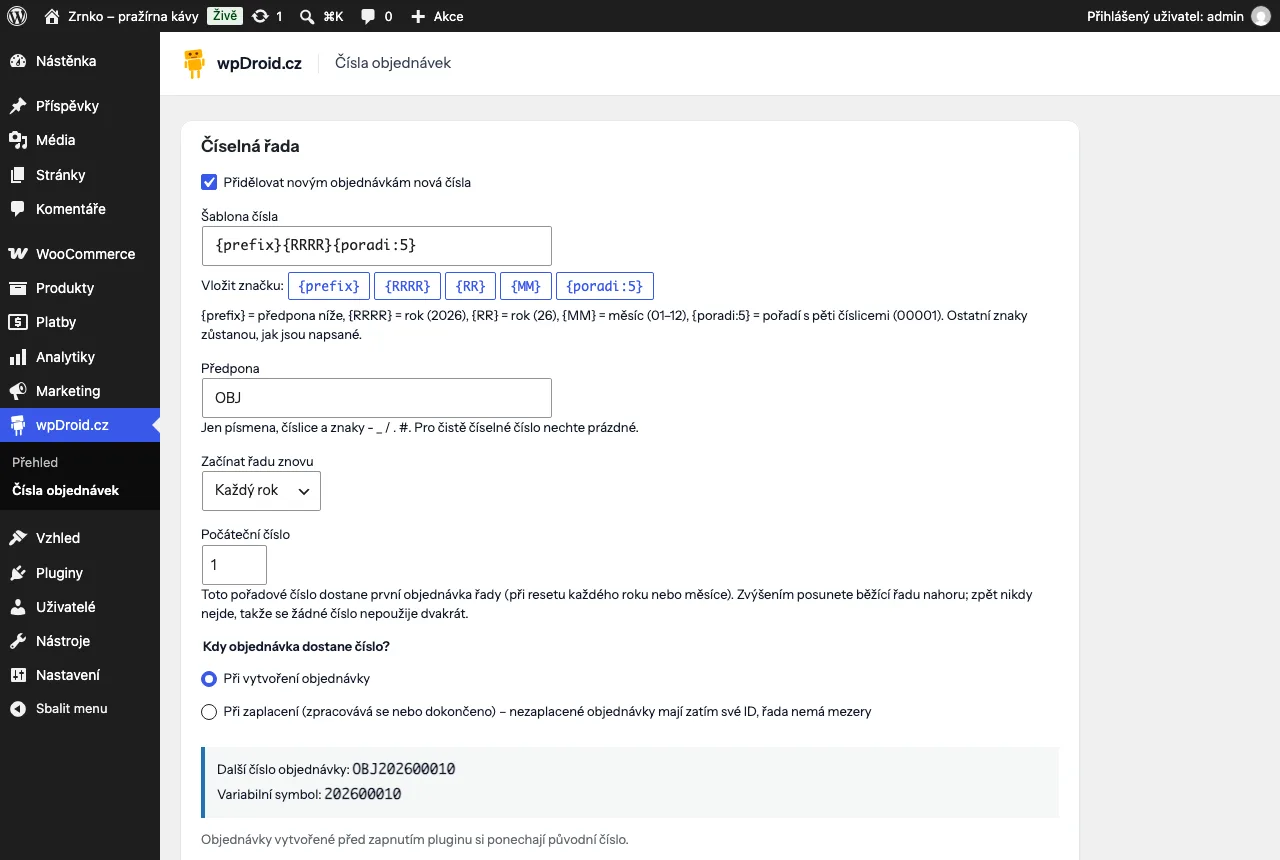
{prefix},{RRRR}(year),{RR}(two-digit year),{MM}(month),{poradi:5}(sequence with five digits). Example:{prefix}{RRRR}{poradi:5}→OBJ202600042. - Restart of the series: never, every year or every month; configurable start number.
- When the number is assigned: when the order is created, or only when it is paid (processing or completed) – then the series has no gaps for unpaid orders.
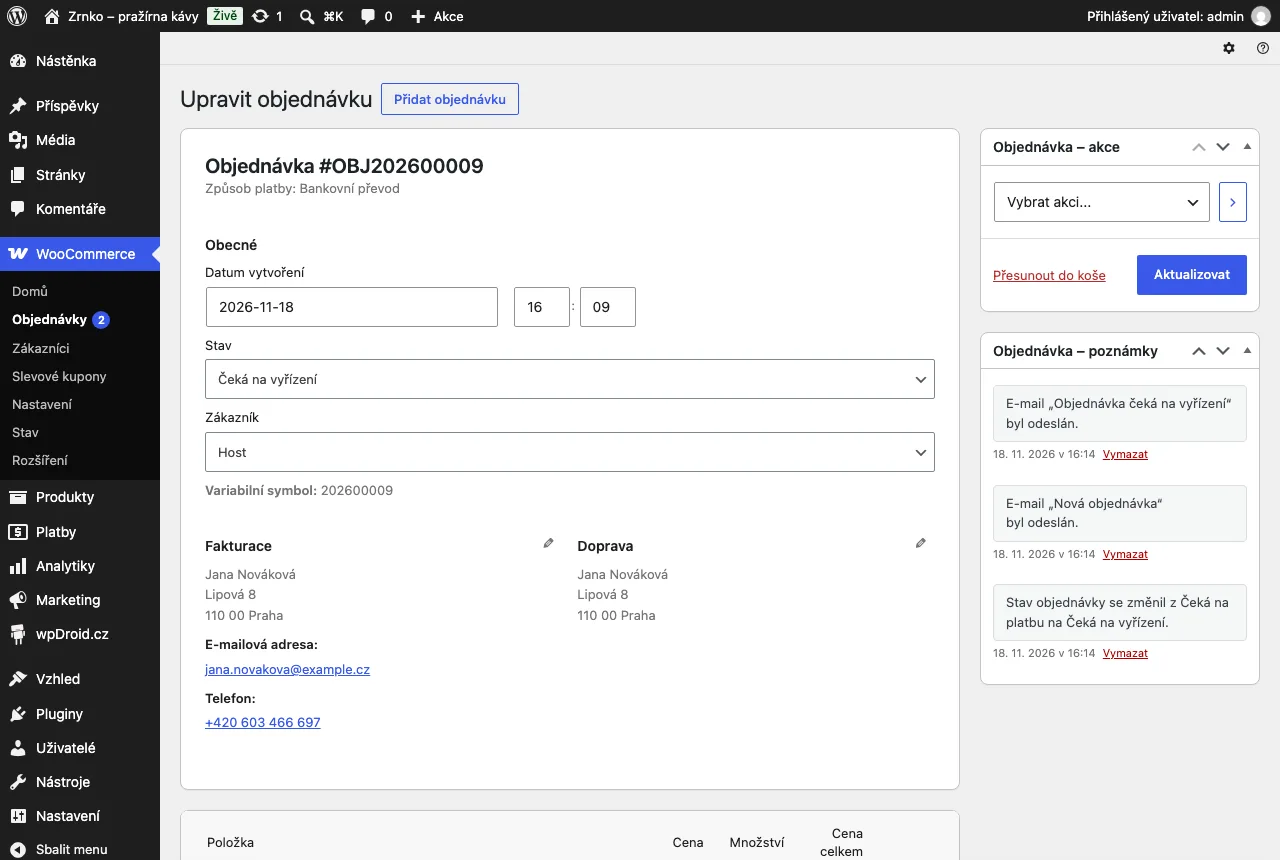
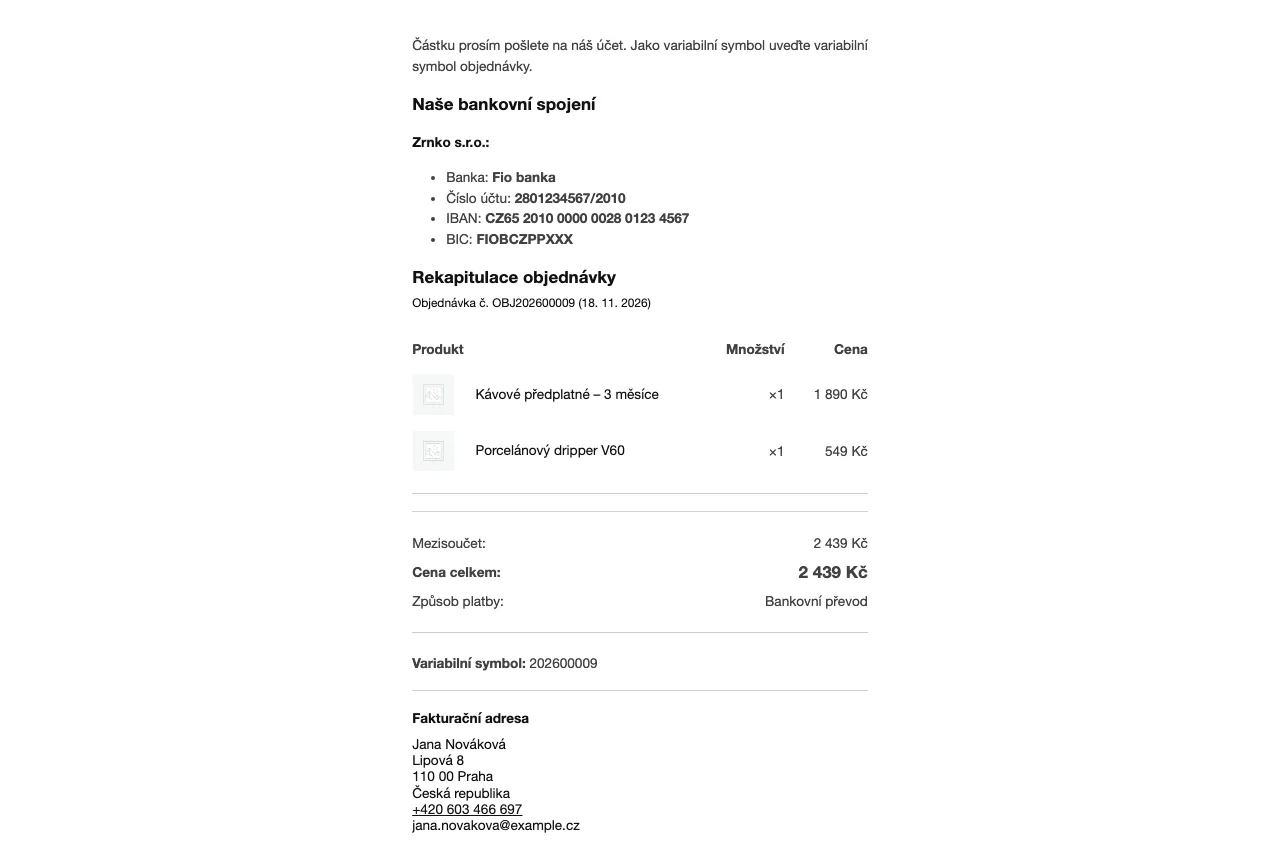
- Variable symbol: the digits of the number (at most 10) are stored separately and shown in e-mails of bank transfer orders, in the order screen and in the REST API (
variable_symbol). Other plugins read it withdroid_order_numbers_get_vs( $order ). - Shown everywhere WooCommerce shows the order number: e-mails, My Account, the thank-you page, the administration, the REST API.
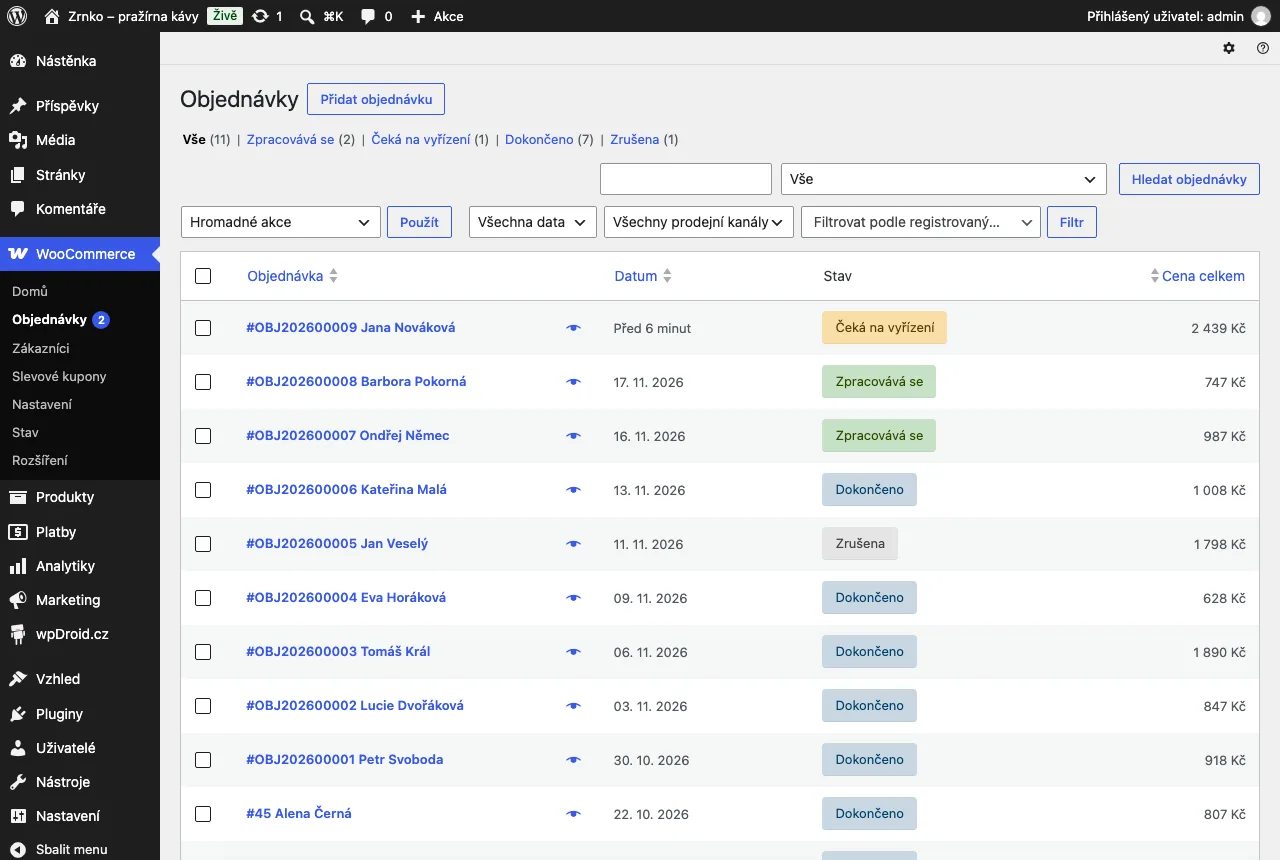
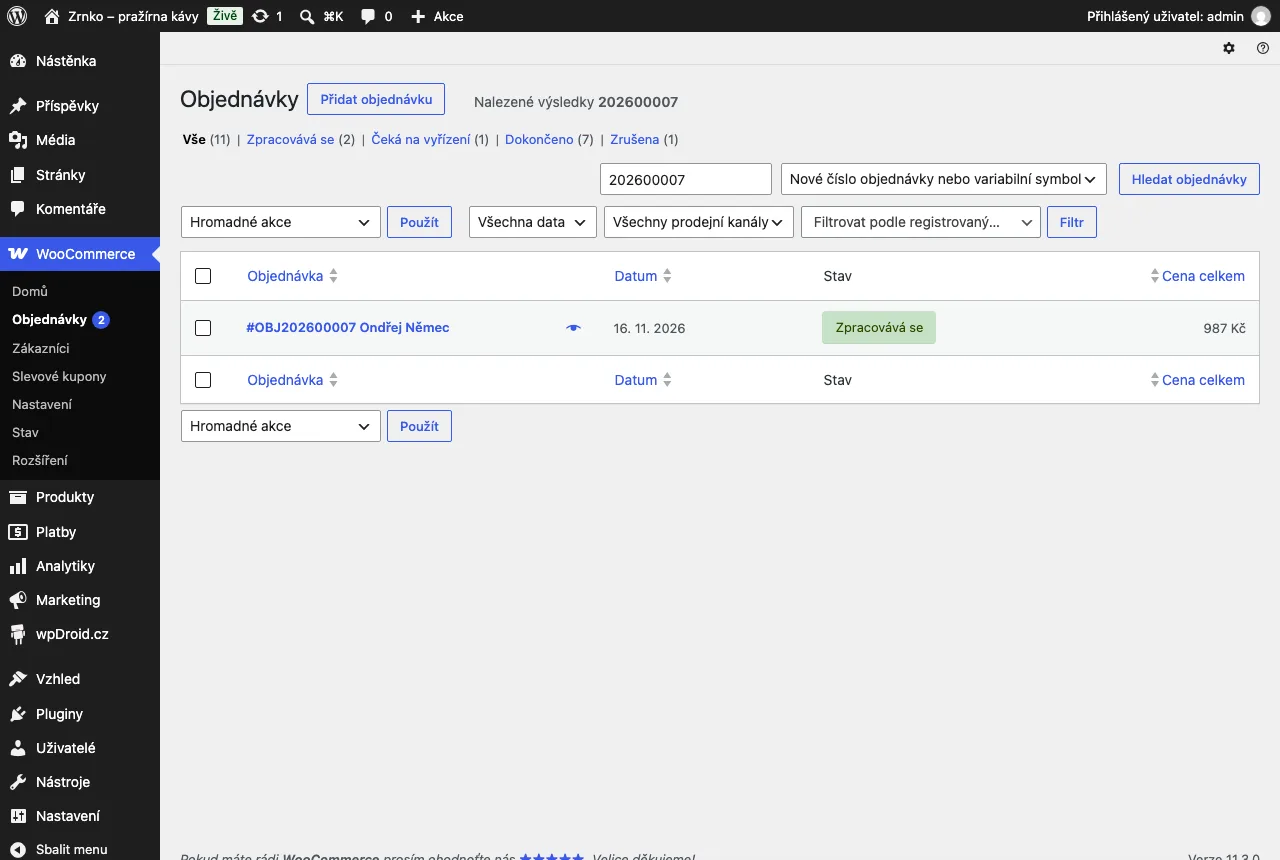
- Search in the order list by the new number or the variable symbol, with and without HPOS. The order tracking form accepts the new number too.
- No duplicates: the counter is raised by a single atomic database statement, so parallel checkouts never get the same number (tested with 50 orders at once).
- Old orders keep their number. Only orders created while the plugin is active are numbered.
- Classic and block checkout, orders created in the administration or over the REST API.
- Works with Droid E-shop Law: the withdrawal form finds orders by the new number.
- WooCommerce HPOS compatible. Czech and Slovak translation included.
Licence
Droid Order Numbers is a paid plugin distributed from wpdroid.cz with a yearly licence for 1 site or 5 sites (Agency). The licence gives you updates and support for its term. The plugin keeps working after the licence expires, only without updates: orders get their numbers the same with or without a valid licence and while the licence server is down.
For developers
- Action
droid_order_number_assigned( $order, $number, $vs, $sequence, $series ). - Filters
droid_order_numbers_config(template, prefix, start and series per order – e.g. a separate series per country),droid_order_numbers_should_assign,droid_order_numbers_is_paid,droid_order_numbers_date,droid_order_numbers_number,droid_order_numbers_variable_symbol,droid_order_numbers_vs_email_gateways,droid_order_numbers_modules. - Functions
droid_order_numbers_get_vs( $order )anddroid_order_numbers_find_order( $number ); the same through the filtersdroid_order_numbers_vsanddroid_order_numbers_find_order. - Meta keys
_droid_order_numberand_droid_order_vs.
External services
Numbering orders contacts no external service.
wpDroid.cz plugin catalog
The shared wpDroid.cz → Overview page loads the list of wpDroid.cz plugins from https://wpdroid.cz/api/wp/catalog, only when an administrator opens that page, at most once every 12 hours. No site or visitor data is sent; like every WordPress HTTP request it carries the WordPress version and the site address in the User-Agent header. The catalog is provided by wpDroid.cz.
Licence and updates (wpdroid.cz)
The licence key is checked at https://wpdroid.cz/api/v1 when you activate or deactivate it and once a day afterwards; the request carries the licence key, the product, the plugin version, the PHP version and the site domain. WordPress asks https://wpdroid.cz/api/v1/update/droid-order-numbers for new versions about twice a day. No content of the site and nothing about customers or orders is sent. The service is provided by wpDroid.cz.
Screenshots
What you get
- Droid Order Numbers plugin to download from your customer account
- Licence key for one site (Agency licence: five sites)
- Updates right in the WordPress admin while the licence is valid
- E-mail support while the licence is valid
Installation
- Download the plugin from wpdroid.cz, then in Plugins → Add New Plugin → Upload Plugin upload the zip and activate it.
- In wpDroid.cz → Čísla objednávek, set the template, the restart and the start number. The preview shows the next number and its variable symbol.
- Enter the licence key at the bottom of the same screen (updates and support).
- New orders get numbers from now on; existing orders keep theirs.
Common questions
- Can I move the licence to another site?
Yes. Deactivate the domain in the customer portal and use the freed slot elsewhere.
- What happens if I do not renew?
Your site keeps running and the plugin stays installed and working. After a 14-day grace period, updates and support stop. The exception are add-ons where the licence unlocks Pro features (Droid ČNB Pro, Droid MCP Bridge Pro): there those features switch off after the grace period too. Renewing switches everything back on and the key stays the same.
- Can I get a refund?
You may withdraw within 14 days of the purchase until you ask in the customer portal for the licence key and the downloads to be released — that ends the right of withdrawal. If the product does not work as described, get in touch — that is a defect and it gets fixed.
- Will I get a tax document?
Yes, sent to the e-mail on the order. Businesses from another EU country with a valid VAT ID buy under the reverse charge mechanism.
- How much does the plugin cost?
690 CZK a year for 1 site, Agency licence for 5 sites 2,490 CZK a year (prices excl. VAT). Updates and support for the term of the licence are included.
- Does numbering depend on the licence?
No. Orders get their numbers the same with an expired licence and while the licence server is down. The licence affects only updates and support; numbering never talks to a server of wpdroid.cz.
- Can I renumber old orders?
Not in this version. Existing orders deliberately keep their original numbers – they may already appear on invoices and in payments.
- I am switching from another numbering plugin. How do I continue its sequence?
Set the starting number to the next free number. A higher starting number moves the running sequence up and never moves it back, so no number is used twice. The plugin skips numbers that other orders already have.
- The number has more than 10 digits. What about the variable symbol?
A variable symbol can have at most 10 digits, so the last 10 digits of the number are used. If you want all of them, use
{RR}instead of{RRRR}or fewer digits for the sequence. The settings will warn you.- What happens to unpaid orders when numbers are assigned “on payment”?
Until they are paid, they show their ID, including in the e-mail about an order awaiting payment by bank transfer. If customers pay by bank transfer and need the final number straight away as the variable symbol, choose assignment when the order is created.
- Can two orders get the same number?
No. The counter is incremented with a single atomic database query, and before saving, the plugin checks that no other order has the number. Tested with 50 concurrent orders.
- Can I find an order by its new number?
Yes, in the order list in the admin, by the new number and by the variable symbol, with or without HPOS.
- Does it work with the block checkout?
Yes. The plugin does not touch the checkout, and orders from both the block and the classic checkout get a number.
- What happens on uninstall?
If you tick deletion in the settings, the settings and counters are removed. The numbers stored on orders remain, as they are part of the accounting records.
- What data does the plugin send?
No data about the shop or customers. Numbers are assigned directly on your site. Only the licence check (key, product, plugin and PHP version, site domain) and the update check go to wpdroid.cz. The wpDroid.cz → Overview page loads the list of plugins from wpdroid.cz, at most once every 12 hours.