Droid Opening Hours
Opening hours with Czech and Slovak public holidays: weekly table, "open now" status that works behind a page cache, upcoming changes, schema.org.
Show your opening hours and whether you are open right now – with Czech and Slovak public holidays taken into account automatically.
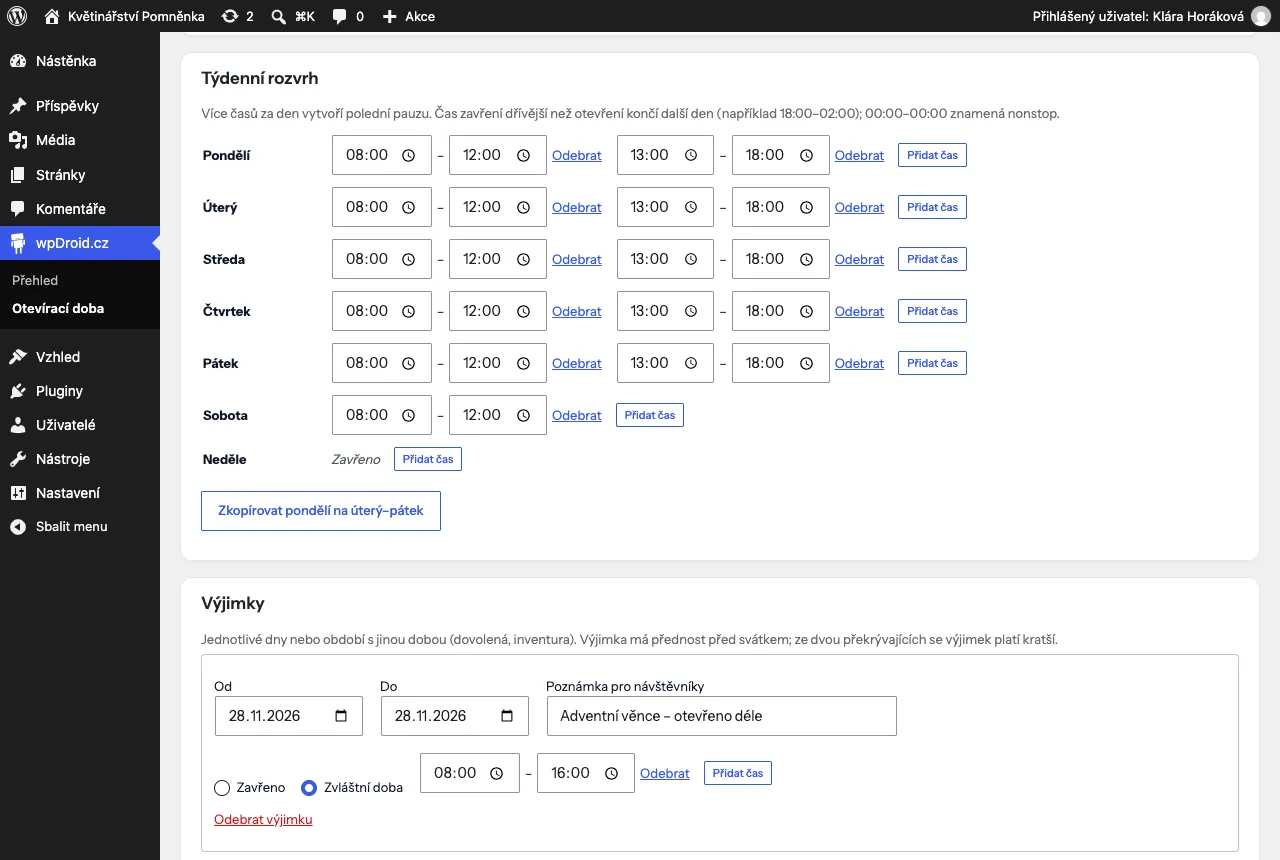
- Weekly schedule with several intervals a day (lunch break) and hours past midnight (18:00–02:00).
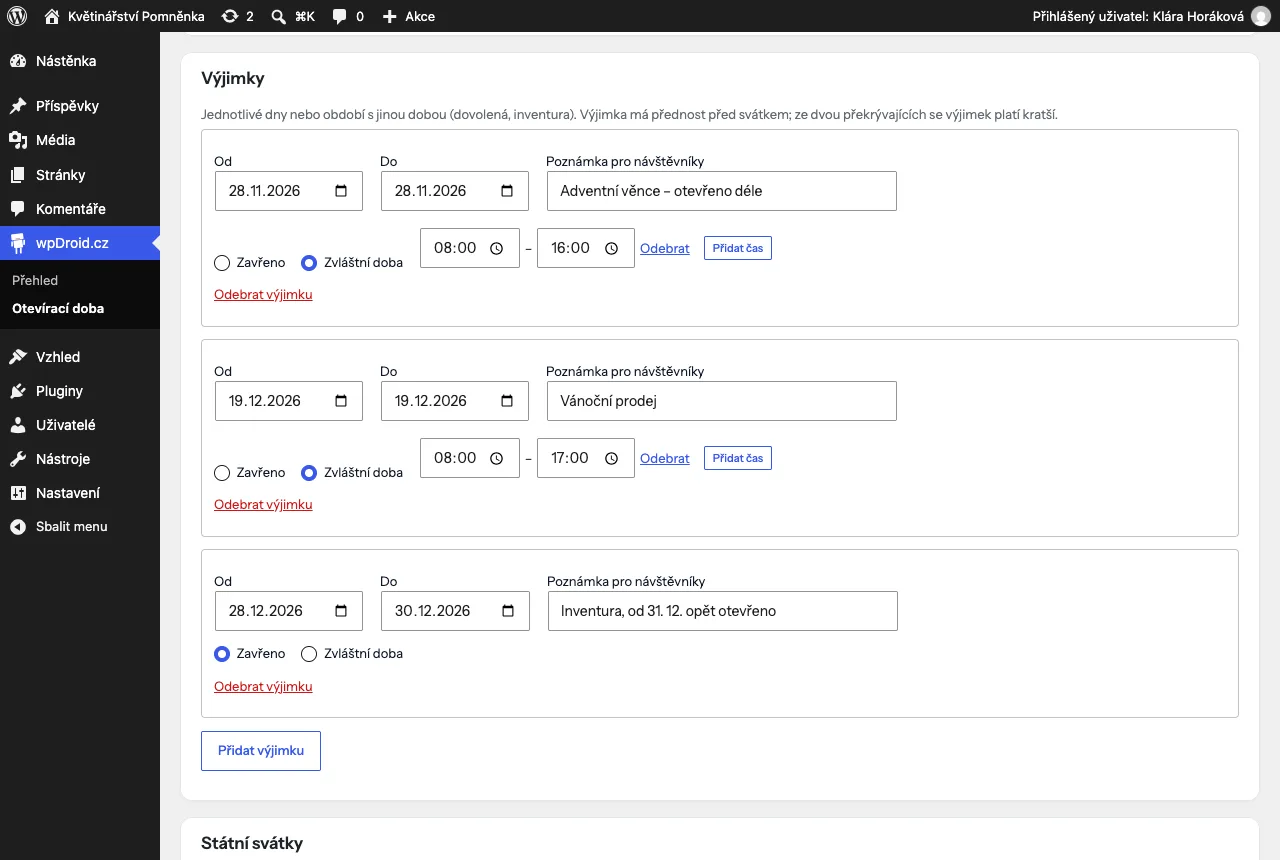
- Exceptions: single days or periods, closed or with special hours, with a note for visitors.
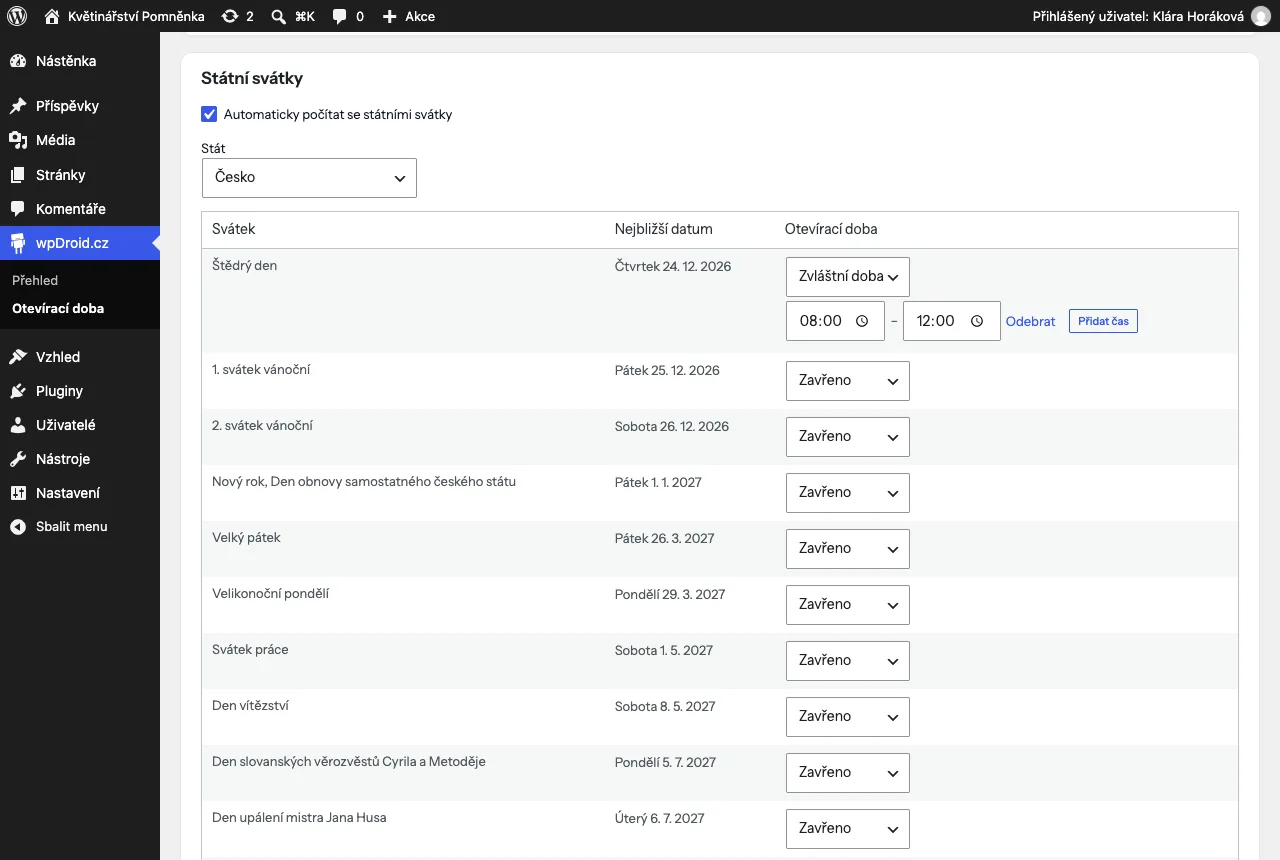
- Public holidays of the Czech Republic or Slovakia added automatically, including Good Friday and Easter Monday; for each one choose closed, regular hours or special hours.
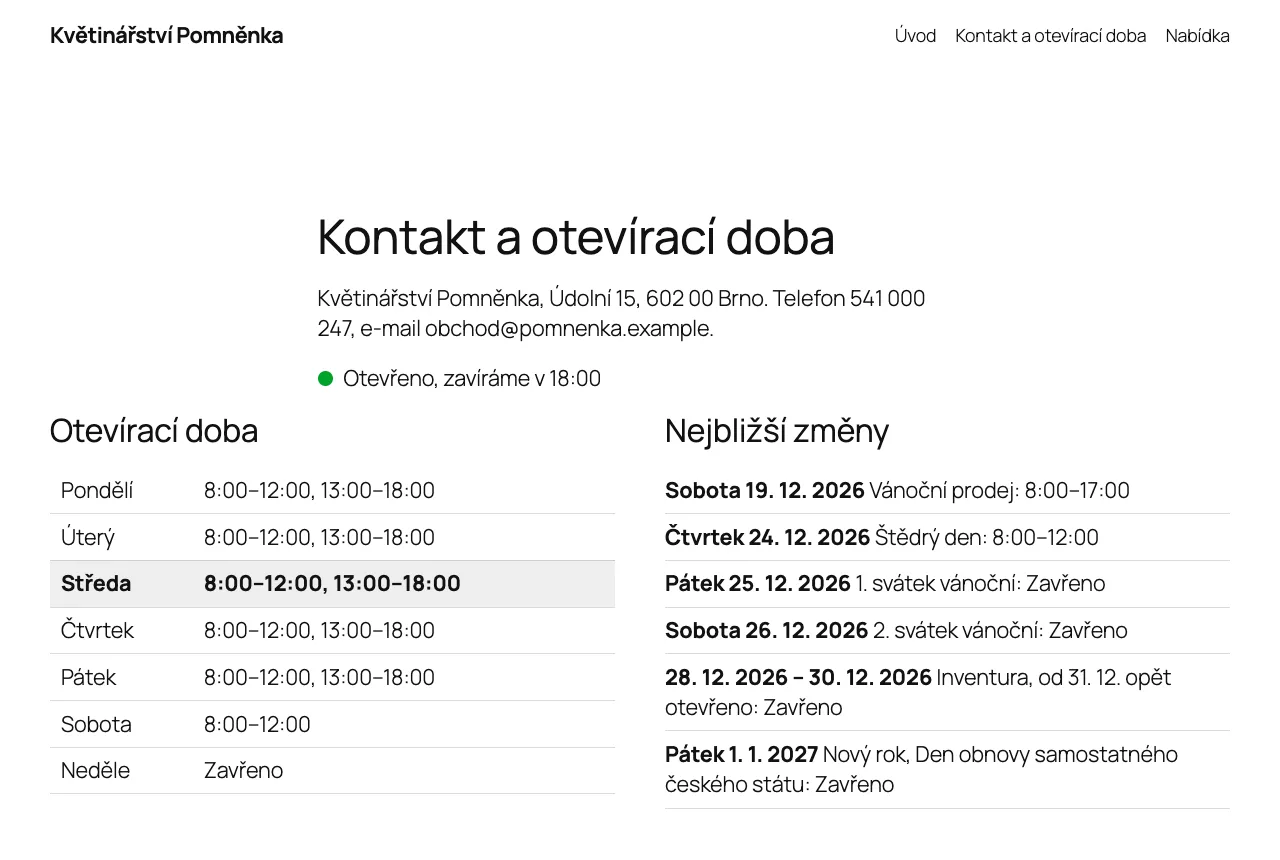
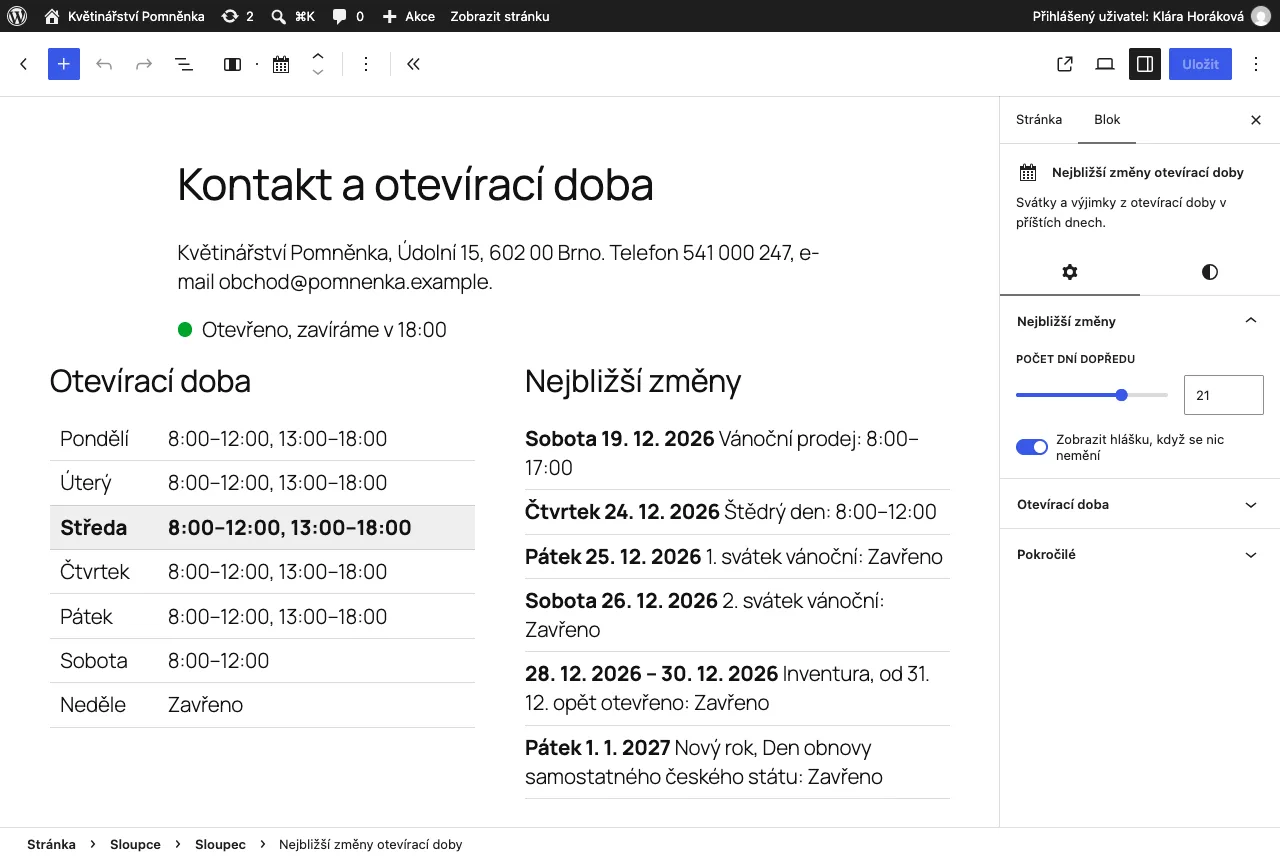
- Block "Opening hours": the weekly table with today highlighted.
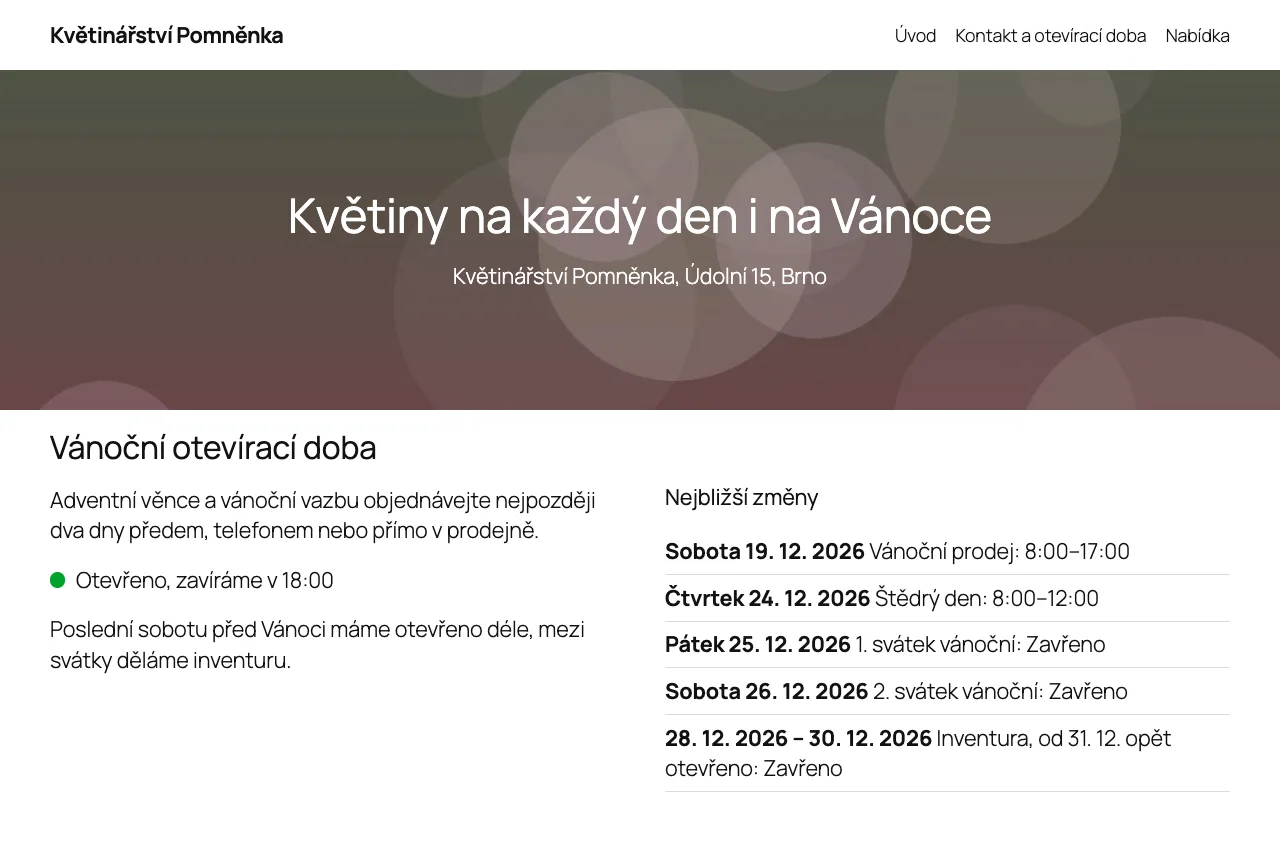
- Block "Open now": "Open, closing at 17:00" or "Closed, opening tomorrow at 8:00", updated without reloading the page and announced to screen readers.
- Block "Upcoming changes": holidays and exceptions in the next 14 days (adjustable).
- Structured data (schema.org
OpeningHoursSpecification), can be switched off when an SEO plugin already prints it.
Every block also works as a shortcode: [droid_opening_hours], [droid_opening_status], [droid_opening_changes days="14"].
The status is computed in the visitor's browser from the schedule embedded in the page, in the time zone of your website (Settings → General), so it stays correct behind a page cache and across daylight saving time changes. Times and dates use the formats of your website.
External services
The plugin itself contacts no external service; the status is computed in the visitor's browser (fresh data come from your own site's REST API).
wpDroid.cz plugin catalog
The shared wpDroid.cz → Overview page loads the list of wpDroid.cz plugins from https://wpdroid.cz/api/wp/catalog, only when an administrator opens that page, at most once every 12 hours. No site or visitor data is sent; like every WordPress HTTP request it carries the WordPress version and the site address in the User-Agent header. The catalog is provided by wpDroid.cz.
Plugin updates (copy downloaded from wpdroid.cz only)
WordPress asks https://wpdroid.cz/api/v1/update/droid-opening-hours for new versions of this plugin about twice a day and when an administrator checks for updates or installs one. The request carries the installed plugin version, the PHP version and the site language, no site or visitor data; like every WordPress HTTP request it also carries the WordPress version and the site address in the User-Agent header. A copy from wordpress.org does not contact wpdroid.cz for updates. The service is provided by wpDroid.cz.
Screenshots
What you get
- Droid Opening Hours plugin, free download
- Download for your e-mail – no payment and no billing details
- Updates right in the WordPress admin
Installation
- Download the plugin from wpdroid.cz, then in Plugins → Add New Plugin → Upload Plugin upload the zip and activate it.
- Set the weekly schedule, exceptions and holidays in wpDroid.cz → Otevírací doba. Check the time zone in Settings → General.
- In the block editor insert "Opening hours", "Open now" or "Upcoming changes".
Common questions
- How much does the plugin cost?
Nothing, the plugin is free.
- Which public holidays does the plugin know?
Czech public holidays (Act No. 245/2000 Sb.) and Slovak public holidays (Act No. 241/1993 Z. z., including the changes from the 2024–2026 consolidation). The country follows the site language unless you choose it yourself.
- Do I have to enter the holidays every year?
No. The plugin calculates them itself, including Easter. You only choose whether you are closed on a holiday, have regular hours, or special hours.
- Does the “open now” status work with page caching?
Yes. The page carries the schedule for six weeks ahead and the browser works out the status itself. A page that stays in the cache longer fetches fresh data from your site's REST API.
- How do I enter hours past midnight?
Enter a closing time earlier than the opening time, for example 18:00–02:00. 00:00–00:00 means open 24 hours.
- Can I enter a lunch break?
Yes. You can add several time slots to one day, for example 8:00–12:00 and 13:00–17:00.
- What if I am on holiday or doing a stocktake?
Add an exception for a single day or a whole period – closed, or with special hours – and add a note for visitors. An exception takes precedence over both public holidays and the weekly schedule and appears in the “Upcoming changes” block.
- Does the plugin handle daylight saving time?
Yes. It calculates in the site's time zone (Settings → General), so the status is correct even after the switch to summer or winter time.
- I have an SEO plugin that already outputs opening hours. Won't they appear twice?
Turn off structured data in the plugin settings. With Yoast Local SEO, Rank Math Local SEO and Five Star Business Profile, the settings will warn you about this.
- What data does the plugin send?
The plugin does not connect to any third-party service and does not store any personal data. The status is calculated by the visitor's browser, and fresh data comes from your site's REST API. The wpDroid.cz → Overview page loads the list of plugins from wpdroid.cz only when an administrator opens it (at most once every 12 hours), without any data about the site. A copy downloaded from wpdroid.cz checks for updates and sends only the plugin version, the PHP version and the site language.