
Droid Newsletter
Newsletter signup block for the Czech e-mailing services Ecomail, SmartEmailing and Mailkit, with consent, spam protection and no page reload.
A simple newsletter signup form connected to Czech e-mailing services.
- Block "Newsletter" (and the
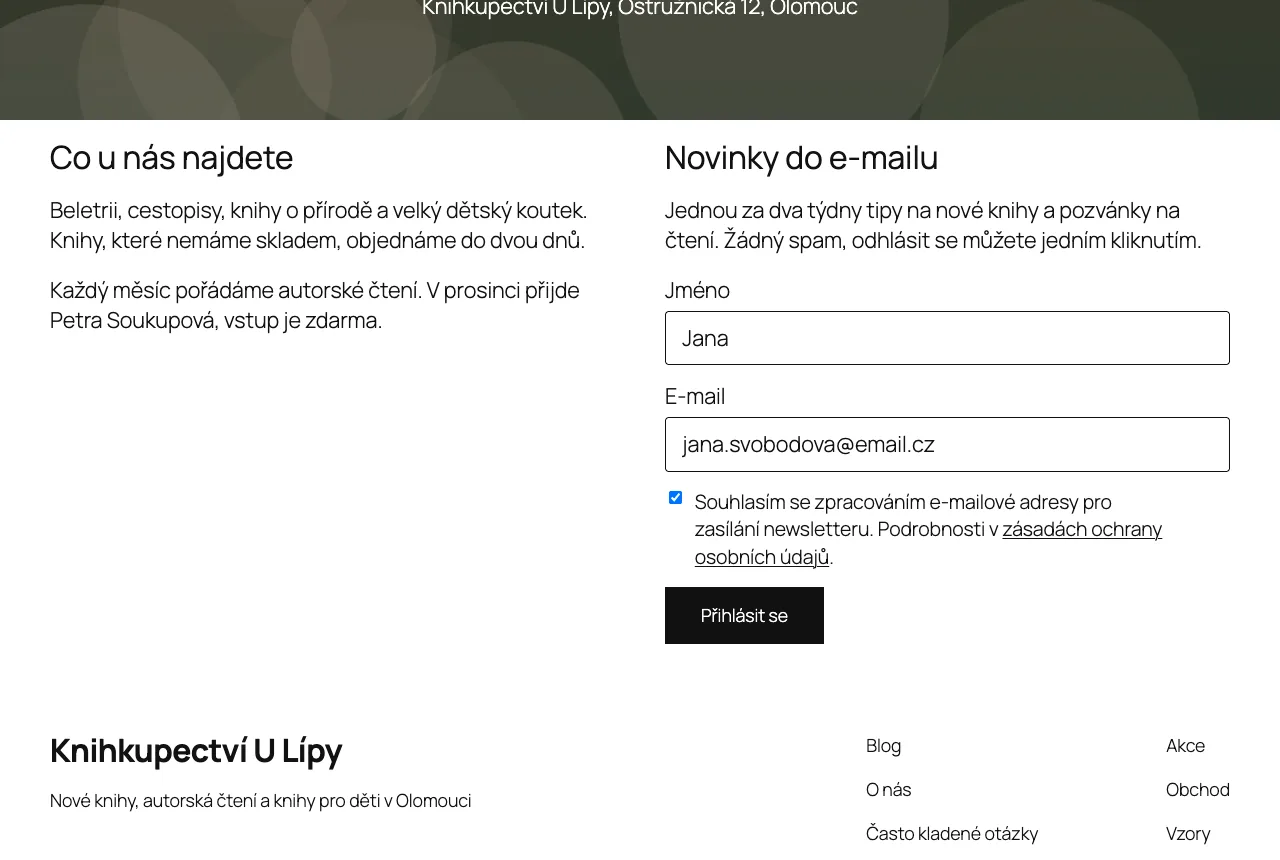
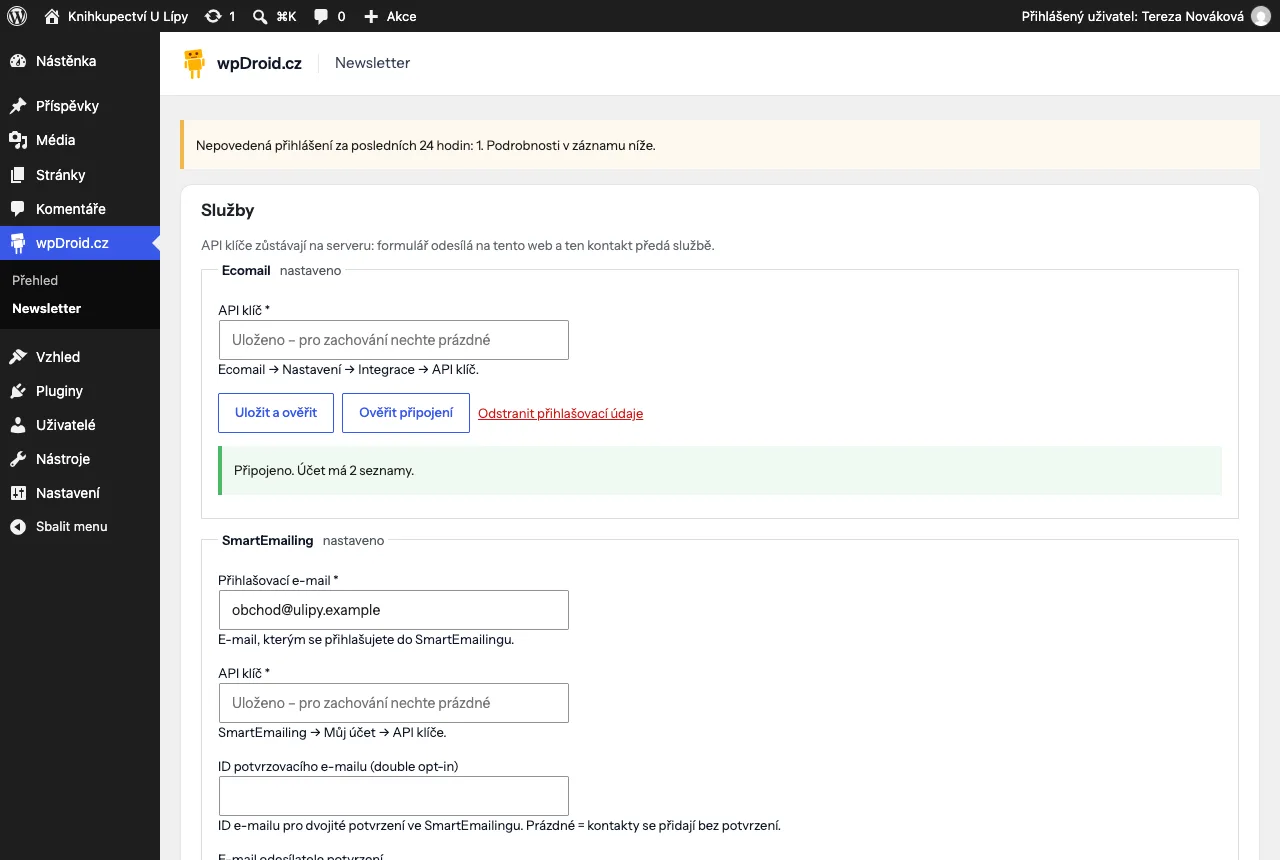
[droid_newsletter]shortcode): e-mail, optionally a name (first name, full name, or first and last name), consent text with a link to your privacy policy, button. - Services: Ecomail, SmartEmailing and Mailkit. Each is a module you can switch off; the API keys stay on your server.
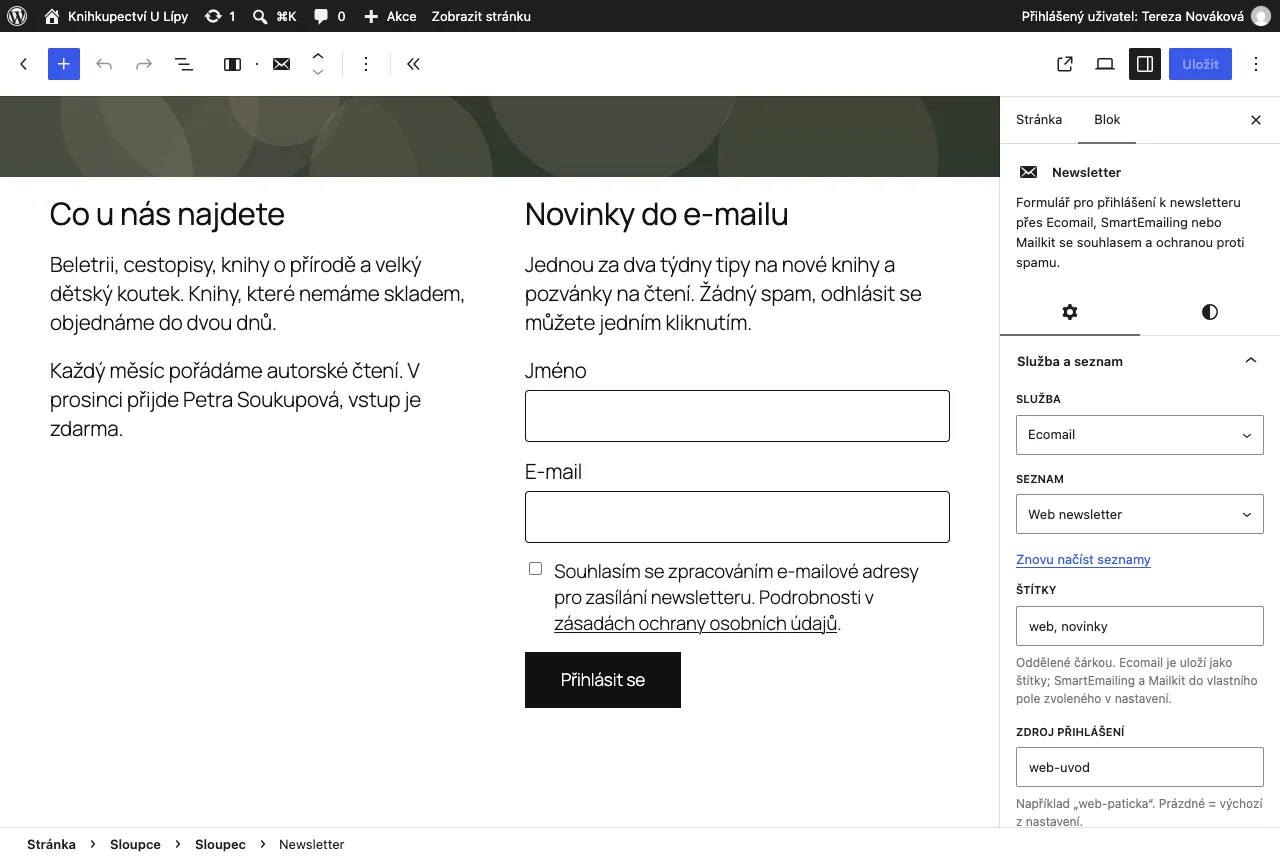
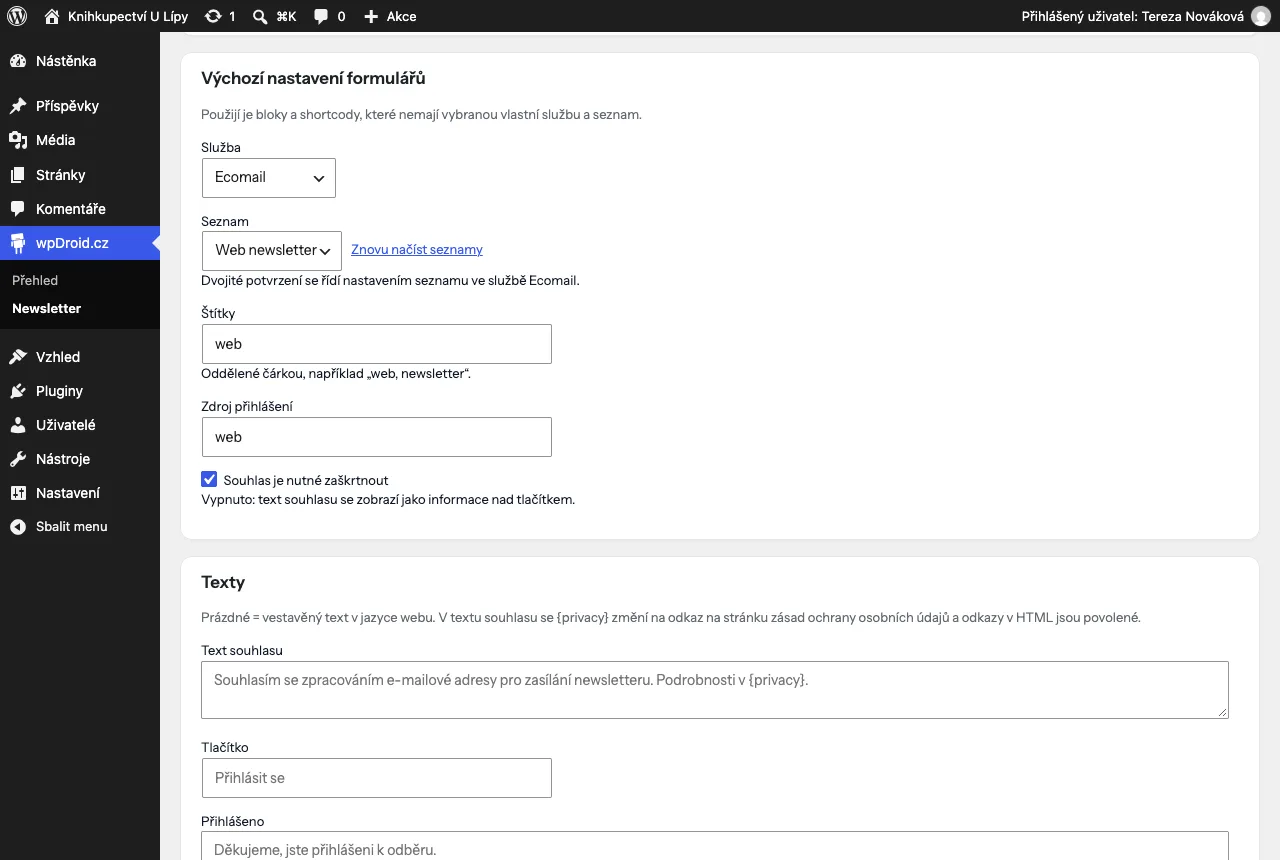
- Block options: service, list (loaded from the service), tags and signup source, texts of the button and messages, one-row or stacked layout.
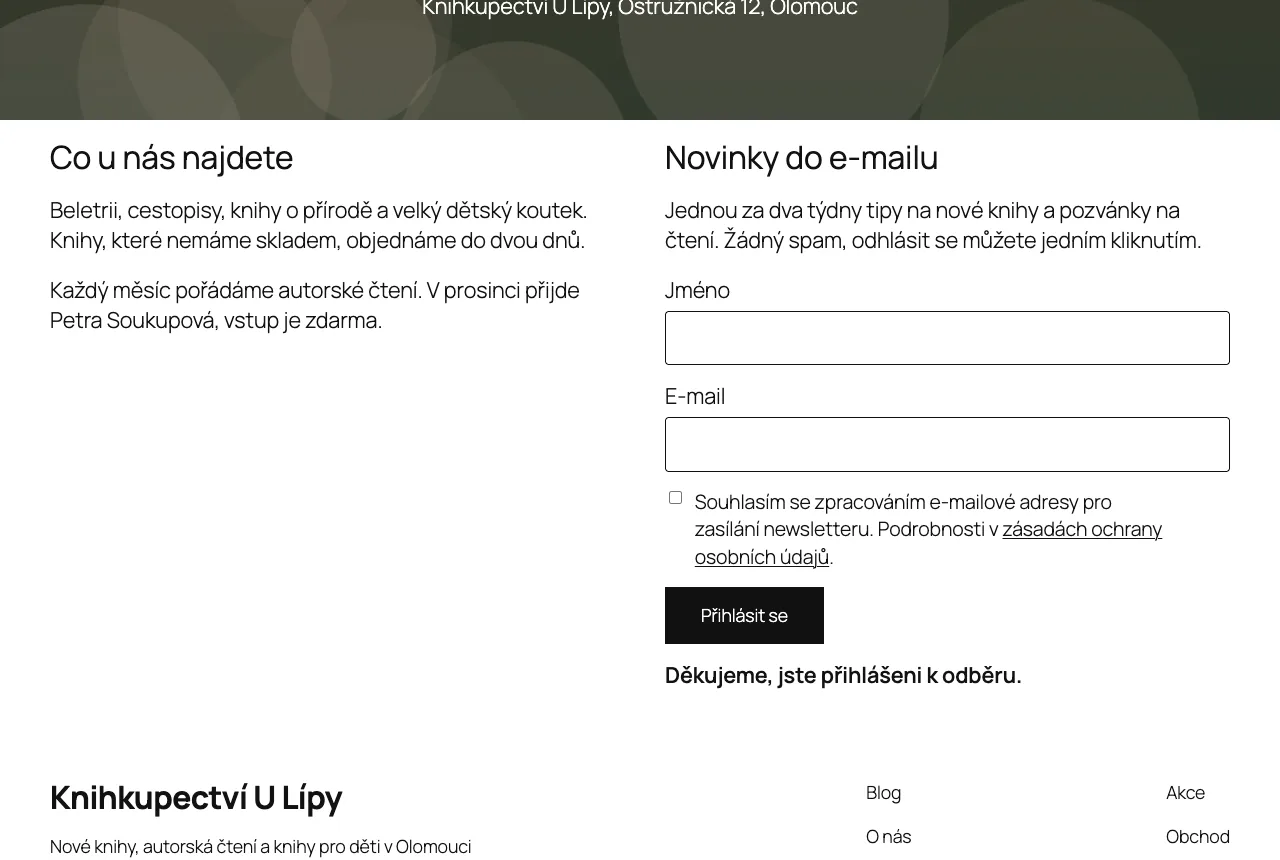
- Sent without reloading the page; the result is announced to screen readers.
- Spam protection: a hidden field for bots, a time trap and a limit of submissions per IP address (30 a minute by default). Pages with the form stay cacheable: the page carries no nonce and no visitor data.
- Double opt-in follows the setting of the list in Ecomail; in SmartEmailing and Mailkit it is set in the plugin (see FAQ).
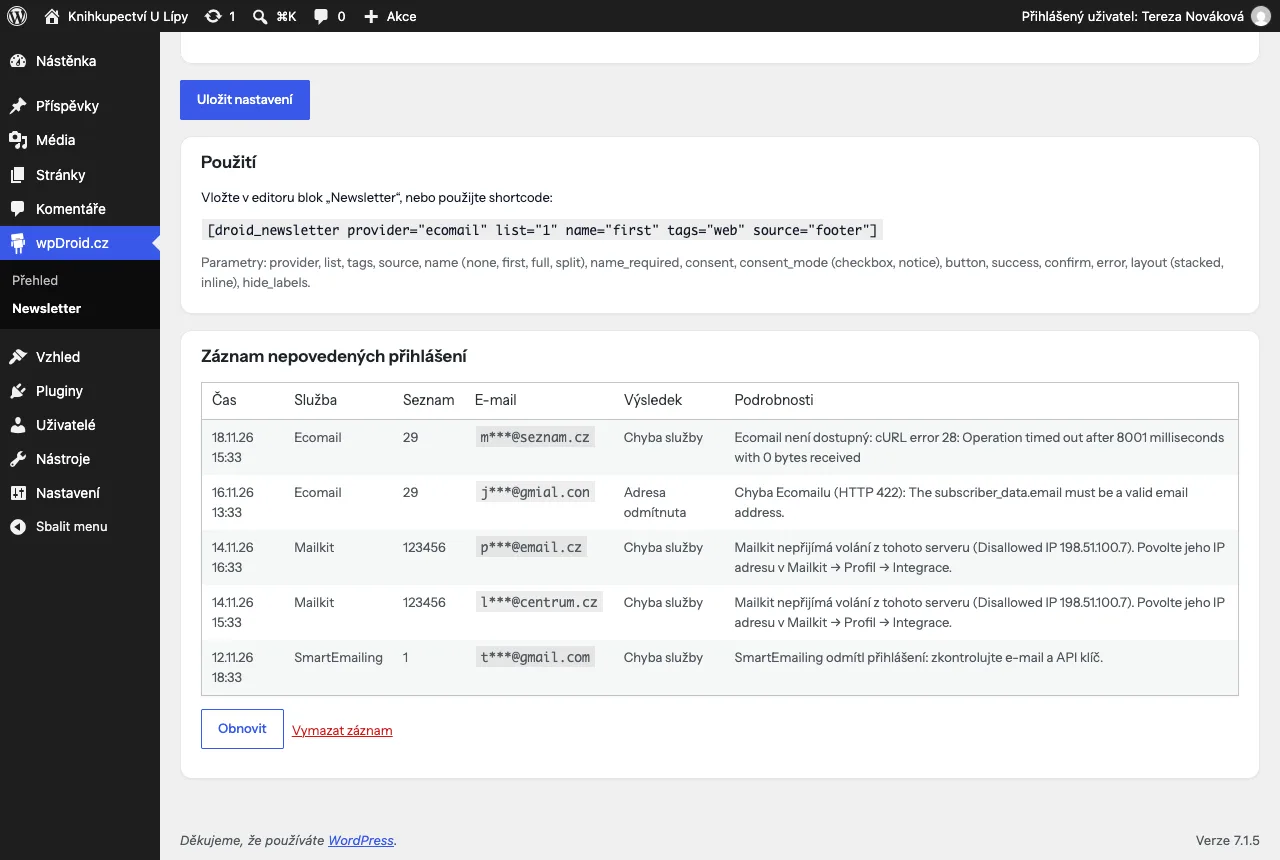
- When a service fails, the visitor sees a friendly message and the administrator finds the error in the plugin log.
- Full Czech and Slovak translation.
Licence
Droid Newsletter is a paid plugin distributed from wpdroid.cz with a yearly licence for 1 site or 5 sites (Agency). The licence gives you updates and support for its term. The plugin keeps working after the licence expires, only without updates: the signup forms work the same with or without a valid licence and while the licence server is down. Your Ecomail, SmartEmailing or Mailkit account is paid separately to that service.
Shortcode parameters: provider, list, tags, source, name (none, first, full, split), name_required, consent, consent_mode (checkbox, notice), button, success, confirm, error, layout (stacked, inline), hide_labels. Without provider and list the defaults from the settings are used.
External services
The form is sent to your own site; your site forwards the contact to the service chosen in the form. The browser never calls the services directly. Nothing is sent before a visitor submits the form, except when an administrator saves or checks a login or loads the lists in the settings or in the block editor.
Ecomail
Sends the e-mail address, the names entered in the form, the tags and the signup source to the Ecomail API (https://api2.ecomailapp.cz) when a visitor subscribes; reads the mailing lists when an administrator configures the plugin. Provided by Ecomail: terms, privacy policy.
SmartEmailing
Sends the e-mail address, the names entered in the form, the list and (if configured) the signup source and tags in a custom field to the SmartEmailing API (https://app.smartemailing.cz/api/v3) when a visitor subscribes; reads the mailing lists and checks the login when an administrator configures the plugin. Provided by SmartEmailing: terms, privacy policy.
Mailkit
Sends the e-mail address, the names entered in the form, the list and (if configured) the signup source and tags in a custom field to the Mailkit API (https://api.mailkit.eu) when a visitor subscribes. With single opt-in switched on it also sends the visitor's IP address and the address of the page as the proof of consent. Reads the mailing lists when an administrator configures the plugin. Provided by Mailkit: terms, privacy policy.
wpDroid.cz plugin catalog
The shared wpDroid.cz → Overview page loads the list of wpDroid.cz plugins from https://wpdroid.cz/api/wp/catalog, only when an administrator opens that page, at most once every 12 hours. No site or visitor data is sent; like every WordPress HTTP request it carries the WordPress version and the site address in the User-Agent header. The catalog is provided by wpDroid.cz.
Licence and updates (wpdroid.cz)
The licence key is checked at https://wpdroid.cz/api/v1 when you activate or deactivate it and once a day afterwards; the request carries the licence key, the product, the plugin version, the PHP version and the site domain. WordPress asks https://wpdroid.cz/api/v1/update/droid-newsletter for new versions about twice a day. No content of the site and nothing about subscribers or visitors is sent. The service is provided by wpDroid.cz.
Screenshots
What you get
- Droid Newsletter plugin to download from your customer account
- Licence key for one site (Agency licence: five sites)
- Updates right in the WordPress admin while the licence is valid
- E-mail support while the licence is valid
Installation
- Download the plugin from wpdroid.cz, then in Plugins → Add New Plugin → Upload Plugin upload the zip and activate it.
- In wpDroid.cz → Newsletter enter the API login of your service and click Save and check. Choose a default service and list.
- Enter the licence key at the bottom of the same screen (updates and support).
- Insert the "Newsletter" block in the editor, or the
[droid_newsletter]shortcode.
Common questions
- Can I move the licence to another site?
Yes. Deactivate the domain in the customer portal and use the freed slot elsewhere.
- What happens if I do not renew?
Your site keeps running and the plugin stays installed and working. After a 14-day grace period, updates and support stop. The exception are add-ons where the licence unlocks Pro features (Droid ČNB Pro, Droid MCP Bridge Pro): there those features switch off after the grace period too. Renewing switches everything back on and the key stays the same.
- Can I get a refund?
You may withdraw within 14 days of the purchase until you ask in the customer portal for the licence key and the downloads to be released — that ends the right of withdrawal. If the product does not work as described, get in touch — that is a defect and it gets fixed.
- Will I get a tax document?
Yes, sent to the e-mail on the order. Businesses from another EU country with a valid VAT ID buy under the reverse charge mechanism.
- How much does the plugin cost?
490 CZK a year for 1 site, Agency licence for 5 sites 1,690 CZK a year (prices excl. VAT). Updates and support for the term of the licence are included. You pay for the e-mail service (Ecomail, SmartEmailing or Mailkit) separately according to its price list.
- Do the signup forms depend on the licence?
No. The forms work the same with an expired licence and while the licence server is down. The licence affects only updates and support; subscriptions never go through a server of wpdroid.cz.
- How does double opt-in work?
Ecomail: the plugin never skips confirmation, so the list settings in Ecomail decide. SmartEmailing has no such list setting – you turn confirmation on by entering the ID of the confirmation e-mail in the plugin settings. Mailkit asks for confirmation by default. You can switch to adding without confirmation; Mailkit then stores the visitor's IP address and the page as proof of consent.
- Mailkit reports “Disallowed IP”. What can I do?
Mailkit accepts calls only from allowed IP addresses. Add your web server's public IP address in Mailkit under Profile → Integration. The plugin shows the server address in the settings as PHP sees it – behind NAT, the public address may differ.
- Where are tags stored in SmartEmailing and Mailkit?
These services do not have tags. In the plugin settings you can choose a custom field to which the signup source and the form's tags are written.
- Does the form work with page caching?
Yes. The page is the same for all visitors. When a visitor starts filling in the form, the browser requests a one-time token from your site. The signup goes to your site, which passes it on to the service.
- What happens to an address that is already subscribed?
Ecomail and Mailkit keep the existing contact. The public form does not overwrite the name or tags of an existing contact in Ecomail and does not re-subscribe addresses that have unsubscribed (a developer can change this with the
droid_newsletter_ecomail_requestfilter).- A signup failed. Where can I find out why?
On the wpDroid.cz → Newsletter page you will find the number of failed signups in the last 24 hours and a log with the reason given by the service. E-mail addresses are truncated in the log.
- Does the form work without JavaScript?
No. Submitting without reloading the page and the spam protection both need JavaScript. Without it, the visitor sees a message asking them to enable it.
- What data does the plugin send?
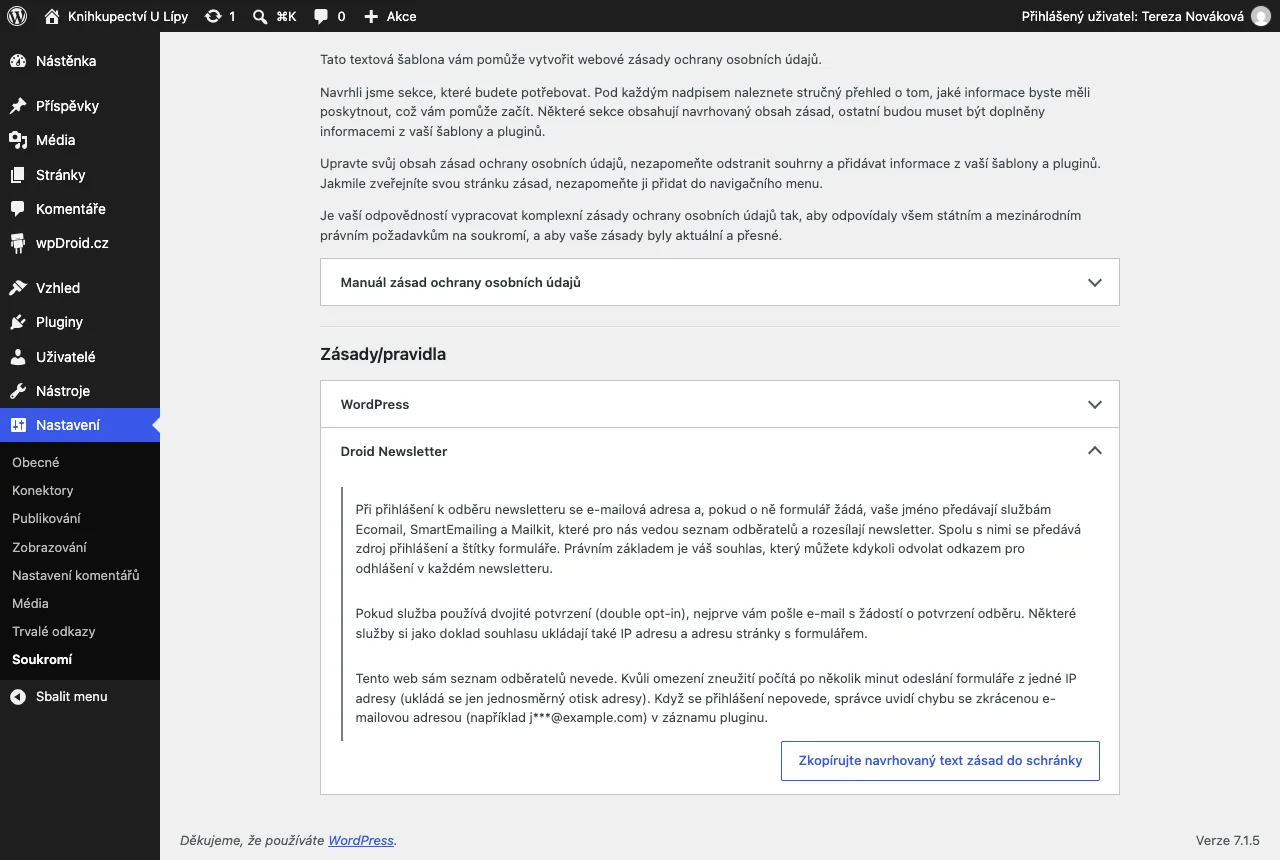
Only to the selected service, and only after the form is submitted: the e-mail address, the name (if the form asks for it), the list, tags and the signup source. With Mailkit and adding without confirmation, also the visitor's IP address and the page URL. The visitor's browser does not call the service directly. The site itself does not keep a list of subscribers; to limit abuse, it stores only a one-way hash of the IP address for a few minutes. Only the licence check (key, product, plugin and PHP version, site domain) and the update check go to wpdroid.cz.