Droid MCP Bridge
Connects an AI agent to WordPress over the Model Context Protocol. The agent can read content, site structure, media and the ACF schema, and write posts — always only within the scope its key and the mapped user's capabilities allow.
Droid MCP Bridge turns your site into a Model Context Protocol (MCP) server: an AI agent such as Claude Code or Cursor connects over a single REST endpoint and works with your content through a catalogue of well-defined tools, instead of screen-scraping wp-admin.
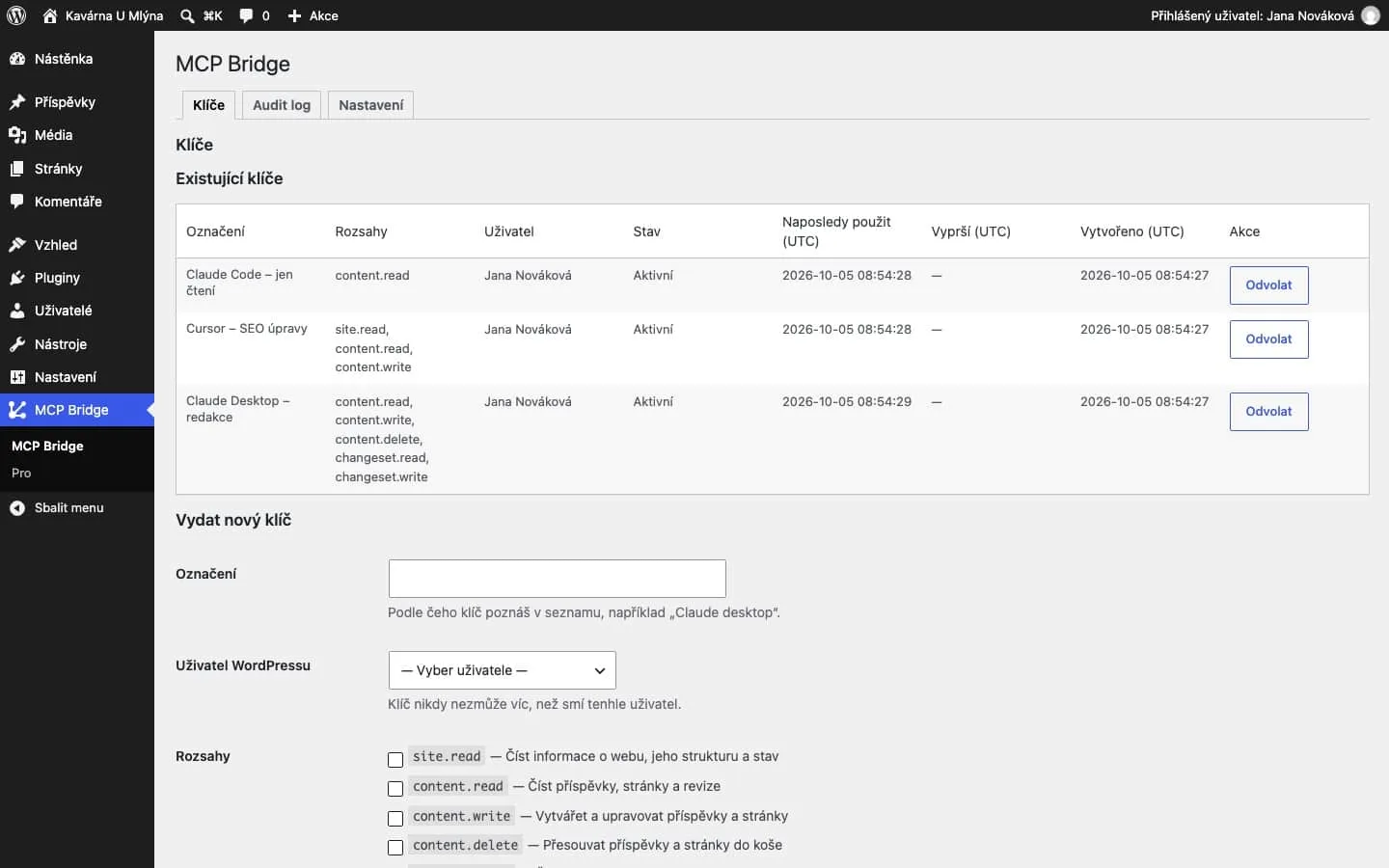
Nothing is exposed until you decide. After activation the MCP endpoint is off. You create an API key, grant it only the scopes it needs, and switch the endpoint on. Every call is authenticated, capability-checked against the acting WordPress user, rate-limited, and written to an audit log.
Read tools (available to any authorised key):
site.info,site.structure,site.health— WordPress/PHP versions, post types, taxonomies, registered meta, ACF groups, menus, Site Health results.site.search,content.list,content.get,content.revisions— find and read posts, with revisions and diffs.taxonomy.terms,media.list,media.get,acf.schema— terms, media library, ACF field schema.
Write tools (capability-gated, one call at a time):
content.create,content.update,content.delete— create and edit posts with terms, meta and a featured image, under the acting user's ownedit_posts/delete_postscapabilities.
Tool names over the wire
The dotted names above are the canonical ones — they are what the audit log records and what the admin UI shows. Over the wire the dot is folded to a hyphen (content.create is advertised as content-create), because MCP clients only accept names matching ^[a-zA-Z0-9_-]{1,64}$. Calls are accepted under both forms, so anything written against the dotted names keeps working.
Security model
- The endpoint is disabled by default — activating the plugin opens no new attack surface.
- Access is by API key with explicit scopes; a key only ever sees the tools its scopes allow.
- Every tool runs under a real WordPress user's capabilities — an agent can never do more than that user could.
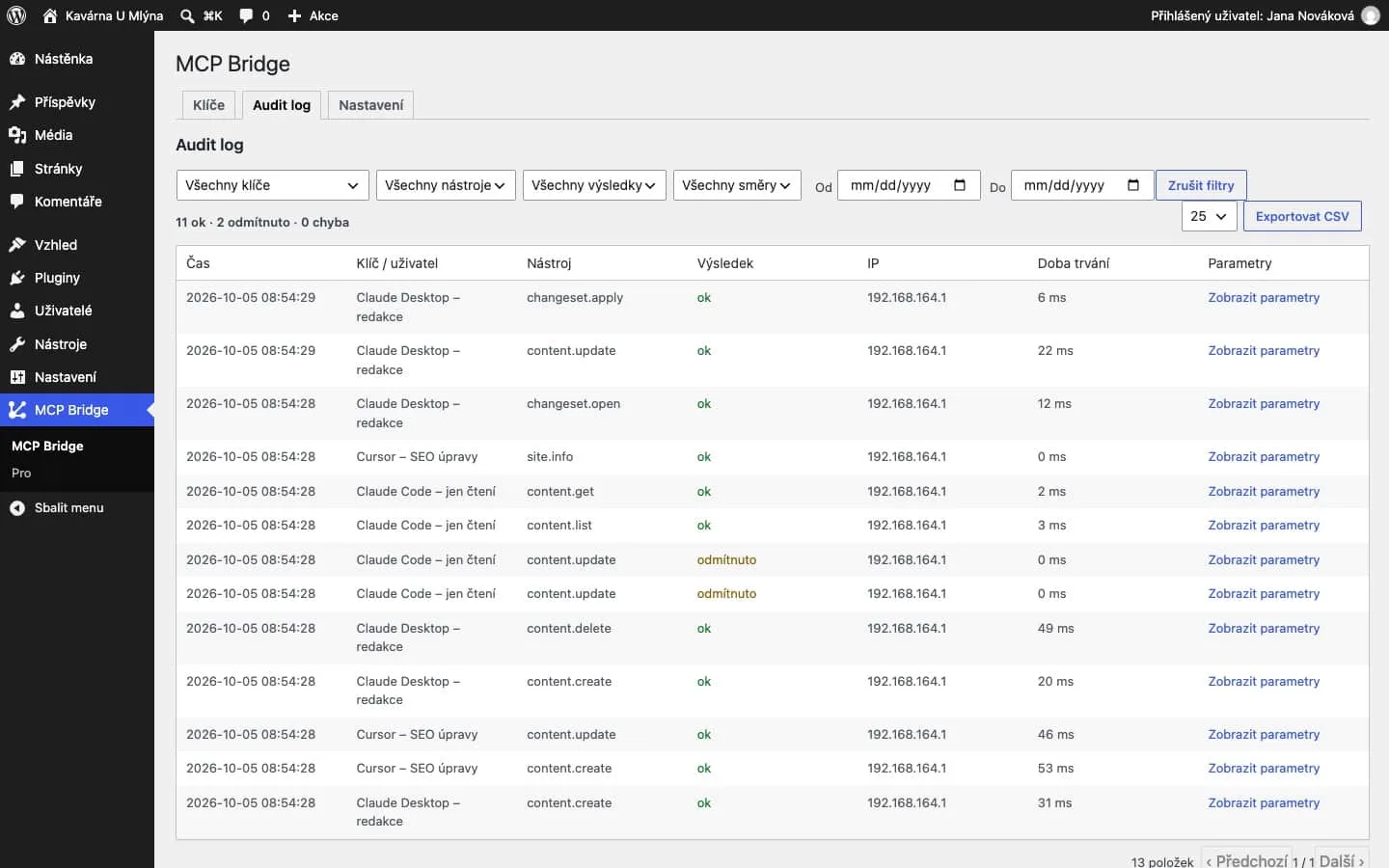
- Full audit log of every call (tool, result, key, timestamp).
- No external network calls. The plugin is an inbound server; the only outbound request this release makes is WordPress core's own Site Health loopback to your own site. (A copy downloaded from wpdroid.cz instead of wordpress.org additionally checks that site for plugin updates — this one does not, because wordpress.org updates it.)
Free and Pro
This free plugin is complete on its own for reading and direct content editing, with no limit on API keys and audit log retention of up to ten years. An optional separate Pro add-on brings features this plugin does not contain: a changeset review workflow (agent proposes, a human approves a diff before it is applied), taxonomy and option writes, and ACF-aware validation. The free plugin never phones home and works fully without Pro.
Outbound AI governance. On WordPress 7.0+ the plugin also governs the opposite direction — calls other plugins make out to an LLM through core's own AI Client (wp_ai_client_prompt()) — with an always-on audit trail, an opt-in enforcement mode gated by a WordPress capability, and a kill switch; an optional Pro add-on layers budgets and provider/model allow-lists on top through the same policy filter.
Screenshots
What you get
- Droid MCP Bridge plugin, free download
- Download for your e-mail – no payment and no billing details
- Updates right in the WordPress admin
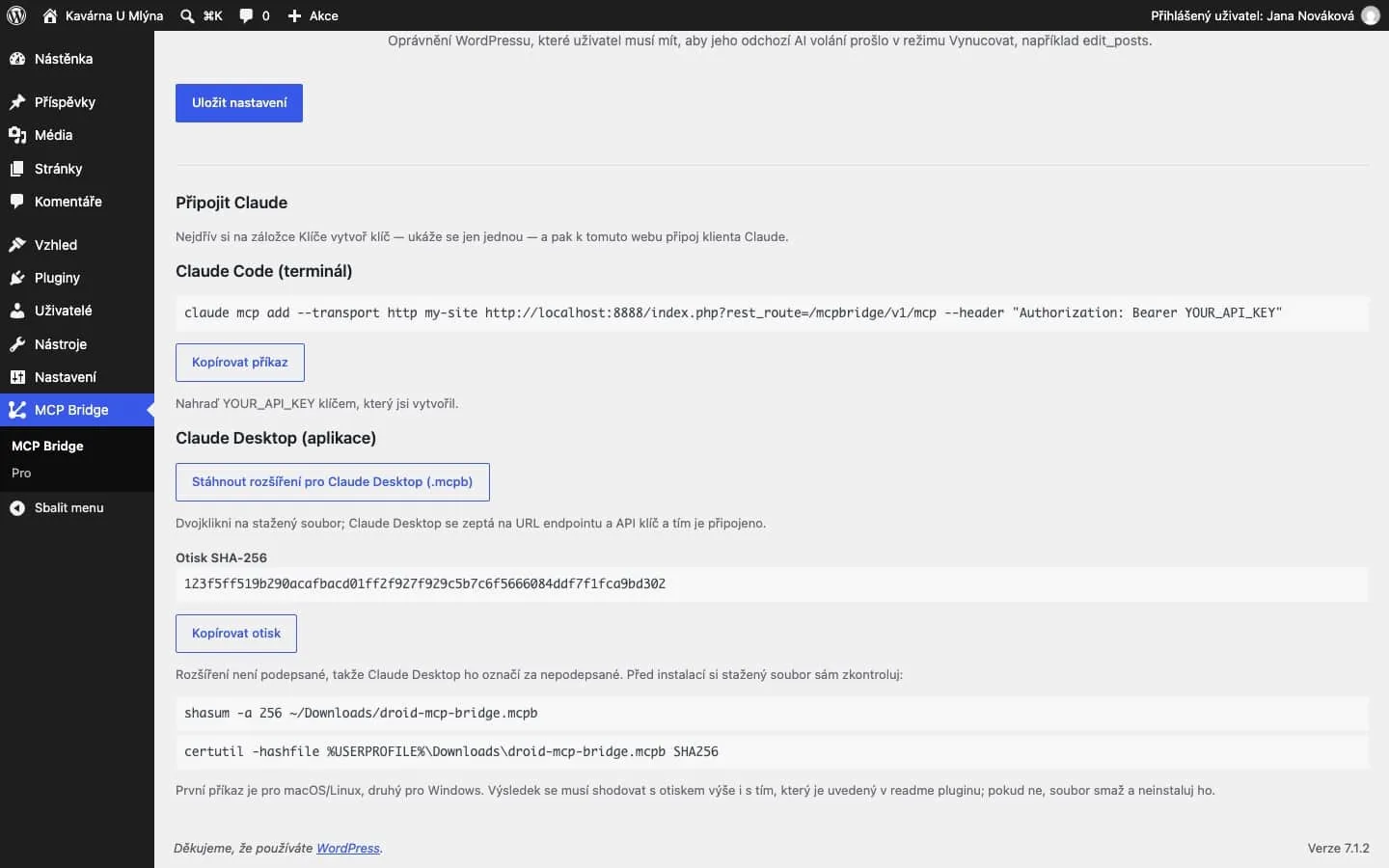
- Claude Desktop extension (.mcpb) to download
Installation
- Install and activate the plugin.
- Go to MCP Bridge in wp-admin.
- Under Keys, create an API key and grant it the scopes you need.
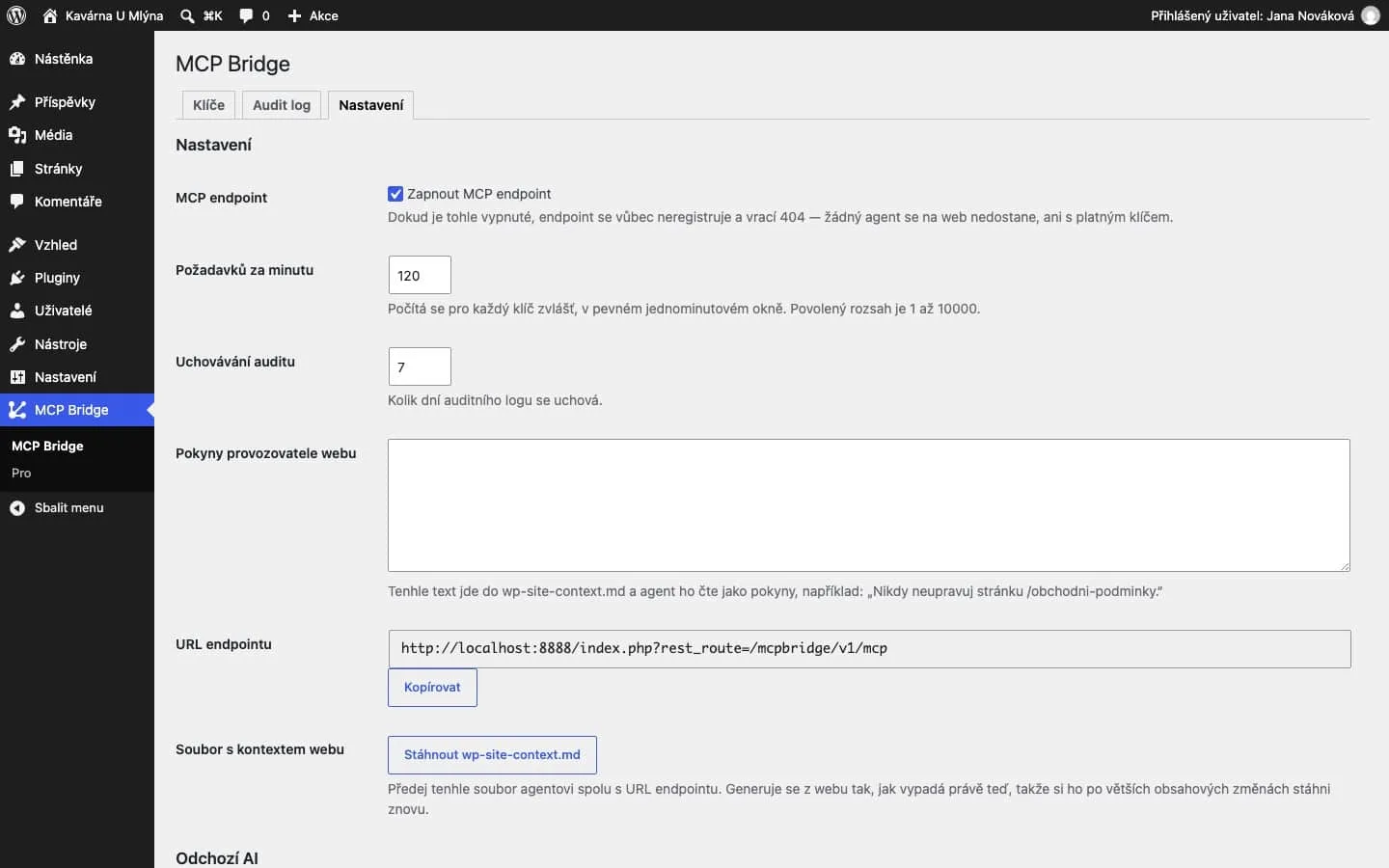
- Under Settings, turn the endpoint on and copy the endpoint URL.
- Point your MCP client (Claude Code, Cursor, …) at the endpoint URL with the API key as a bearer token.
Common questions
- Can I move the licence to another site?
Yes. Deactivate the domain in the customer portal and use the freed slot elsewhere.
- What happens if I do not renew?
Your site keeps running and the plugin stays installed and working. After a 14-day grace period, updates and support stop. The exception are add-ons where the licence unlocks Pro features (Droid ČNB Pro, Droid MCP Bridge Pro): there those features switch off after the grace period too. Renewing switches everything back on and the key stays the same.
- Can I get a refund?
You may withdraw within 14 days of the purchase until you ask in the customer portal for the licence key and the downloads to be released — that ends the right of withdrawal. If the product does not work as described, get in touch — that is a defect and it gets fixed.
- Will I get a tax document?
Yes, sent to the e-mail on the order. Businesses from another EU country with a valid VAT ID buy under the reverse charge mechanism.