

Droid Mapy
Mapy.com maps with your own points as a block, shortcode and Elementor widget, and address autocomplete for forms and the WooCommerce checkout.
Droid Mapy puts maps from Mapy.com on your site – without Google Maps – and helps visitors type addresses without mistakes.
Map block
- Basic, tourist, aerial and winter maps.
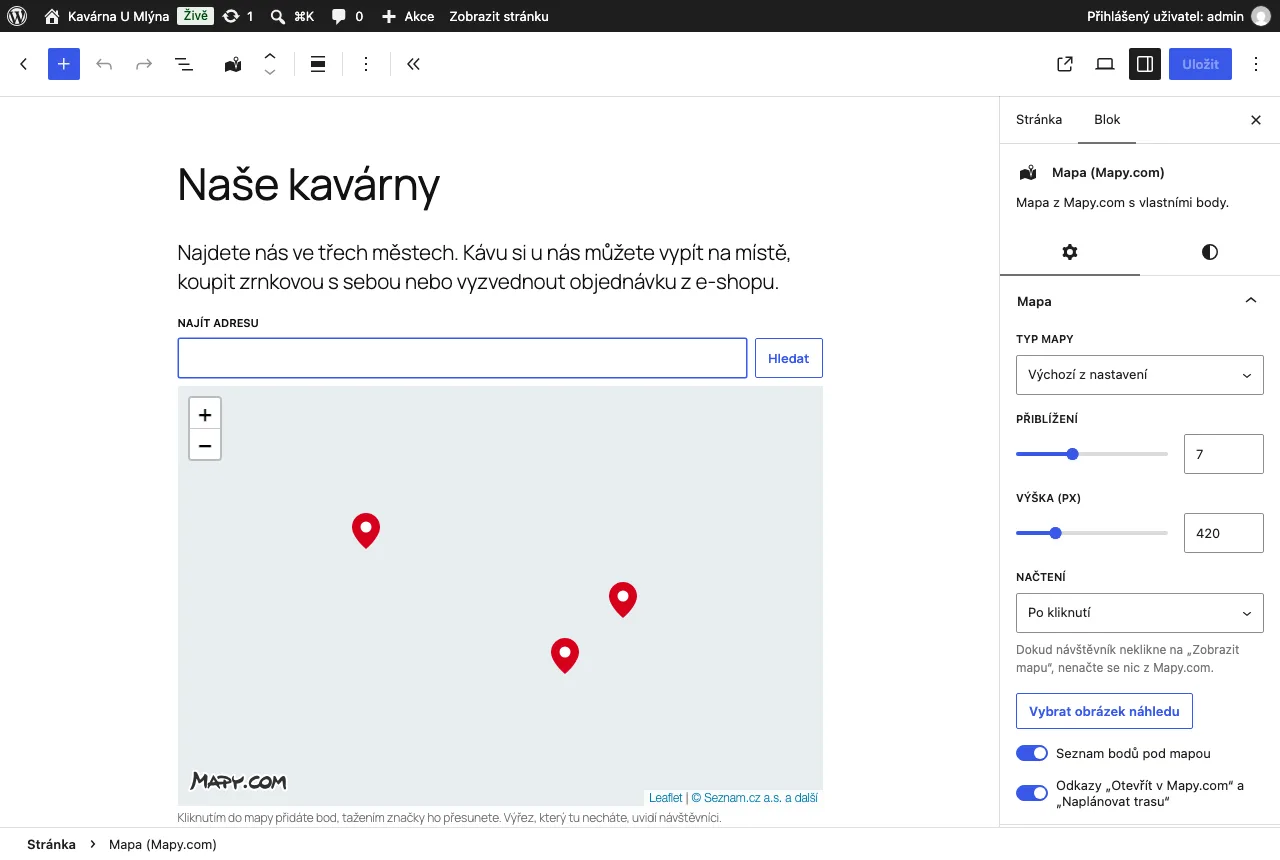
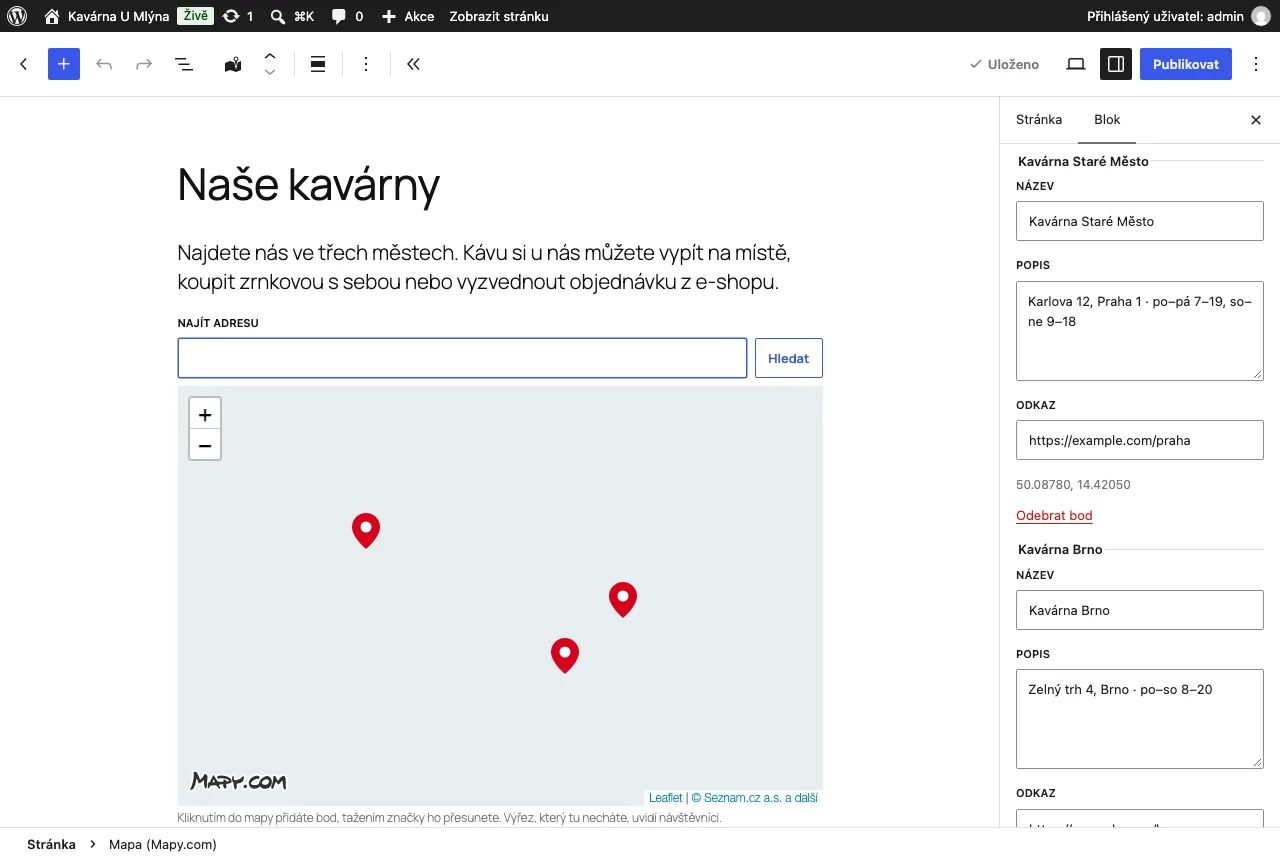
- Any number of points with a name, description and link. Add a point by clicking the map or by searching an address in the editor, move it by dragging.
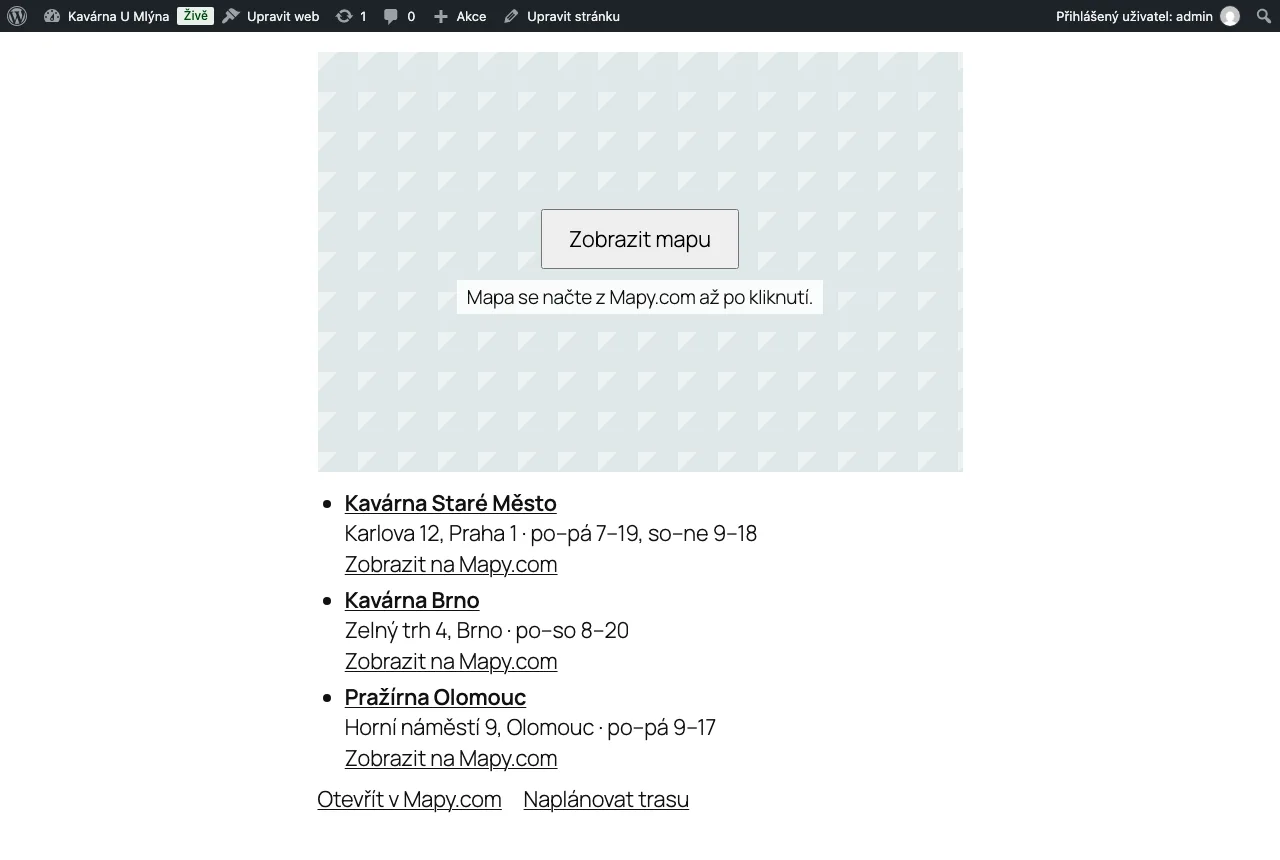
- "Open in Mapy.com" and "Plan a route" links to the first point.
- A list of the points below the map, readable with a keyboard and a screen reader.
- Loading at once, when the map scrolls into view, or only after a click on the preview – then nothing is requested from Mapy.com before the visitor asks for the map.
- Scripts and styles load only on pages with a map.
Shortcode
[droid_mapa typ="turisticka" vyska="400" nacitani="kliknuti"] [droid_mapa_bod lat="50.0878" lng="14.4237" nazev="Office" odkaz="https://example.com/contact"]Open 9–17[/droid_mapa_bod] [/droid_mapa]
Attributes of [droid_mapa]: lat, lng, zoom (0–19), vyska (height in px), typ (zakladni, turisticka, letecka, zimni), nacitani (hned, priblizeni, kliknuti), nahled (ID of a preview image), seznam and odkazy (ano/ne). Without lat and lng the map fits all points. Attributes of [droid_mapa_bod]: lat, lng, nazev, odkaz; the enclosed text is the description.
Elementor
The "Map (Mapy.com)" widget offers the same options and renders the same map.
Address autocomplete
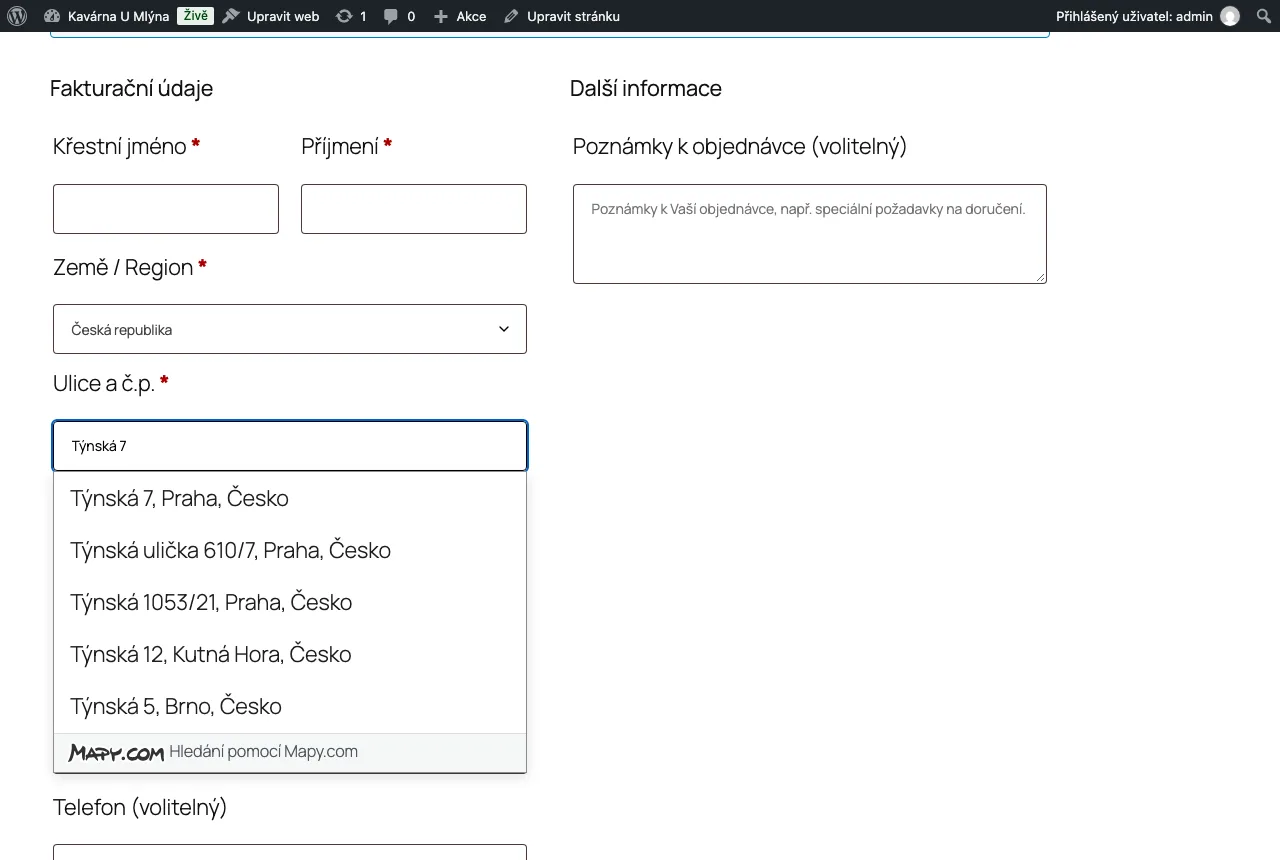
- Classic WooCommerce checkout and the address forms in My account: billing and shipping street suggest addresses; the choice fills in the street with the number, city, postcode and country and recalculates shipping.
- Any form plugin: add the class
droid-addressto the address field anddroid-street,droid-city,droid-zip(optionallydroid-country) to the fields to fill in. - Suggestions from 3 characters, after a 300 ms pause, at most 5. Arrows, Enter and Escape work; screen readers hear the number of results.
- Limited to the countries you choose (Czechia and Slovakia by default) and to the country chosen in the checkout.
- Typing the address by hand always works, also when Mapy.com is down.
- The block checkout of WooCommerce is not supported yet.
Requirements
- A Mapy.com API key – free in the Mapy.com developer account.
- WordPress 6.5+, PHP 8.1+. WooCommerce 8.0+ for the checkout autocomplete (HPOS compatible).
External services
This plugin connects to Mapy.com, a service of Seznam.cz, a.s. Nothing is sent before you enter an API key.
Mapy.com map tiles
Pages with a map load map tiles and the Mapy.com logo directly from https://api.mapy.com in the visitor's browser: at once, when the map scrolls into view, or after the visitor clicks "Show map", depending on the map's setting. The browser sends the visitor's IP address, the usual browser headers, the address of the page (referer) and your API key, which is part of the tile address.
Mapy.com geocoding (editor)
When an editor searches an address in the map block, your site sends the search text and your API key to https://api.mapy.com/v1/geocode. Answers are cached for a day.
Mapy.com address autocomplete
When autocomplete is turned on and a visitor types into an address field, your site sends the typed text, the language of the site, the allowed countries and your API key to https://api.mapy.com/v1/suggest. The visitor's IP address is not passed on. Answers are cached for an hour.
API key test
When you click Test in the settings, your site sends one geocoding request ("Praha") with the key to https://api.mapy.com/v1/geocode.
Terms: Mapy.com API terms, Seznam.cz privacy.
wpDroid.cz plugin catalog
The shared wpDroid.cz → Overview page loads the list of wpDroid.cz plugins from https://wpdroid.cz/api/wp/catalog, only when an administrator opens that page, at most once every 12 hours. No site or visitor data is sent; like every WordPress HTTP request it carries the WordPress version and the site address in the User-Agent header. The catalog is provided by wpDroid.cz.
Plugin updates (copy downloaded from wpdroid.cz only)
WordPress asks https://wpdroid.cz/api/v1/update/droid-mapy for new versions of this plugin about twice a day and when an administrator checks for updates or installs one. The request carries the installed plugin version, the PHP version and the site language, no site or visitor data; like every WordPress HTTP request it also carries the WordPress version and the site address in the User-Agent header. A copy from wordpress.org does not contact wpdroid.cz for updates. The service is provided by wpDroid.cz.
Screenshots
What you get
- Droid Mapy plugin, free download
- Download for your e-mail – no payment and no billing details
- Updates right in the WordPress admin
Installation
- Download the plugin from wpdroid.cz, then in Plugins → Add New Plugin → Upload Plugin upload the zip and activate it.
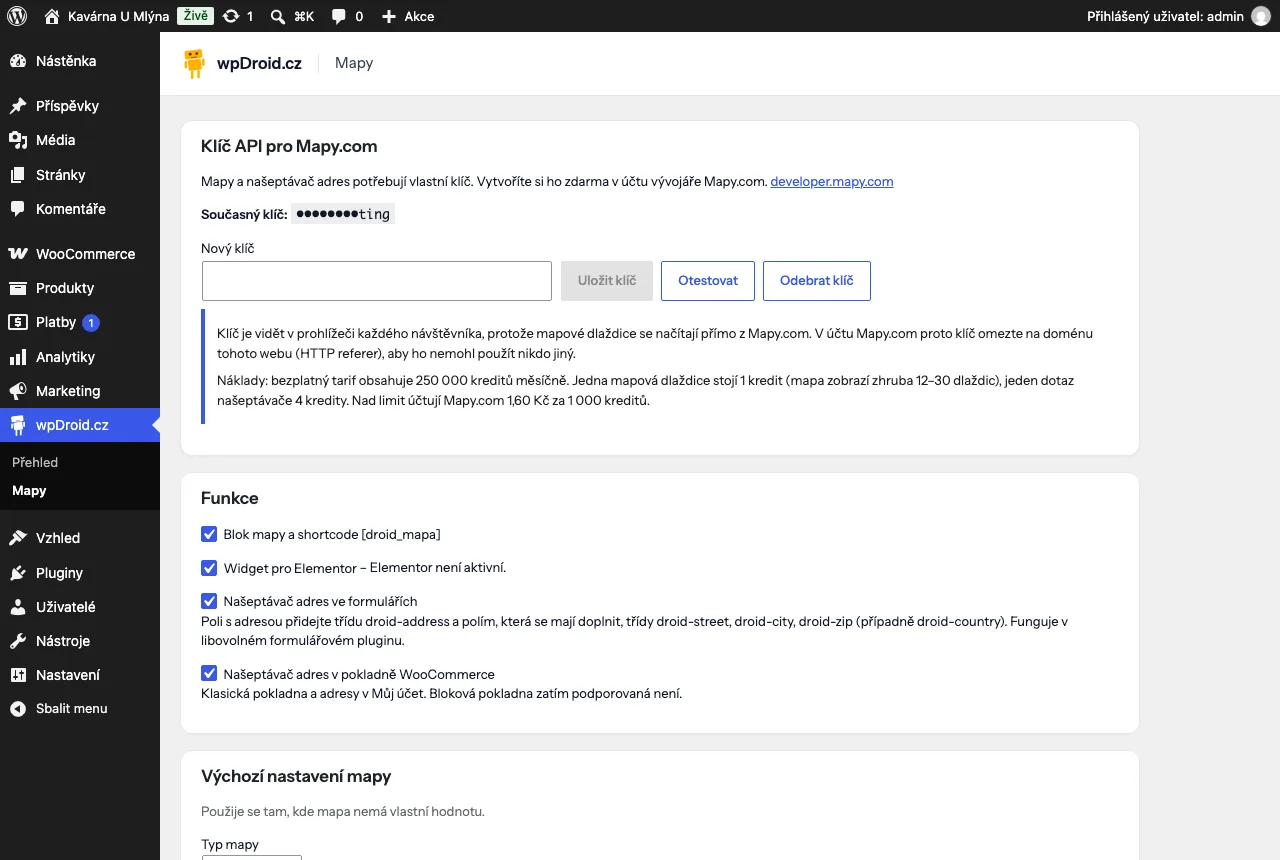
- Open wpDroid.cz → Mapy, paste your Mapy.com API key, click Test and save it.
- In your Mapy.com account, restrict the key to the domain of your site (HTTP referer).
- Add the Map (Mapy.com) block to a page, or turn on address autocomplete in the settings.
Common questions
- Do I need an API key?
Yes. Both the maps and the address autocomplete run on the Mapy.com service, which requires your own key. You can create one for free in your Mapy.com developer account. Without a key, the block shows instructions in the editor and displays nothing on the site.
- How much does it cost?
The plugin is free. Mapy.com's free plan gives you 250,000 credits per month – a map tile costs 1 credit, an autocomplete query 4 credits. That is usually enough for a typical business website; above the limit, Mapy.com charges CZK 1.60 excl. VAT per 1,000 credits.
- Why is the key visible in the page source?
Map tiles are downloaded by the visitor's browser directly from Mapy.com, and the key is part of their URL. That is why you should restrict it to your site's domain in your Mapy.com account. Address search and autocomplete go through your site, so there the key stays on the server.
- Can the map wait for cookie consent?
Choose the “After a click” loading option. The visitor sees a preview with a “Show map” button, and nothing is downloaded from Mapy.com until they click it.
- Does the autocomplete work in the WooCommerce block checkout?
Not yet. The autocomplete works in the classic checkout (shortcode
[woocommerce_checkout]) and in the addresses in My account. It does not load on a page with the block checkout.- Does the autocomplete also work in Contact Form 7 or another form?
Yes. Add the CSS class
droid-addressto the address field, and the classesdroid-street,droid-city,droid-zip(ordroid-country) to the fields that should be filled in.- What if Mapy.com is not working?
The address can always be typed in manually and the order completed. A screen reader announces that autocomplete is unavailable, and you will see a record of the problem in the plugin settings.
- Does the plugin support a shortcode and Elementor?
Yes. The
[droid_mapa]shortcode with nested[droid_mapa_bod]and the “Map (Mapy.com)” widget in Elementor render the same map as the block.- What data does the plugin send?
Nothing until you enter an API key. After that, the visitor's browser downloads tiles directly from api.mapy.com (with the IP address, the page URL and your key). Address search in the editor and the autocomplete send only the search text, language, allowed countries and the key from your site to Mapy.com – not the visitor's IP address. The wpDroid.cz → Overview page loads the list of plugins from wpdroid.cz, and a copy downloaded from wpdroid.cz checks for updates (plugin version, PHP version and site language). Nothing about visitors or customers is sent to wpdroid.cz.