
Droid AI Content
An llms.txt overview of your site and a clean Markdown version of every page and post for AI assistants. Private and noindex content stays hidden.
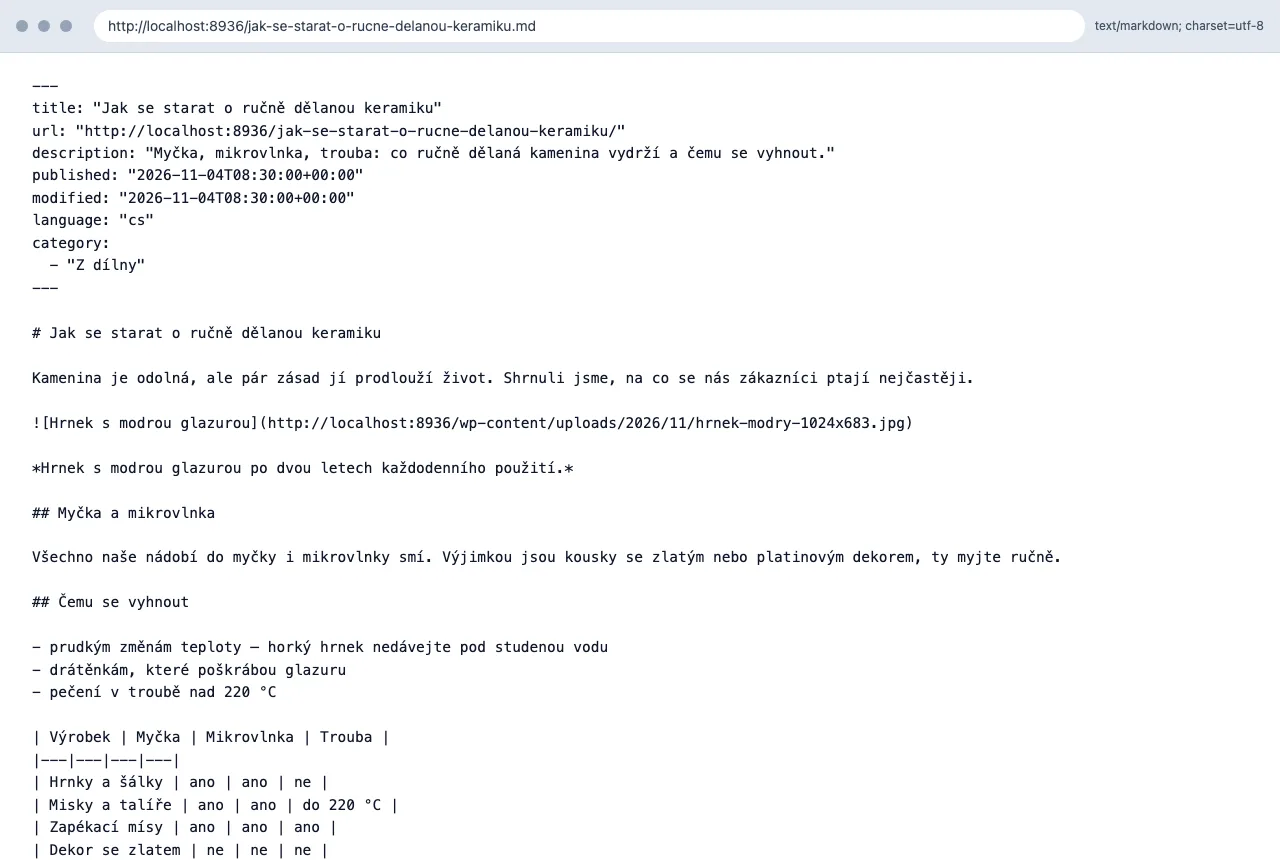
Language models and AI assistants read websites better without menus, sidebars, cookie bars and scripts. Droid AI Content gives them two things, following the llms.txt proposal:
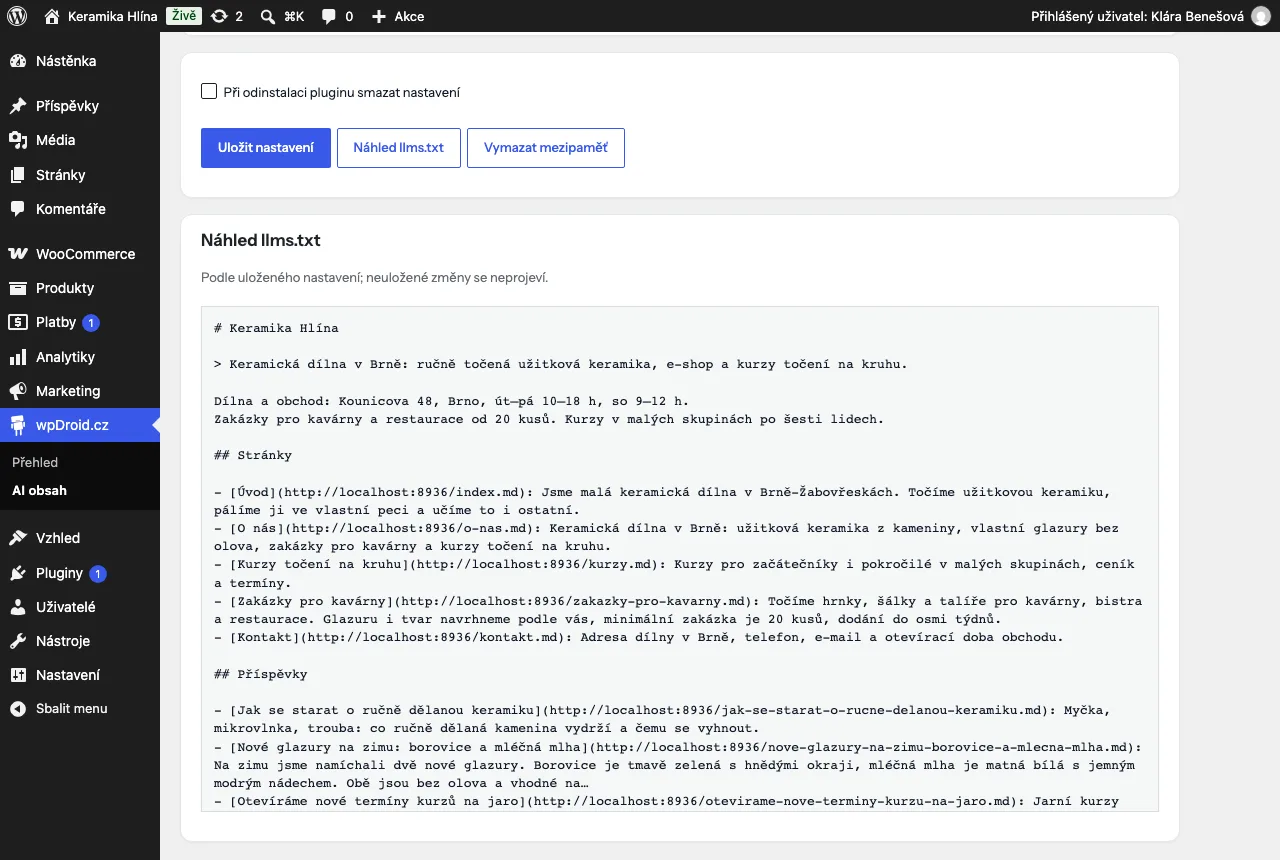
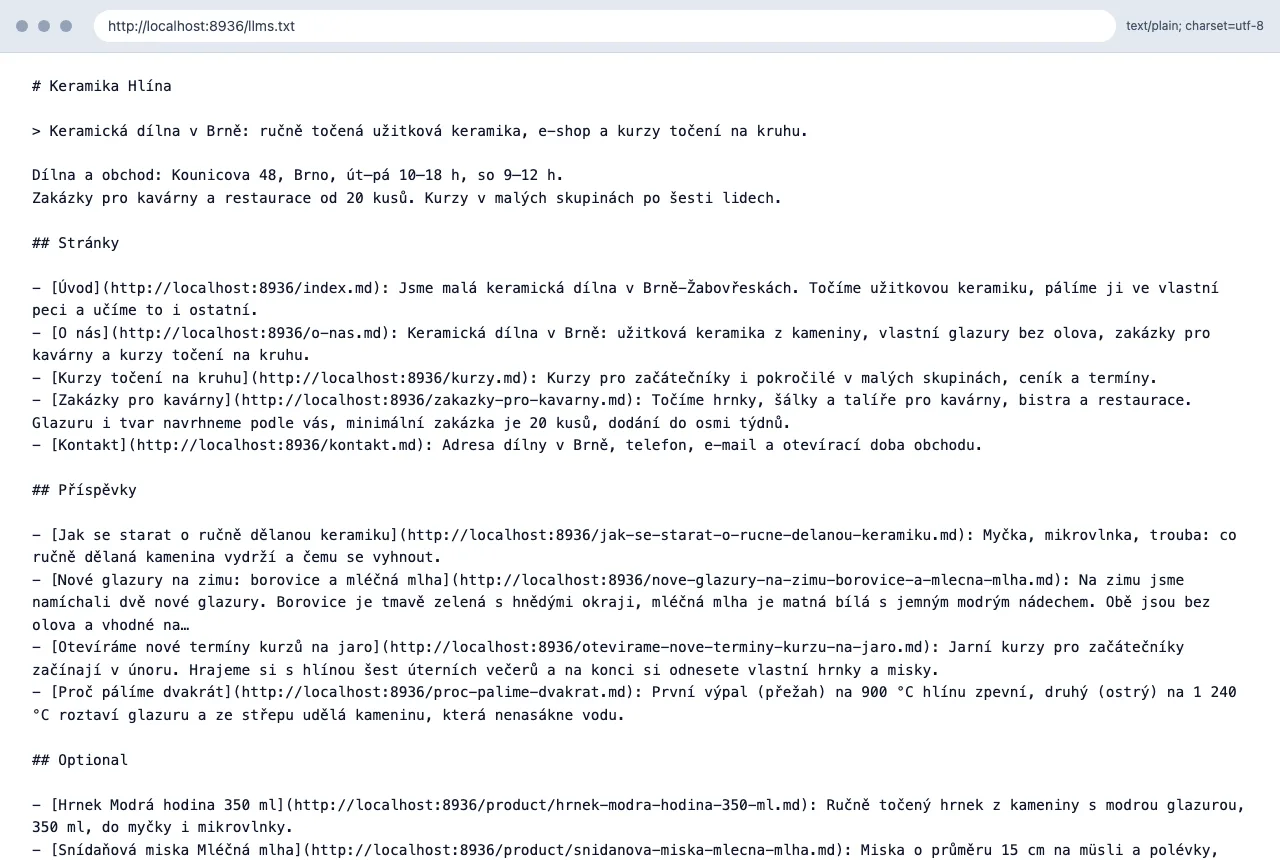
- /llms.txt – the name and summary of the site, an optional text about it and a list of the selected pages and posts (title, address, short description), grouped by content type. Less important content can go to the "Optional" section that assistants may skip.
- Markdown version of every page – the address of a page with
.mdat the end (/about/→/about.md, the front page →/index.md) returns its content as clean Markdown: headings, paragraphs, lists, tables, quotes, code, images with captions, buttons, embeds and the other core blocks. Without the menu, the footer and shortcodes in raw form. Pages point to it with<link rel="alternate" type="text/markdown">.
What is offered:
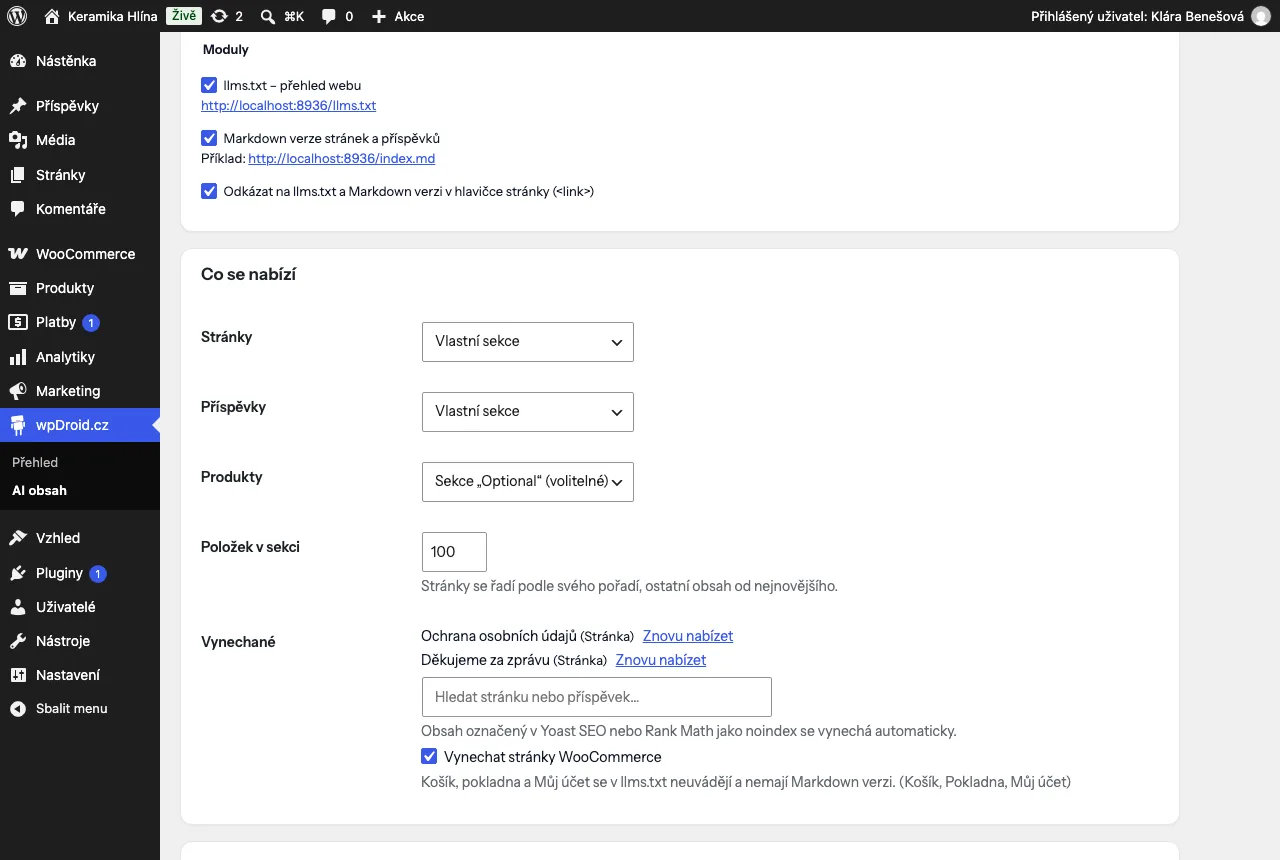
- Choose the content types (pages, posts, products, any public custom post type) and whether each gets its own section, goes to "Optional" or is left out.
- Leave out individual pages and posts.
- Only public content, always. Private, password-protected, draft, pending, scheduled and trashed content is never offered – not even to a logged-in administrator. Content marked noindex in Yoast SEO or Rank Math (per post or per content type) is left out automatically, and their meta description is used as the short description. When "Discourage search engines" is on, nothing is offered.
- The Markdown versions are cached until the post changes; llms.txt is refreshed when content changes.
- Works with pretty permalinks and with plain permalinks (then the addresses use a query, e.g.
/?droid_llms=llms-txt).
The settings live in the shared wpDroid.cz menu. Full Czech and Slovak translations are included.
For developers
droid_llms_noindex(bool, WP_Post) – mark more content noindex (other SEO plugins, membership).droid_llms_description(string, WP_Post) – the short description.droid_llms_query_args(array, string) – the query of one content type.droid_llms_txt_sections(array),droid_llms_txt(string) – the sections and the whole llms.txt.droid_llms_markdown(string, WP_Post),droid_llms_front_matter(array, WP_Post) – the Markdown version.droid_llms_respect_blog_public(bool) – offer content even when search engines are discouraged.droid_llms_conflicts(array) – messages about other plugins that answer llms.txt.- Action
droid_llms_served(endpoint, response, request variables) – fires before an endpoint answers. droid_llms_modules– module registry; new endpoints are added withPlugin::instance()->router()->add().
External services
llms.txt and the Markdown versions are generated on your site and contact no external service.
wpDroid.cz plugin catalog
The shared wpDroid.cz → Overview page loads the list of wpDroid.cz plugins from https://wpdroid.cz/api/wp/catalog, only when an administrator opens that page, at most once every 12 hours. No site or visitor data is sent; like every WordPress HTTP request it carries the WordPress version and the site address in the User-Agent header. The catalog is provided by wpDroid.cz.
Plugin updates (copy downloaded from wpdroid.cz only)
WordPress asks https://wpdroid.cz/api/v1/update/droid-llms for new versions of this plugin about twice a day and when an administrator checks for updates or installs one. The request carries the installed plugin version, the PHP version and the site language, no site or visitor data; like every WordPress HTTP request it also carries the WordPress version and the site address in the User-Agent header. A copy from wordpress.org does not contact wpdroid.cz for updates. The service is provided by wpDroid.cz.
Screenshots
What you get
- Droid AI Content plugin, free download
- Download for your e-mail – no payment and no billing details
- Updates right in the WordPress admin
Installation
- Download the plugin from wpdroid.cz, then in Plugins → Add New Plugin → Upload Plugin upload the zip and activate it.
- Open wpDroid.cz → AI obsah, check which content is offered and click Preview llms.txt.
- Open
/llms.txton your site.
Common questions
- How much does the plugin cost?
Nothing, the plugin is free.
- What is llms.txt?
A proposed format from llmstxt.org: a file in the site root that tells language models, in Markdown, what the site is about and which pages matter. The plugin generates it according to this proposal.
- Can a private or password-protected page get out?
No. Only published posts without a password are offered. The Markdown URL of anything else returns the same “Not found” as a URL that does not exist, so it does not even reveal that the page exists. The Markdown version is rendered as it would be for a visitor. Content that a membership plugin shows only to logged-in users does not end up in it.
- Does it work with Yoast SEO or Rank Math?
Yes. The plugin respects their noindex settings and uses their meta description. Both also have their own llms.txt feature. When it is enabled, the plugin warns you about it in the settings. Keep only one enabled. Yoast writes llms.txt as a file to the site root, and the server then delivers its file instead of ours.
- /llms.txt shows “Not found”.
Check that “Discourage search engines from indexing this site” is not ticked in Settings → Reading, that the llms.txt module is enabled, and that there is no
llms.txtfile in the site's root folder (the server would deliver it instead of the plugin). With plain permalinks, use the URL shown in the settings.- Won't the Markdown copies hurt my SEO?
No. They are sent with the
X-Robots-Tag: noindexheader and a canonical link to the web page.- Can the plugin log visits from AI bots or create llms-full.txt?
Not in this version.
- Does llms.txt guarantee that ChatGPT or another assistant will cite me?
No. llms.txt is a proposed format, and it is up to each tool whether it reads it. The plugin only prepares the content in a form that is easy for machines to read.
- What data does the plugin send?
None. Both llms.txt and the Markdown versions are generated on your site. The wpDroid.cz → Overview page loads the list of plugins from wpdroid.cz only when an administrator opens it, at most once every 12 hours. A copy downloaded from wpdroid.cz checks wpdroid.cz for updates and sends only the plugin version, the PHP version and the site language.