
Droid Czech Forms
Czech forms: company details from ARES by IČO, VAT check in VIES, account number and IBAN check, greeting in the vocative.
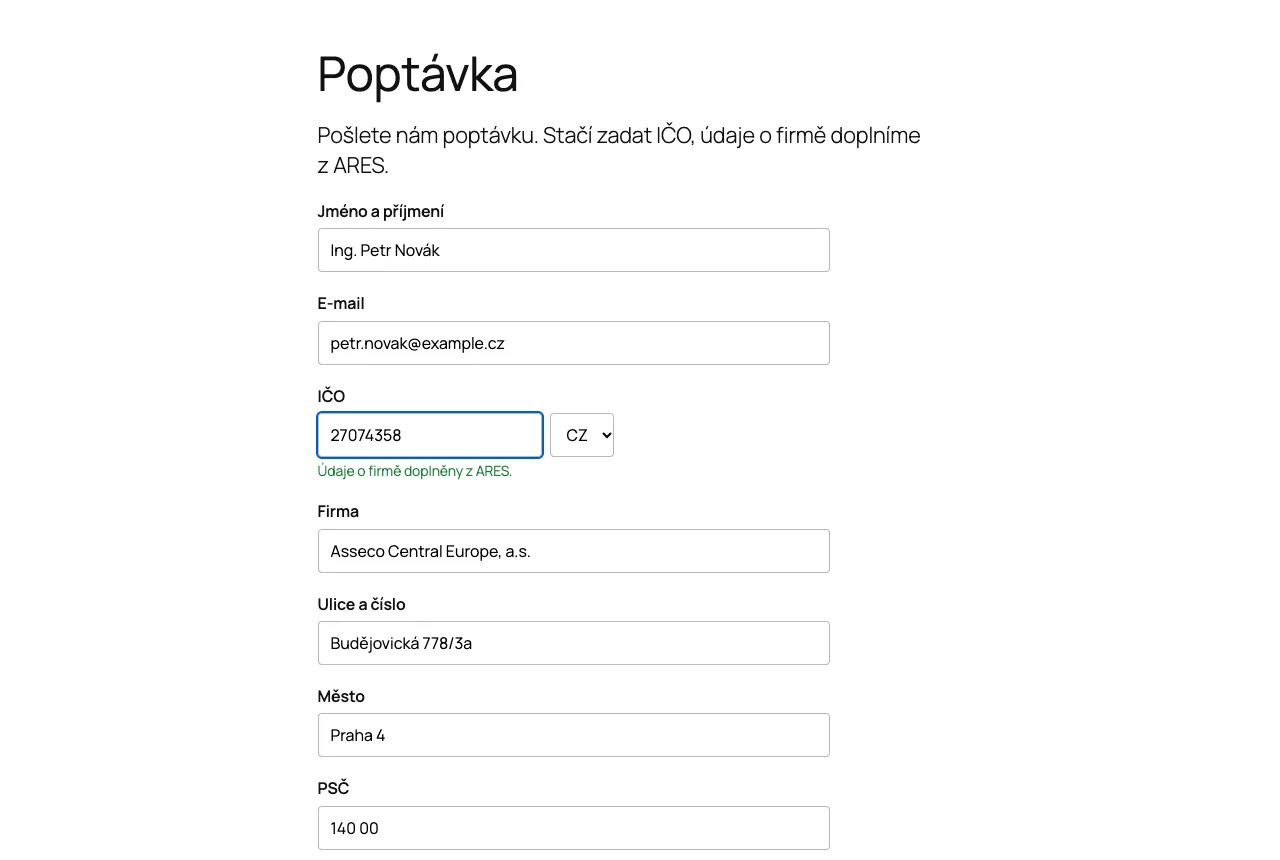
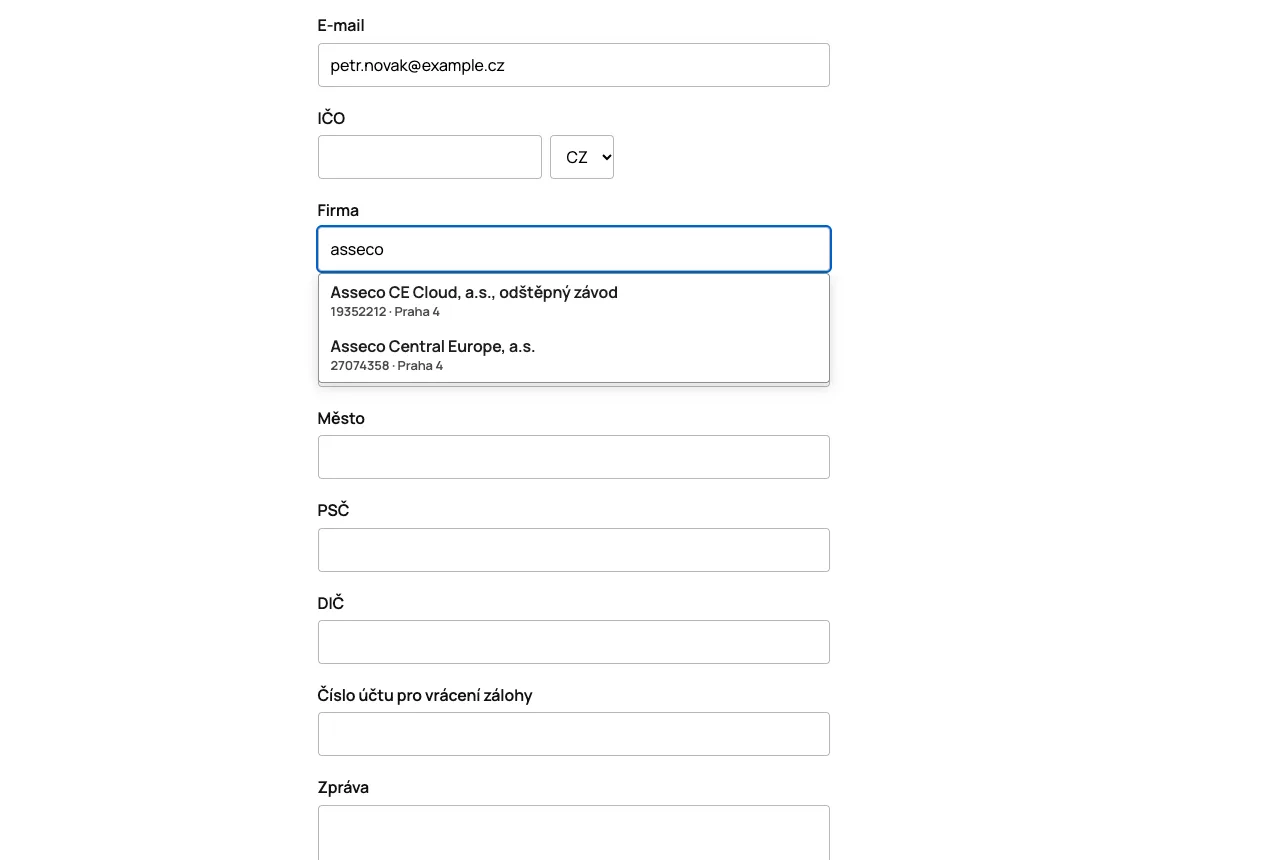
Visitors type a Czech or Slovak company ID (IČO) – or start typing the company name – and the form fills in the company name, street, city, postcode and VAT number (DIČ) by itself.
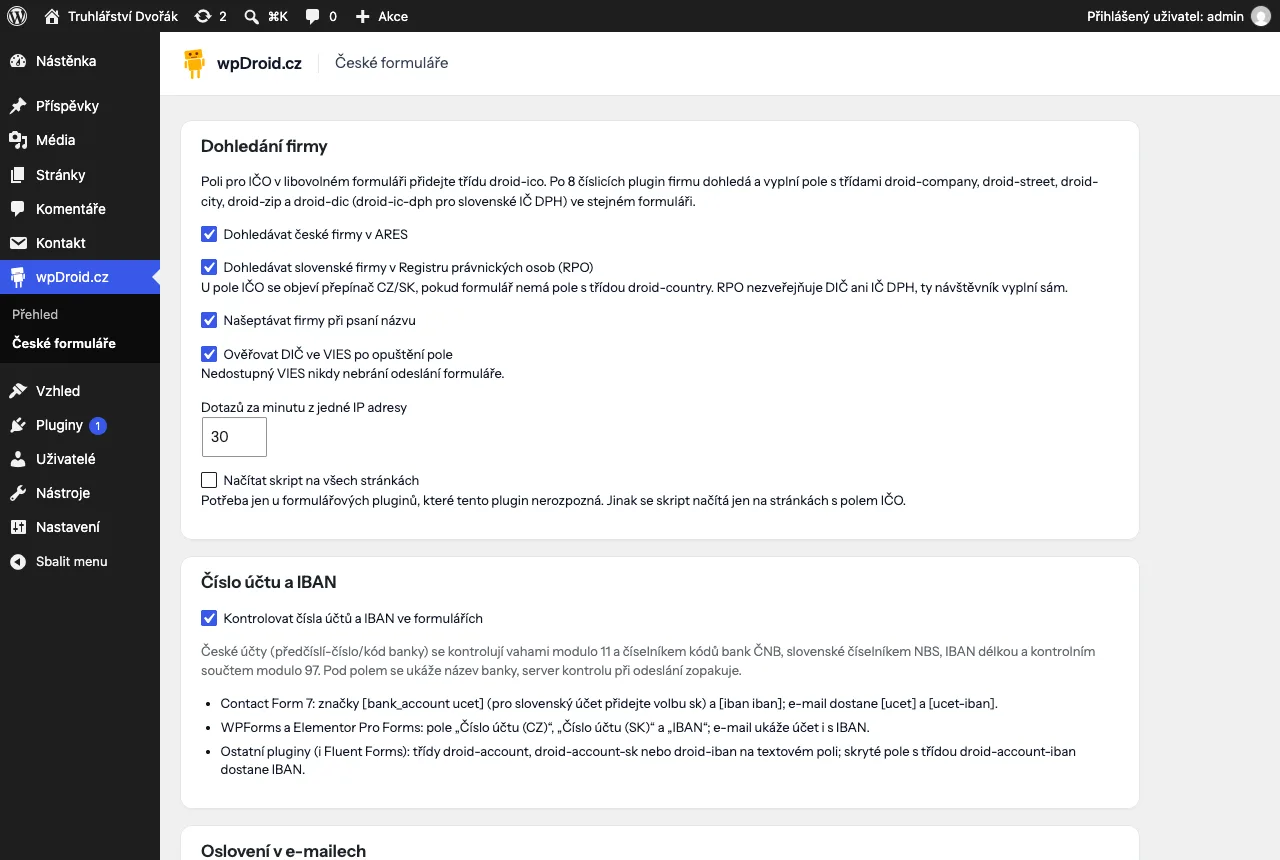
Company lookup
- By company ID: after 8 digits the number is checked (modulo 11 checksum for Czech numbers) and looked up in ARES. A wrong checksum is reported at once, without asking ARES.
- By name: suggestions from 3 characters, after a 300 ms pause, at most 10. Arrows, Enter and Escape work; screen readers hear the number of results (ARIA combobox).
- VAT number check in VIES when the visitor leaves the DIČ / IČ DPH field: valid, invalid, or "cannot be verified". VIES being down never blocks the form.
- Slovak companies from the Register of legal entities (RPO) of the Statistical Office of the Slovak Republic: name and address. A CZ/SK switch appears next to the field, unless the form has a country field with the class
droid-country. RPO does not publish DIČ and IČ DPH. - When a register is down, visitors fill the fields in by hand and send the form as usual.
Account number and IBAN
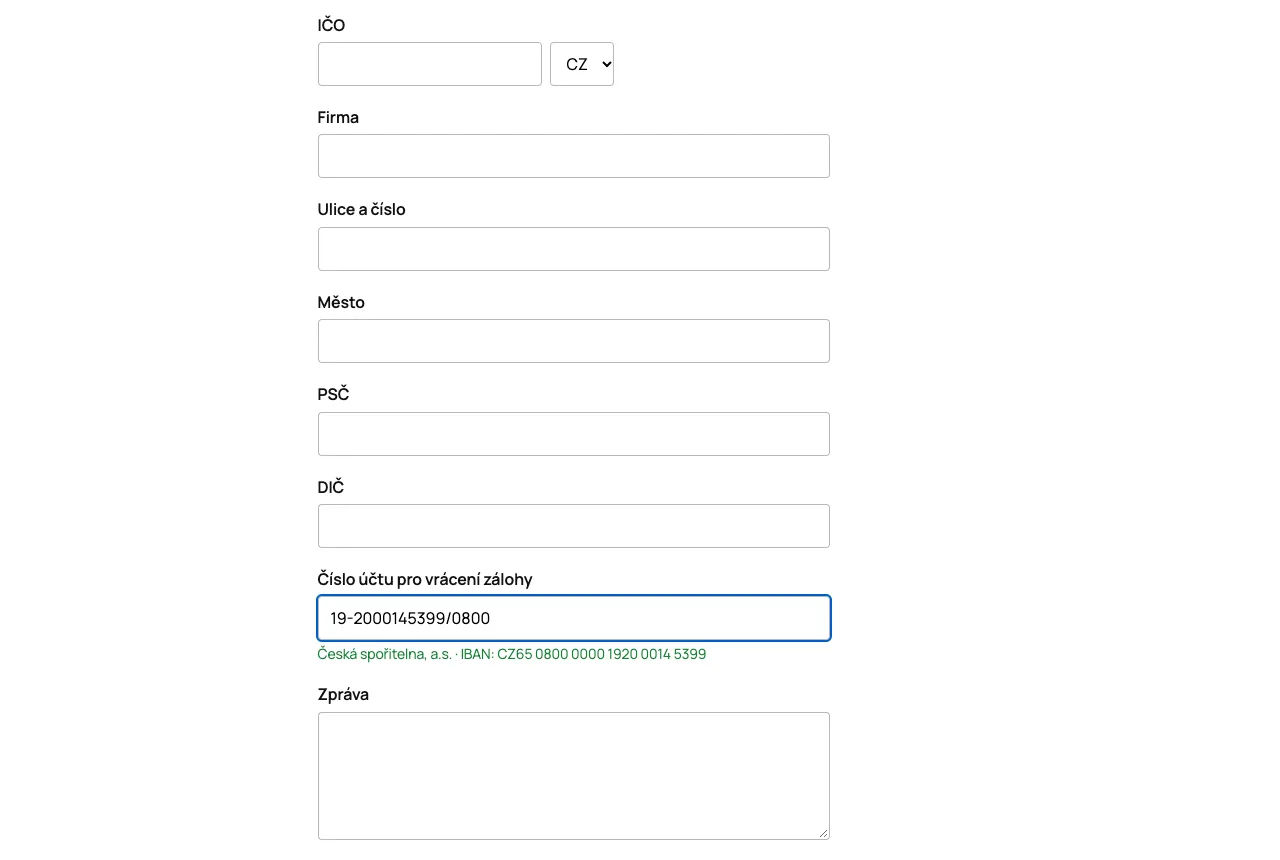
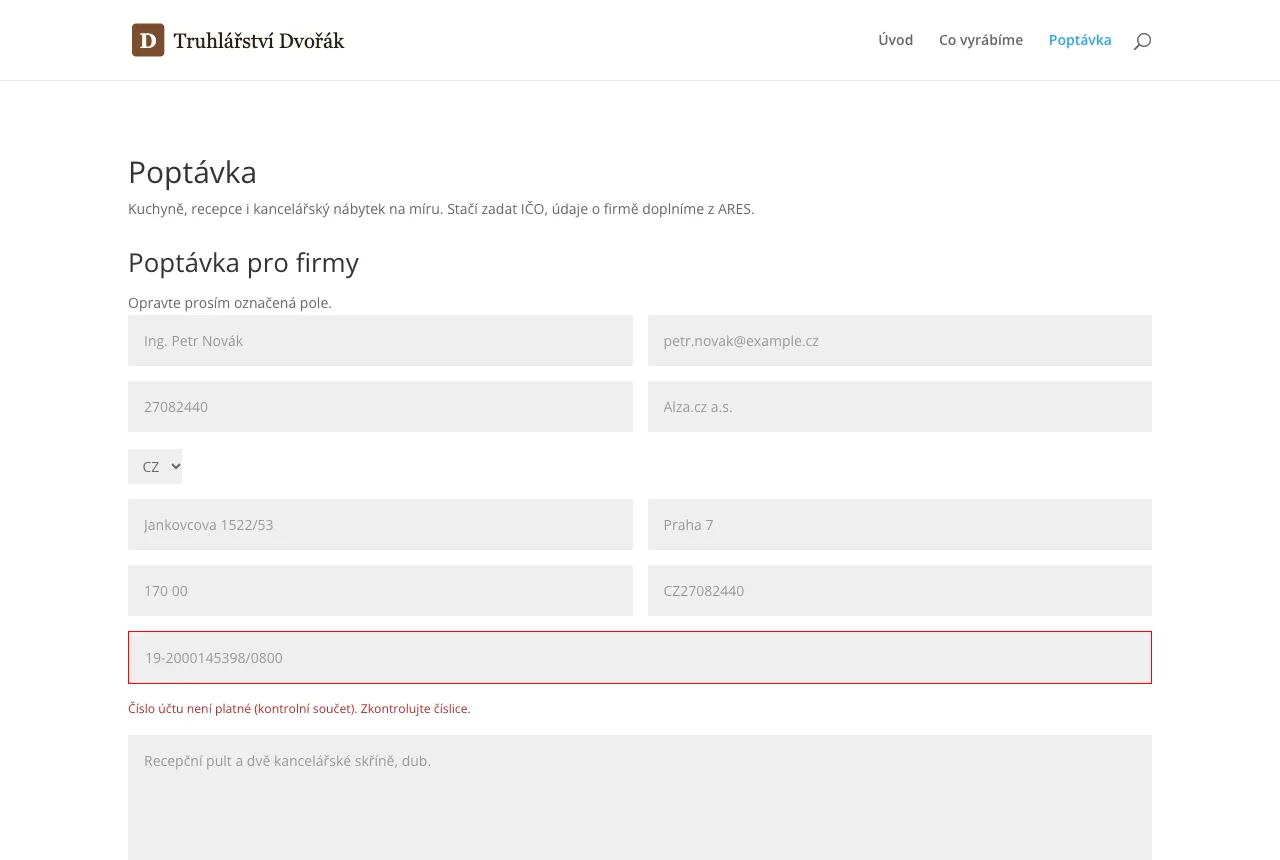
- Czech account number as prefix-number/bank code ("19-2000145399/0800"): both parts are checked with the modulo 11 weights, the bank code against the list of the Czech National Bank. The bank name appears under the field.
- Slovak account number the same way, with the bank codes of the National Bank of Slovakia.
- IBAN of any country: length by country and modulo 97 checksum, shown in groups of four. For CZ and SK the bank code is checked as well.
- The IBAN of a domestic account is computed and sent with the form, so the e-mail has both forms.
- The error says what is wrong: format, checksum or unknown bank code. The server repeats the same check on submission.
- No external service: the bank lists ship with the plugin.
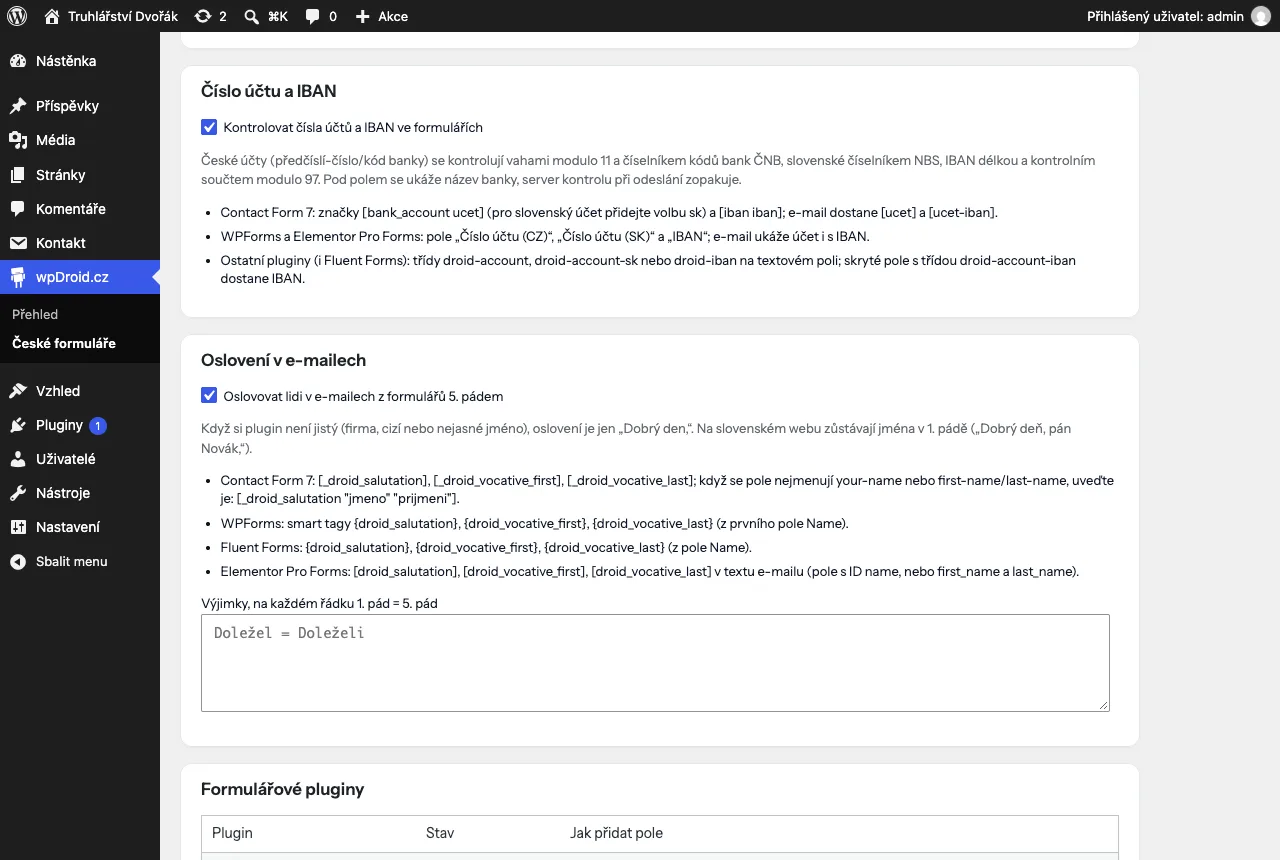
Greeting in the vocative
E-mails from forms can greet people properly: "Dobrý den, pane Nováku," or "Dobrý den, paní Nováková,". Titles (Ing., Ph.D.…) are removed, the gender comes from the first name and the surname ending, double surnames are declined part by part. When the plugin is not sure – a company, a foreign or unclear name, an empty field – the greeting is just "Dobrý den,", never a mangled name. On a Slovak site the names stay in the nominative ("Dobrý deň, pán Novák,").
- Contact Form 7:
[_droid_salutation],[_droid_vocative_first](Petře),[_droid_vocative_last](pane Nováku). The name comes fromyour-name,first-name/last-nameorjmeno/prijmeni; other fields can be named in the tag:[_droid_salutation "meno" "priezvisko"]. - WPForms: smart tags
{droid_salutation},{droid_vocative_first},{droid_vocative_last}(from the first Name field). - Fluent Forms:
{droid_salutation},{droid_vocative_first},{droid_vocative_last}(from the Name field). - Elementor Pro Forms:
[droid_salutation],[droid_vocative_first],[droid_vocative_last]in the e-mail message. - Divi contact form (Divi 4 and 5):
[droid_salutation],[droid_vocative_first],[droid_vocative_last]in the form's Message Pattern (from the field with the IDname, orjmeno/prijmeni). - Exceptions in the settings, one per line:
Doležel = Doleželi. - For developers:
droid_vocative( 'Petr', 'Novák' )returns the greeting, the first name, the surname with pane/paní and the gender; filtersdroid_forms_salutationanddroid_forms_vocative_exceptions.
Any form plugin: CSS classes
Add the class droid-ico to the company ID field and these classes to the fields to fill in, in the same form: droid-company, droid-street, droid-city, droid-zip, droid-dic (and droid-ic-dph for the Slovak IČ DPH). The class may sit on the input or on its wrapper.
Built-in fields
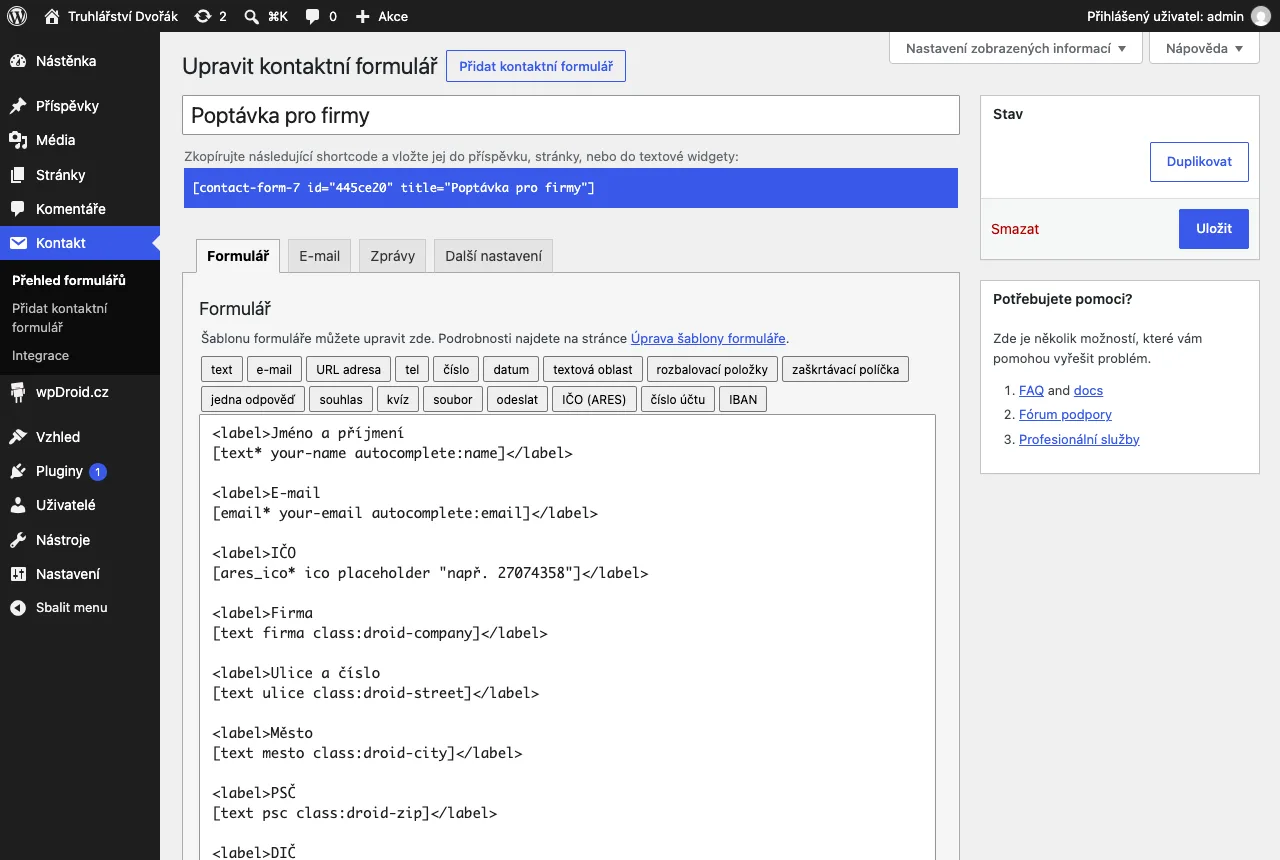
- Contact Form 7: tag
[ares_ico ico](or[ares_ico* ico]for a required field) with a button in the form editor. Server check of the format and checksum on submission. Example:
[ares_ico* ico placeholder "IČO"] [text company class:droid-company] [text street class:droid-street] [text city class:droid-city] [text zip class:droid-zip] [text dic class:droid-dic]
- WPForms: field "Company ID (ARES)" in Fancy Fields, with a server check. Other fields get the classes in Advanced → CSS Classes.
- Elementor Pro Forms: field type "Company ID (ARES)" with a server check. The Form widget is part of Elementor Pro.
- Fluent Forms: Element Class
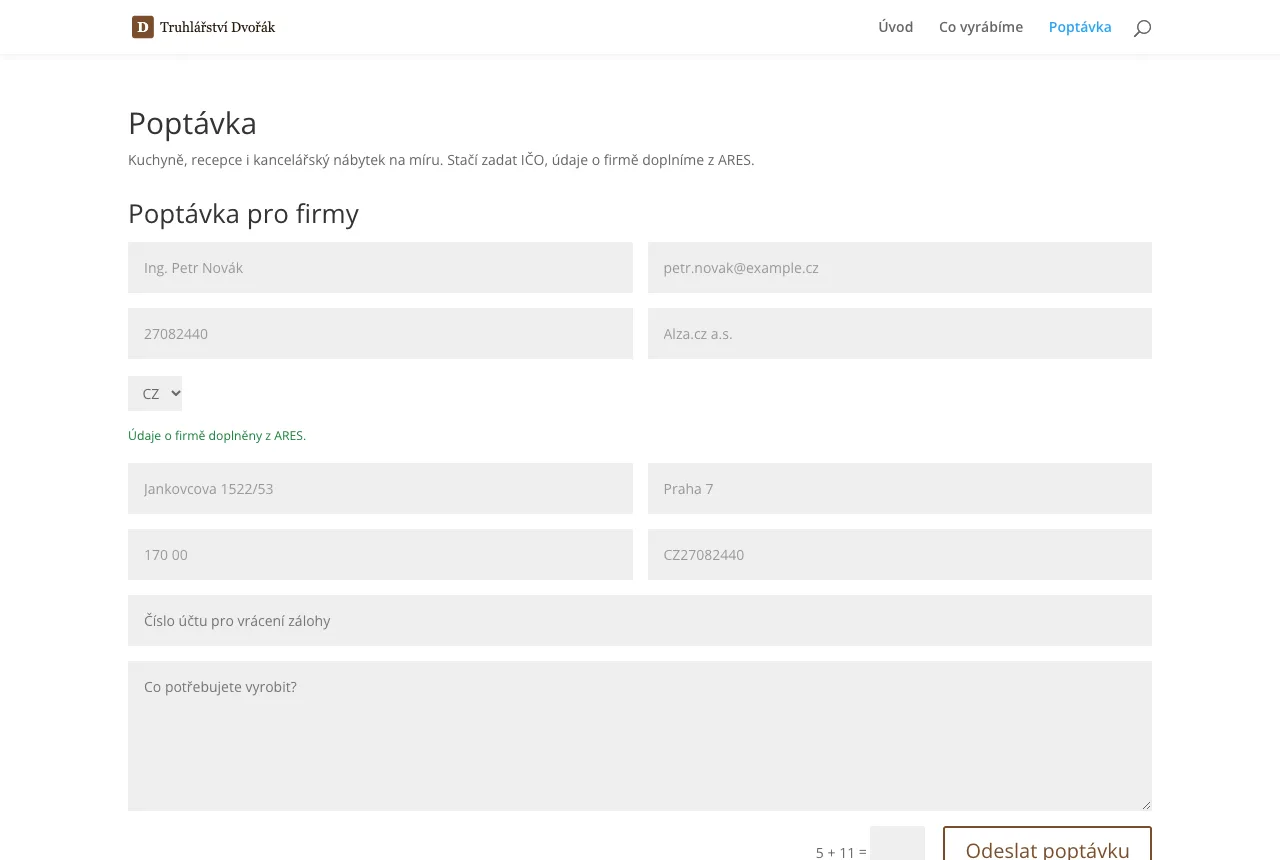
droid-icoon a text field, the other classes on the rest. - Divi contact form (Divi 4 and Divi 5): give the fields these Field IDs and the plugin marks them itself:
ico,firma(orcompany),ulice,mesto,psc,dic,ic_dph; accountsucet,ucet_sk,iban. A field with a wrong company ID or account number stops the submit with Divi's error message (Divi has no server-side hook for it; the check runs in the browser).
Account fields: Contact Form 7 tags [bank_account account] (option sk for a Slovak account; the mail gets [account] and [account-iban]) and [iban iban]; WPForms and Elementor Pro fields "Account number (CZ)", "Account number (SK)" and "IBAN"; elsewhere the classes droid-account, droid-account-sk, droid-iban on a text field and droid-account-iban on a hidden field that receives the IBAN.
Licence
Droid Czech Forms is a paid plugin distributed from wpdroid.cz with a yearly licence for 1 site or 5 sites (Agency). The licence gives you updates and support for its term. The plugin keeps working after the licence expires, only without updates: the form fields, the ARES, VIES and register lookups, the account checks and the vocative work the same with or without a valid licence and while the licence server is down.
External services
The account number check and the greeting work offline, with lists bundled in the plugin. The company lookup uses ARES, RPO and VIES below; the licence check and updates use wpdroid.cz.
The lookups go from your site to the services below, never from the visitor's browser. Only the typed company ID, name or VAT number is sent; the visitor's IP address and the other form fields are not. Answers are cached (company ID 24 hours, name 1 hour, VAT number 1 day).
ARES (Czech Republic)
When a visitor types a Czech company ID or name, your site asks https://ares.gov.cz/ekonomicke-subjekty-v-be/rest/ekonomicke-subjekty – the register of economic subjects of the Ministry of Finance of the Czech Republic. Service of the Ministry of Finance: ares.gov.cz.
Register of legal entities, RPO (Slovak Republic)
When a visitor chooses Slovakia and types a company ID or name, your site asks https://api.statistics.sk/rpo/v1/search – the open data API of the Statistical Office of the Slovak Republic (ŠÚ SR). Data are licensed under CC BY 4.0; source: ŠÚ SR, Register of legal entities.
VIES (European Commission)
When a visitor leaves a VAT number field, your site asks https://ec.europa.eu/taxation_customs/vies/rest-api/ms/{country}/vat/{number}. VIES terms and privacy.
wpDroid.cz plugin catalog
The shared wpDroid.cz → Overview page loads the list of wpDroid.cz plugins from https://wpdroid.cz/api/wp/catalog, only when an administrator opens that page, at most once every 12 hours. No site or visitor data is sent; like every WordPress HTTP request it carries the WordPress version and the site address in the User-Agent header. The catalog is provided by wpDroid.cz.
Licence and updates (wpdroid.cz)
The licence key is checked at https://wpdroid.cz/api/v1 when you activate or deactivate it and once a day afterwards; the request carries the licence key, the product, the plugin version, the PHP version and the site domain. WordPress asks https://wpdroid.cz/api/v1/update/droid-forms for new versions about twice a day. No content of the site and nothing about visitors or form submissions is sent. The service is provided by wpDroid.cz.
Screenshots
What you get
- Droid Czech Forms plugin to download from your customer account
- Licence key for one site (Agency licence: five sites)
- Updates right in the WordPress admin while the licence is valid
- E-mail support while the licence is valid
Installation
- Download the plugin from wpdroid.cz, then in Plugins → Add New Plugin → Upload Plugin upload the zip and activate it.
- Open wpDroid.cz → České formuláře to choose what to look up and to change the messages.
- Add the company ID field to a form (see above).
- Enter the licence key at the bottom of wpDroid.cz → České formuláře (updates and support).
Common questions
- Can I move the licence to another site?
Yes. Deactivate the domain in the customer portal and use the freed slot elsewhere.
- What happens if I do not renew?
Your site keeps running and the plugin stays installed and working. After a 14-day grace period, updates and support stop. The exception are add-ons where the licence unlocks Pro features (Droid ČNB Pro, Droid MCP Bridge Pro): there those features switch off after the grace period too. Renewing switches everything back on and the key stays the same.
- Can I get a refund?
You may withdraw within 14 days of the purchase until you ask in the customer portal for the licence key and the downloads to be released — that ends the right of withdrawal. If the product does not work as described, get in touch — that is a defect and it gets fixed.
- Will I get a tax document?
Yes, sent to the e-mail on the order. Businesses from another EU country with a valid VAT ID buy under the reverse charge mechanism.
- How much does the plugin cost?
990 CZK a year for 1 site, Agency licence for 5 sites 3,490 CZK a year (prices excl. VAT). Updates and support for the term of the licence are included.
- Do the company lookup and the checks depend on the licence?
No. The form fields, the ARES, RPO and VIES lookups, the account checks and the vocative work the same with an expired licence and while the licence server is down. The licence affects only updates and support; form submissions never talk to a server of wpdroid.cz.
- Which form plugins does it work with?
With Contact Form 7, WPForms (Lite too) and Elementor Pro Forms it has its own fields including a server-side check. In the Divi 4 and Divi 5 contact form it recognises the fields by their ID. In Fluent Forms and other plugins it works through CSS classes you give the form fields.
- How do I turn it on in the Divi contact form?
In the contact form field settings fill in the Field ID:
icofor the company ID,firma(orcompany),ulice,mesto,pscanddicfor the fields to fill in from ARES,ucetfor a Czech account number,ucet_skfor a Slovak one andibanfor an IBAN. Nothing else to set, it works in Divi 4 and Divi 5. For the greeting put[droid_salutation]into the form's Message Pattern. Note: Divi cannot check a submitted form on the server, so an invalid company ID or account number is stopped only by JavaScript in the browser. Without JavaScript the form goes through even with an invalid value.- Does it work in the WooCommerce checkout?
No. The plugin is for forms outside the e-shop (enquiries, service orders, registrations). The checkout has its own plugins for company details.
- What if ARES is down?
The visitor sees a message that the register is currently unavailable, fills in the details manually and submits the form as usual. The same applies to VIES – an outage never prevents submission.
- Why isn't the tax ID (DIČ) filled in for a Slovak company?
The open Register právnických osôb does not publish the DIČ or the IČ DPH. The name and address are filled in, and the plugin verifies an IČ DPH entered by the visitor in VIES.
- How do I know the account number is correct?
The bank name and the calculated IBAN appear below the field. If the number is wrong, the message says why – wrong format, checksum, or unknown bank code. The server repeats the same check on submission.
- What if the plugin declines a name in the greeting incorrectly?
Add the name to the exceptions in wpDroid.cz → Czech Forms, one line per name, for example
Doležel = Doleželi. For names it is not sure about, the plugin prefers to write just “Dobrý den,” (Hello,).- The page with the form is cached and the lookup reports that the page has expired.
The lookup is protected by a security token that changes every 12–24 hours. Exclude the page with the form from page caching, or have it refreshed at least once every 12 hours.
- What data does the plugin send?
Only when looking up a company, and from your site, not from the visitor's browser: the entered company ID (IČO) or name to ARES (Ministry of Finance of the Czech Republic), for Slovak companies to RPO (Statistical Office of the Slovak Republic), and the entered VAT ID (DIČ) to VIES (European Commission). The visitor's IP address and the other form fields are not sent. Responses are cached (IČO 24 hours, name 1 hour, DIČ 1 day). The account number check and the greeting work without an internet connection. Only the licence check (key, product, plugin and PHP version, site domain) and the update check go to wpdroid.cz, nothing about visitors or form contents. The wpDroid.cz → Overview page loads the list of plugins from wpdroid.cz, at most once every 12 hours.