Droid Divi 5 Check
Before updating to Divi 5: which modules, plugins, child theme code and custom CSS of your Divi 4 site need attention, page by page.
Owners of Divi 4 sites find out what the move to Divi 5 affects – before they update.
Divi 5 has its own Migrator, but it runs only after Divi 5 is installed and does not look at the child theme or custom code. This check runs on Divi 4 and adds exactly that.
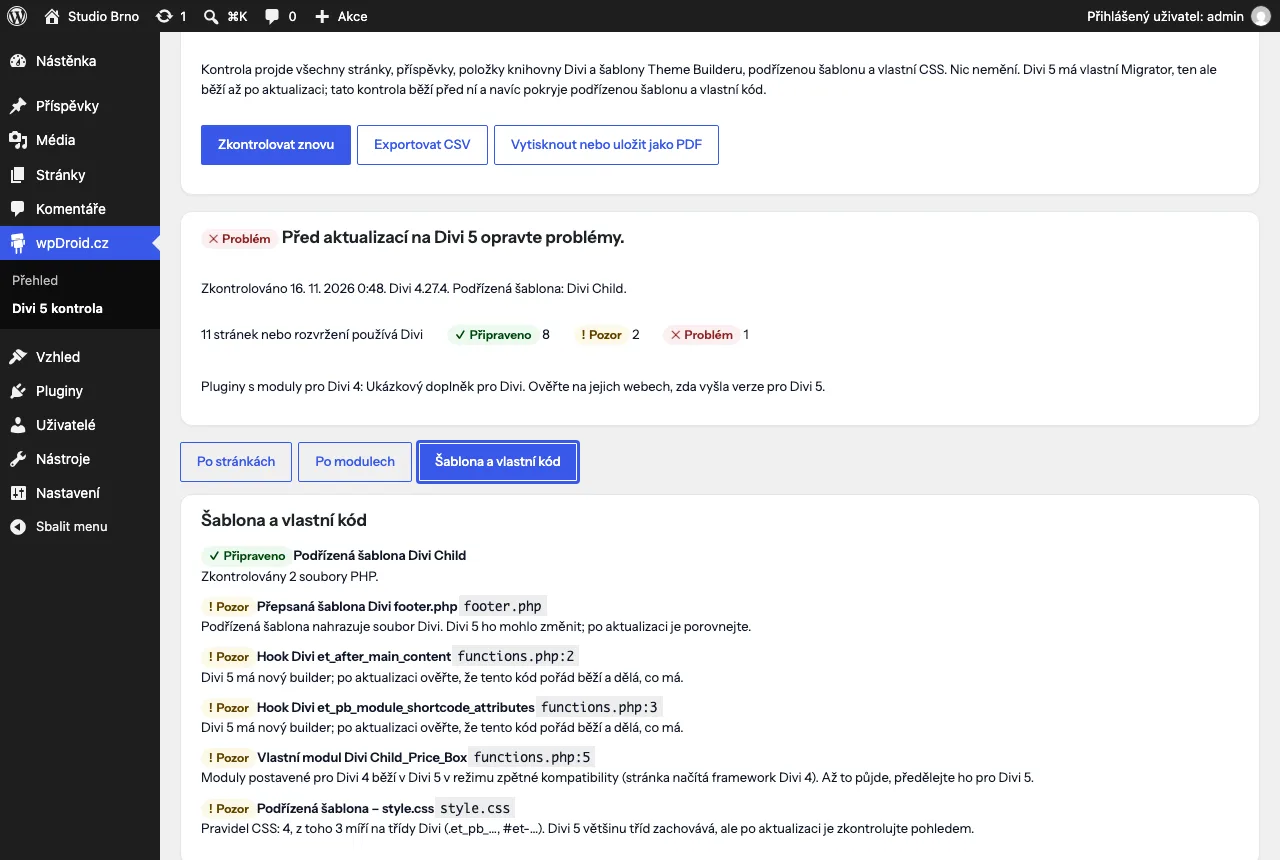
- Content scan: every page, post, custom post type, Divi Library item and Theme Builder template built with Divi, in batches with a progress bar.
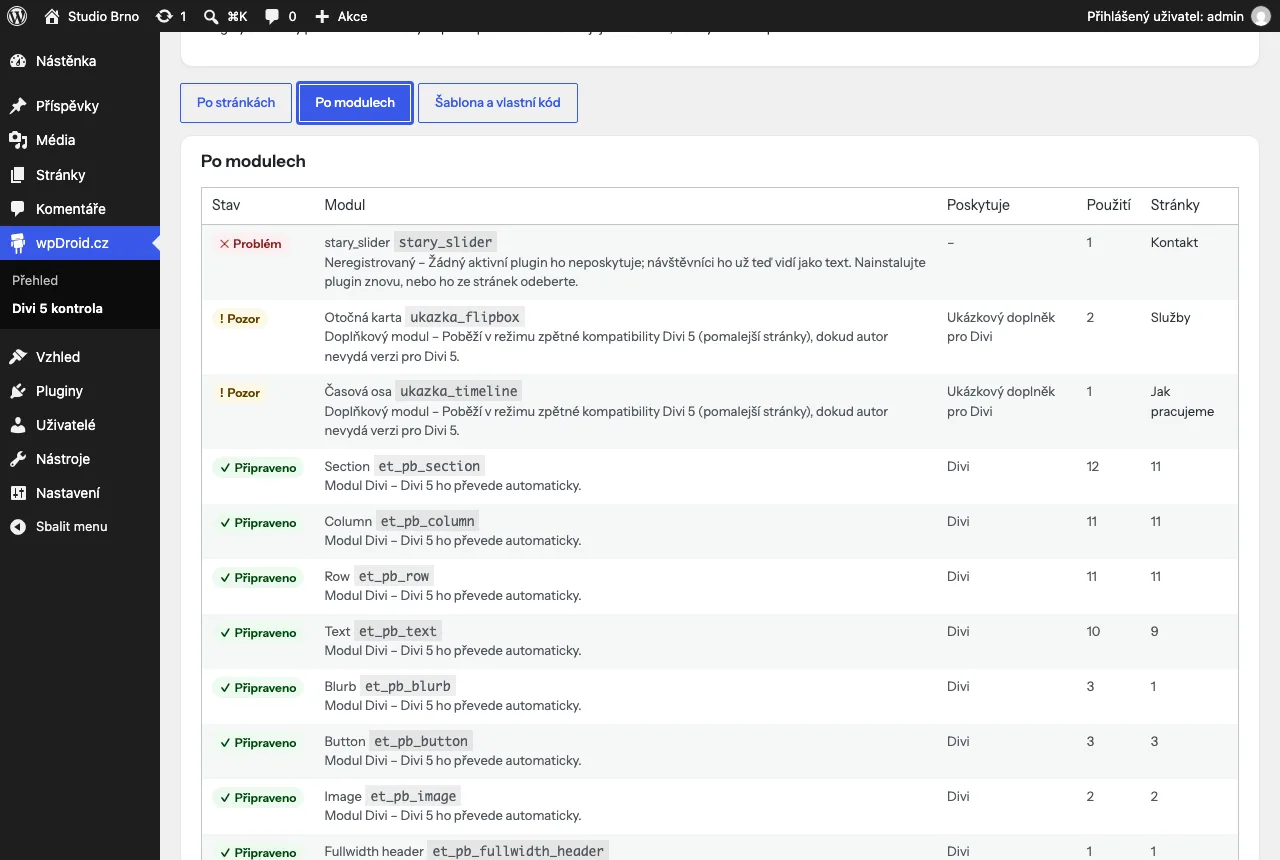
- Modules sorted out: built-in Divi modules (Divi 5 converts them), modules of third-party plugins (they run in Divi 5's backward compatibility mode until the plugin is updated) – with the plugin that provides them – and shortcodes that no active plugin registers any more.
- Child theme: Divi hooks (
et_…) with file and line, own modules built onET_Builder_Module, overridden Divi templates. - Custom CSS: Divi Theme Options, Customizer and child theme CSS – how many rules aim at Divi classes; module and page custom CSS per page.
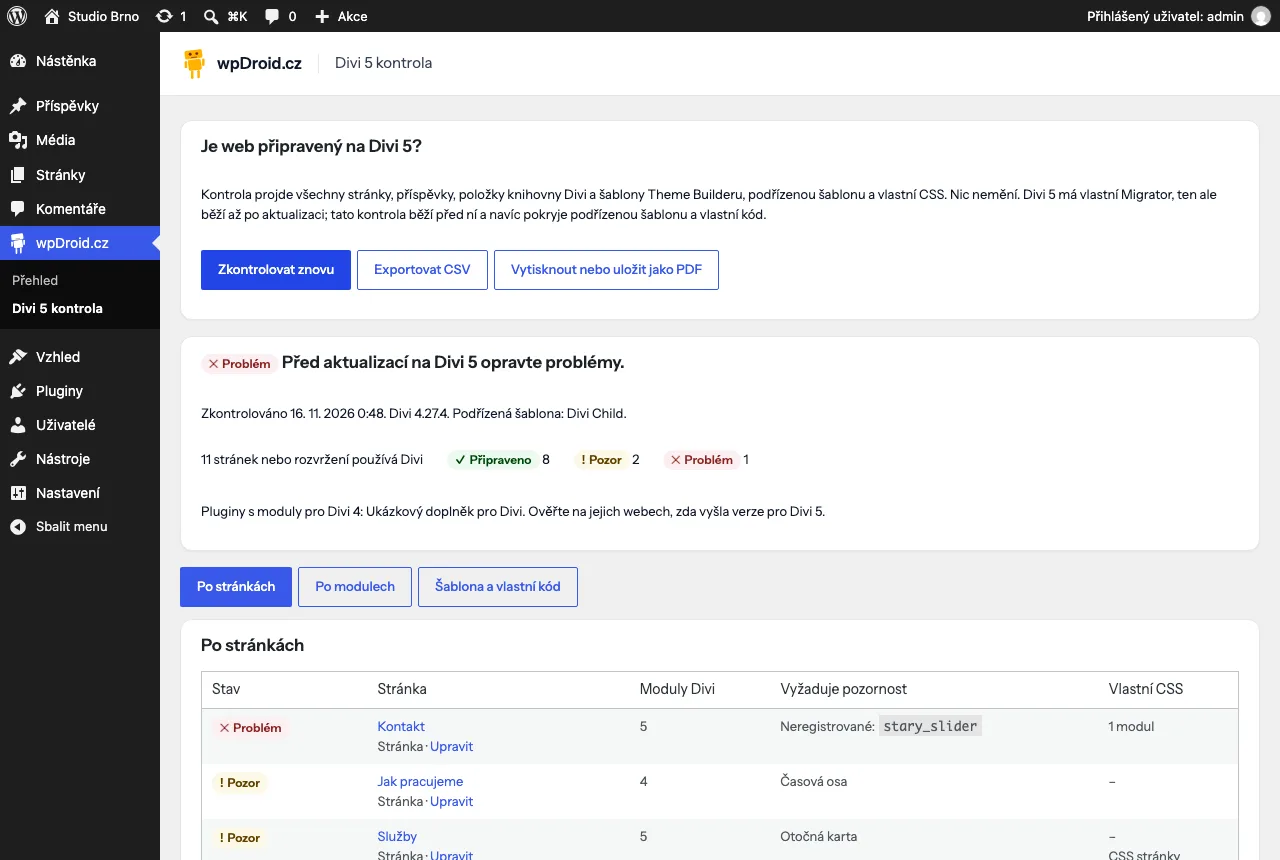
- Traffic-light report: ready, attention, problem – for the whole site, per page (with links to view and edit) and per module (with the pages where it is used).
- Export to CSV and to PDF through the browser's print.
- Read-only: the check never changes content, theme or settings.
External services
The check itself contacts no external service.
wpDroid.cz plugin catalog
The shared wpDroid.cz → Overview page loads the list of wpDroid.cz plugins from https://wpdroid.cz/api/wp/catalog, only when an administrator opens that page, at most once every 12 hours. No site or visitor data is sent; like every WordPress HTTP request it carries the WordPress version and the site address in the User-Agent header. The catalog is provided by wpDroid.cz.
Plugin updates (copy downloaded from wpdroid.cz only)
WordPress asks https://wpdroid.cz/api/v1/update/droid-divi-check for new versions of this plugin about twice a day and when an administrator checks for updates or installs one. The request carries the installed plugin version, the PHP version and the site language, no site or visitor data; like every WordPress HTTP request it also carries the WordPress version and the site address in the User-Agent header. A copy from wordpress.org does not contact wpdroid.cz for updates. The service is provided by wpDroid.cz.
Screenshots
What you get
- Droid Divi 5 Check plugin, free download
- Download for your e-mail – no payment and no billing details
- Updates right in the WordPress admin
Installation
- Download the plugin from wpdroid.cz, then in Plugins → Add New Plugin → Upload Plugin upload the zip and activate it.
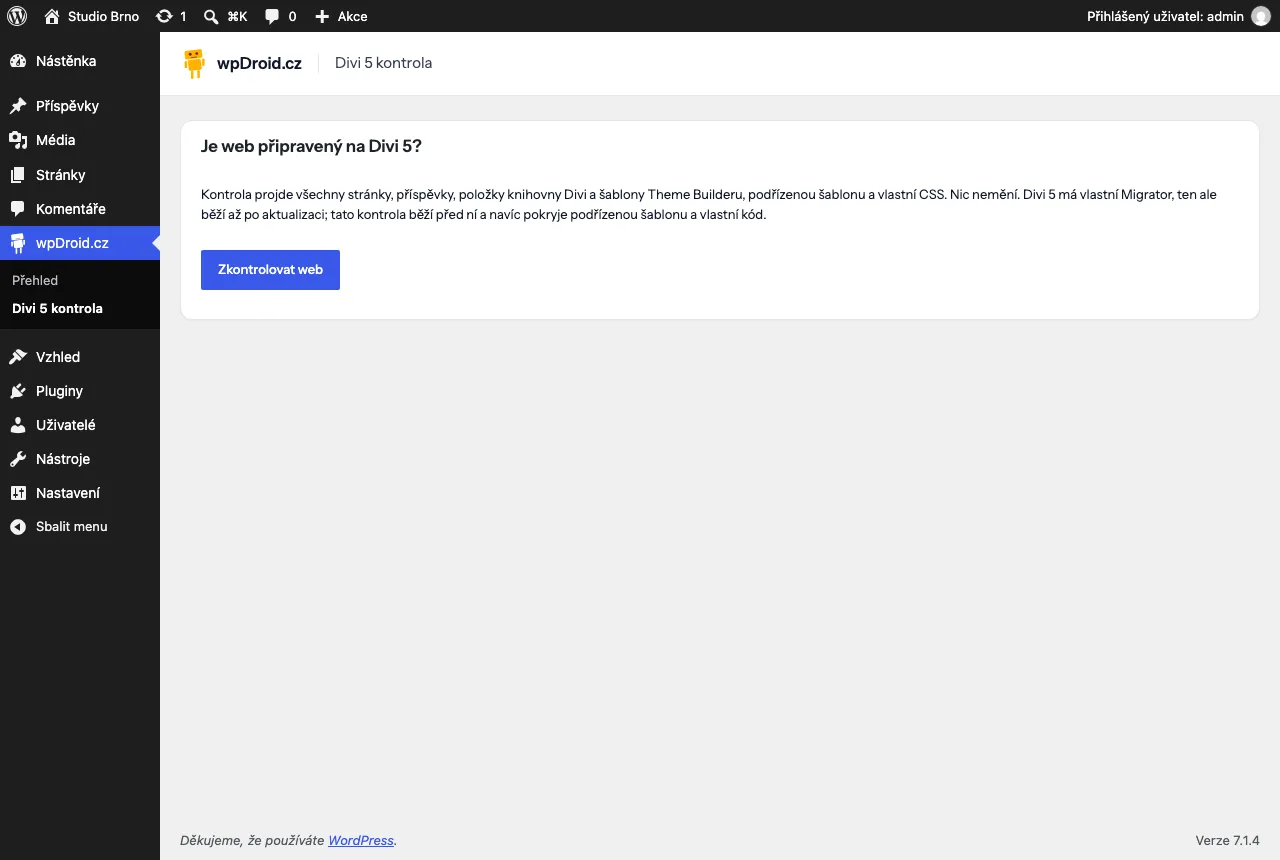
- Open wpDroid.cz → Divi 5 kontrola and click Check the site.
Common questions
- How much does the plugin cost?
Nothing, the plugin is free.
- Will the plugin convert my site to Divi 5?
No. It shows what to look at before you switch. The conversion itself is done by the Migrator, which is part of Divi 5.
- Why not just leave it to the Divi 5 Migrator?
The Migrator only runs after Divi 5 is installed and checks the content. This check runs while you are still on Divi 4, so you know in advance what to expect, and it also goes through the child theme, Divi hooks and custom CSS.
- Does the check change anything on the site?
No. It only reads the content, theme and settings. It saves the result as a report, which you can delete when uninstalling.
- A third-party module is marked “Warning”. What does that mean?
Divi 5 runs Divi 4 modules from other plugins in backward compatibility mode: they work, but the page loads the Divi 4 framework and is slower. Check whether the plugin author has released a version for Divi 5.
- A shortcode is marked “Problem”. What should I do?
No active plugin registers it, so visitors already see it as plain text. Reinstall the plugin that provided it, or remove the shortcode from the listed pages.
- How do I pass the report on to a client or colleague?
Export it to CSV (it opens in Excel with diacritics intact), or use the Print or save as PDF button – the print view hides the WordPress menu.
- What data does the plugin send?
The check sends none – everything runs in your WordPress and the report stays in the site's database. The wpDroid.cz → Overview page loads the list of plugins from wpdroid.cz only when an administrator opens it (at most once every 12 hours), without any information about the site. A copy downloaded from wpdroid.cz checks for updates and sends only the plugin version, the PHP version and the site language.