
Droid Cookie Banner
A simple cookie banner in Czech and Slovak: accept, reject and settings on the same level, script blocking, Google Consent Mode v2, WP Consent API.
Droid Cookie Banner gets cookie consent on a small site without a complicated setup, and passes it on to Google, to plugins using the WP Consent API and to Seznam (Droid Seznam Measurement).
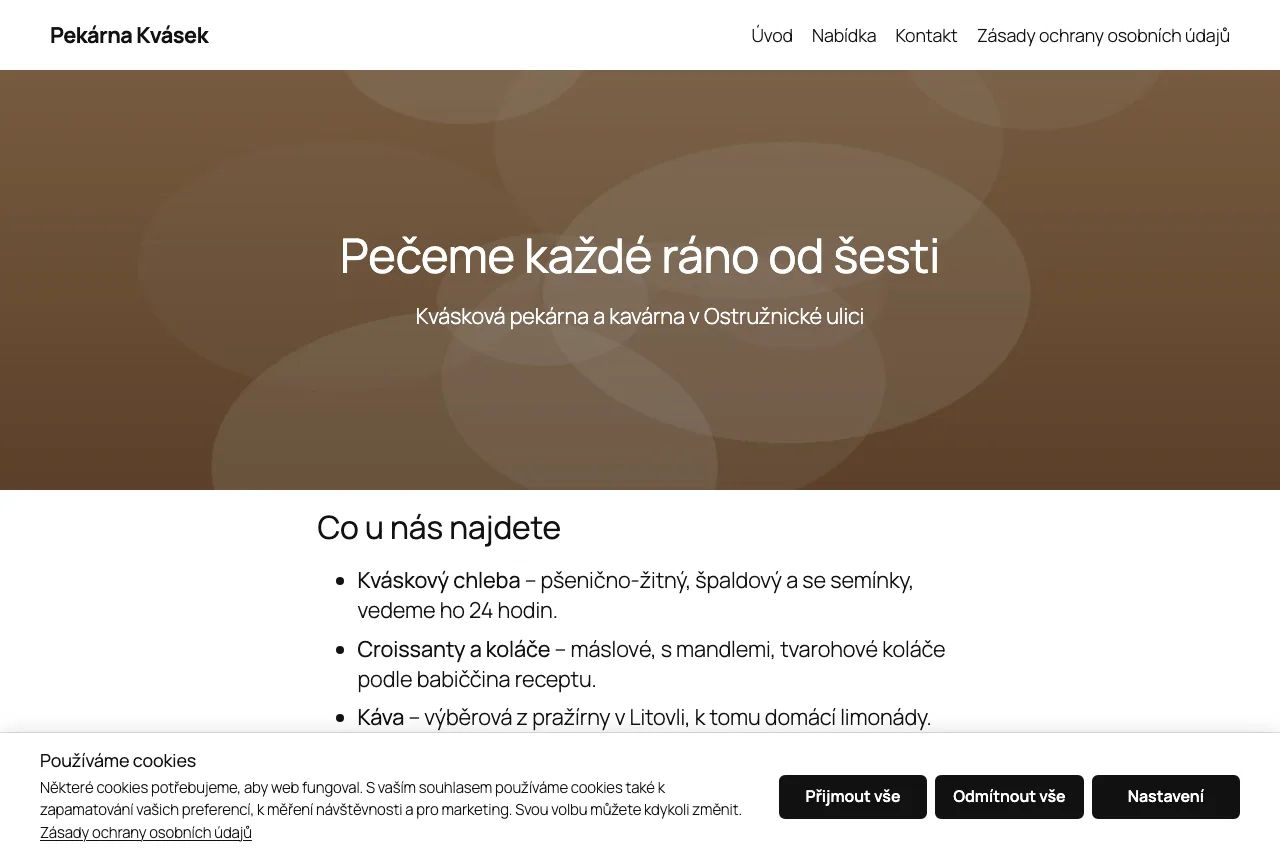
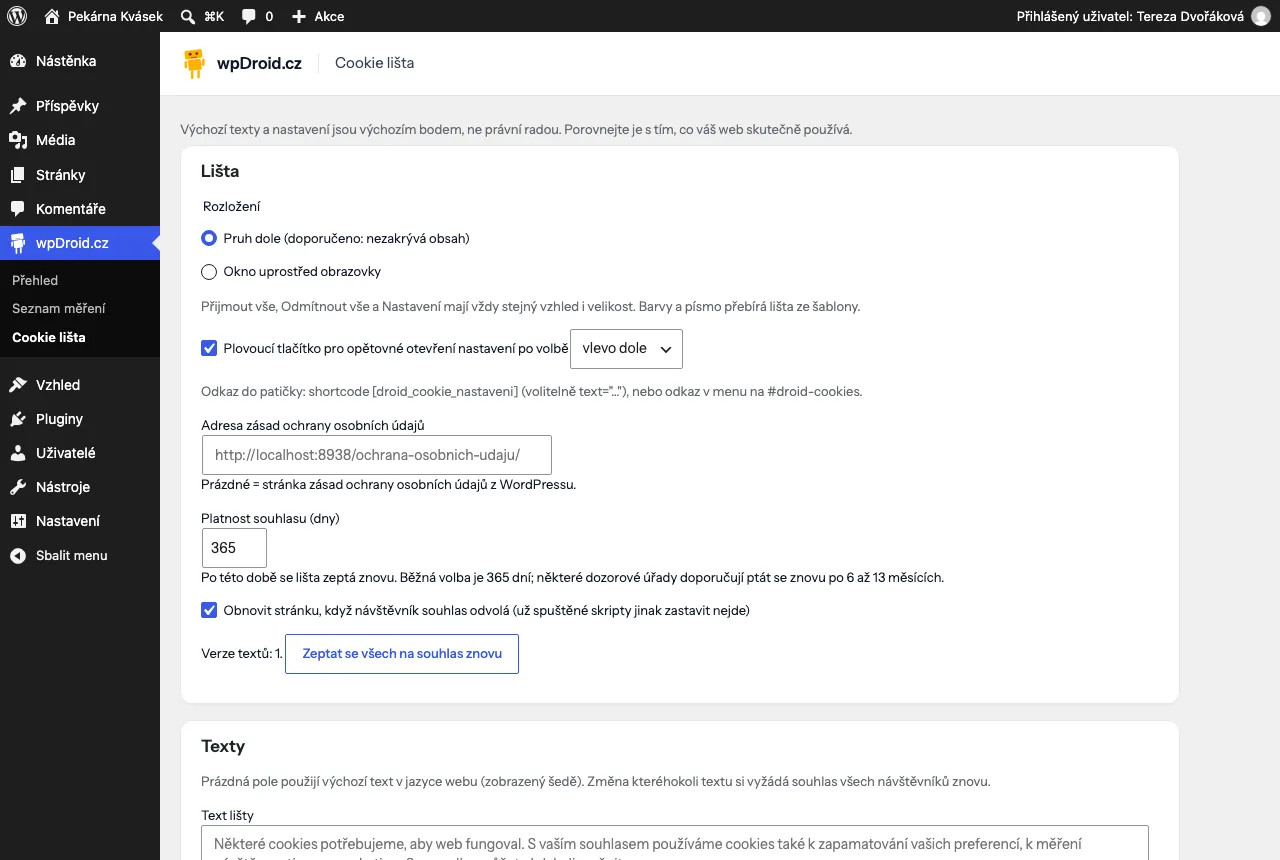
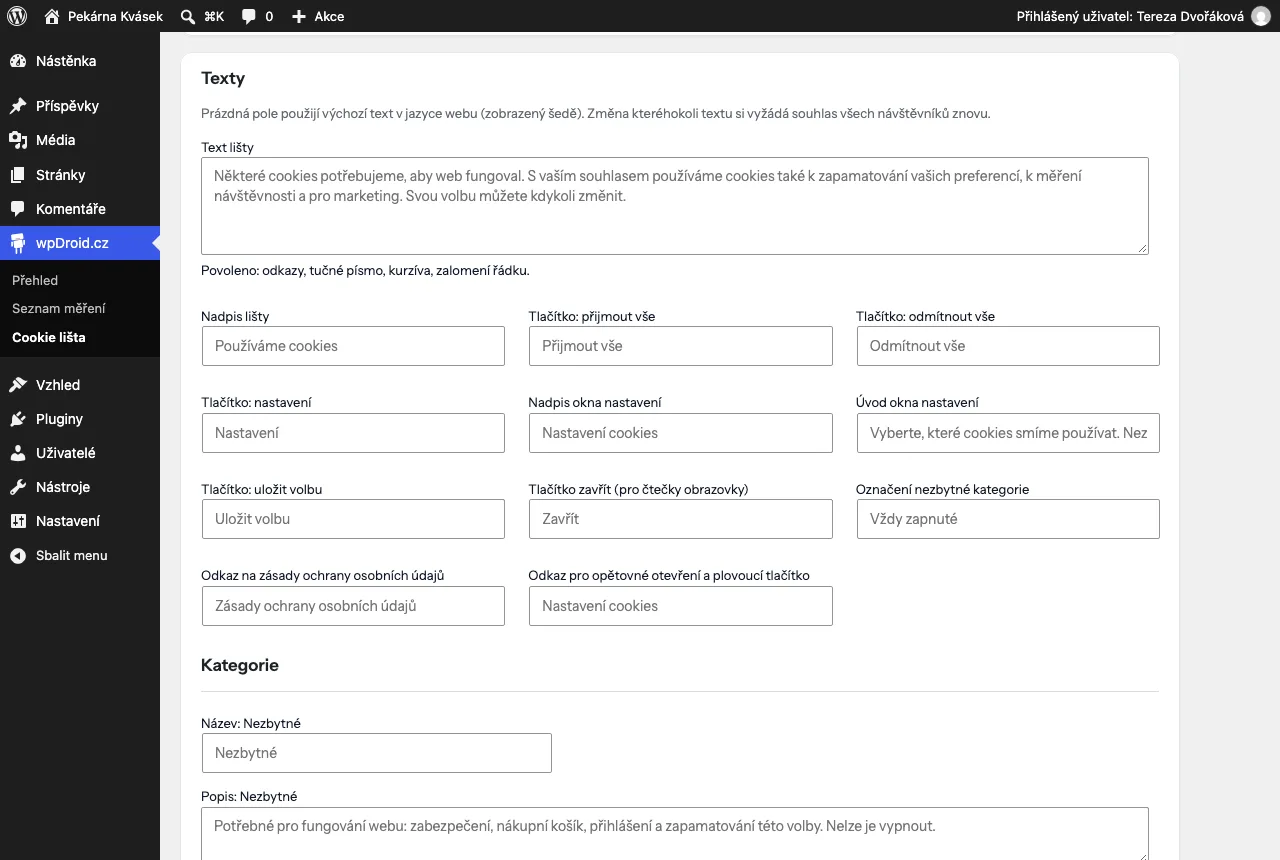
- Banner with three equal choices: Accept all, Reject all, Settings. A bar at the bottom or a box in the middle; colours and font from your theme; every text editable.
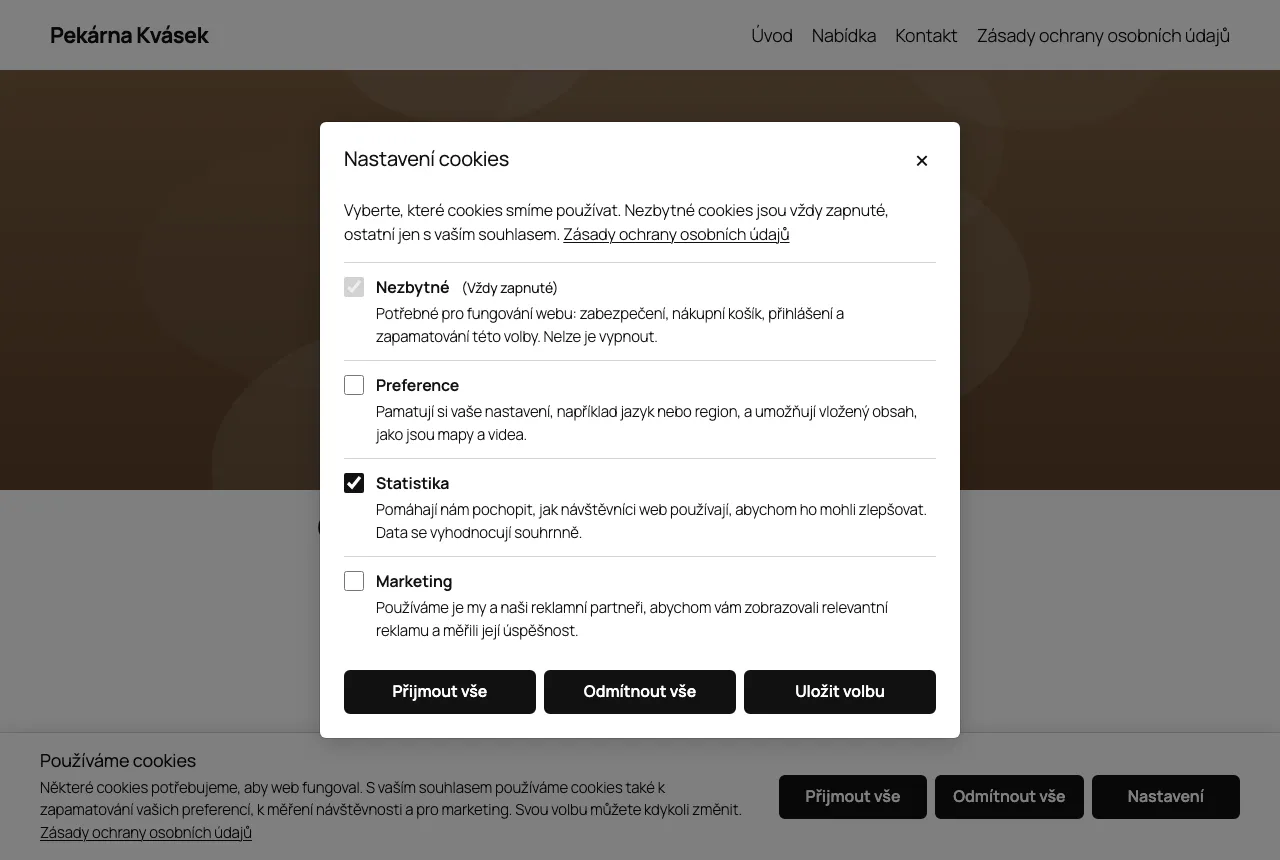
- Settings dialog with four categories: necessary (always on), preferences, statistics, marketing. Editable names and descriptions. Keyboard friendly: the focus stays in the dialog while it is open, Escape closes it (and is not a refusal).
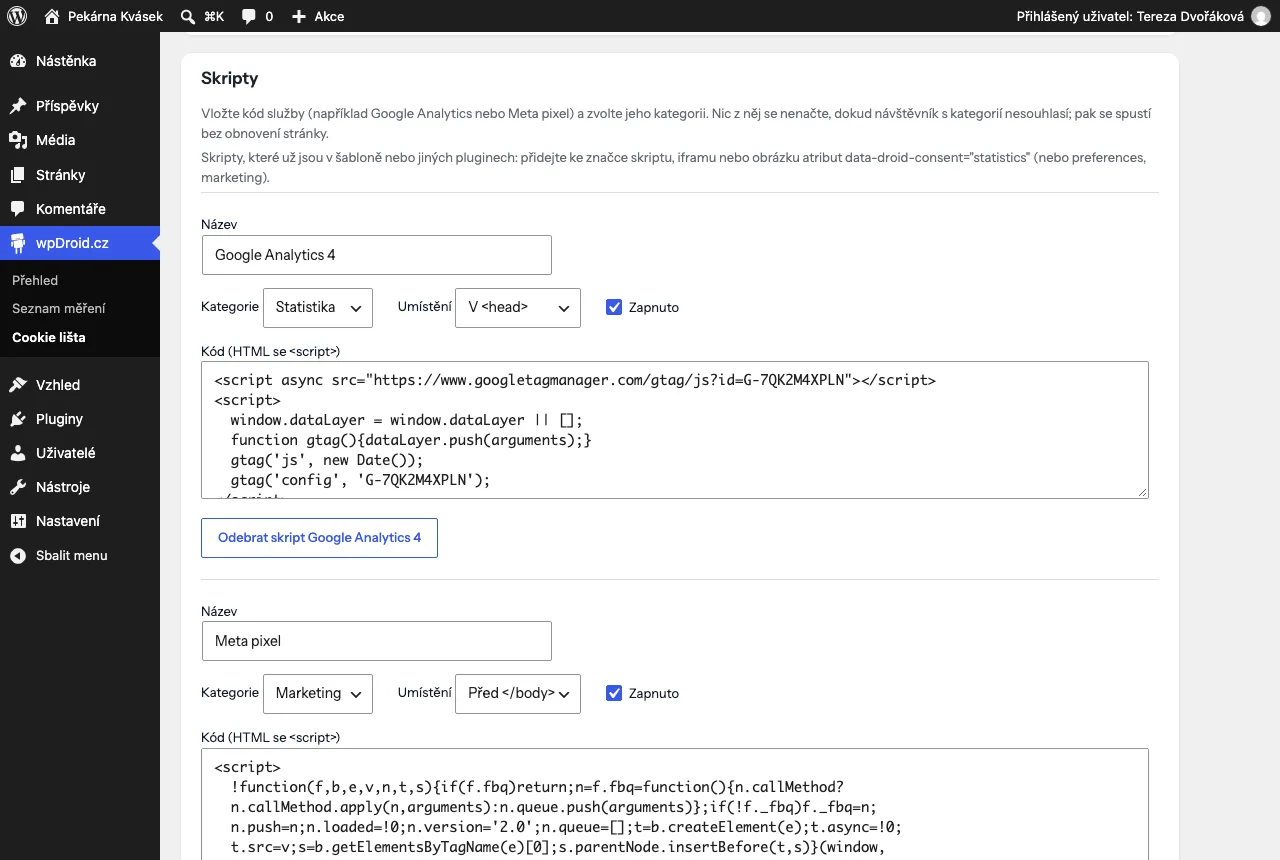
- Script blocking until consent. Paste a script into the settings and pick its category, or add
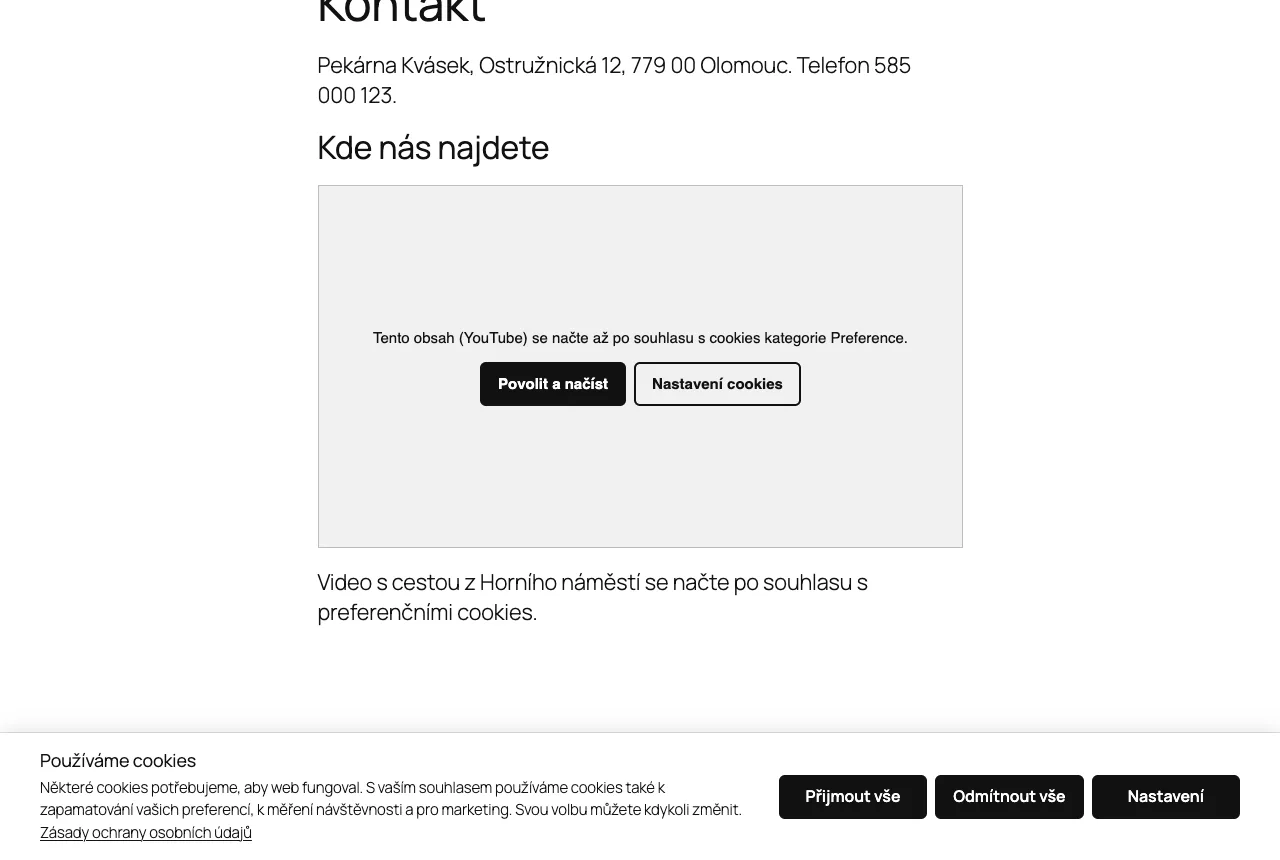
data-droid-consent="statistics"(preferences, marketing) to an existing<script>,<iframe>or<img>. Blocked items run right after consent, without a page reload. No automatic detection. - Placeholder for blocked videos and maps. A blocked iframe (YouTube, Vimeo, Google Maps, Mapy.com, Spotify, X, Facebook, Instagram…) keeps its size and says which service it is and which cookie category it needs, with the buttons "Allow and load" (consent to that category) and "Cookie settings". Texts editable; can be switched off.
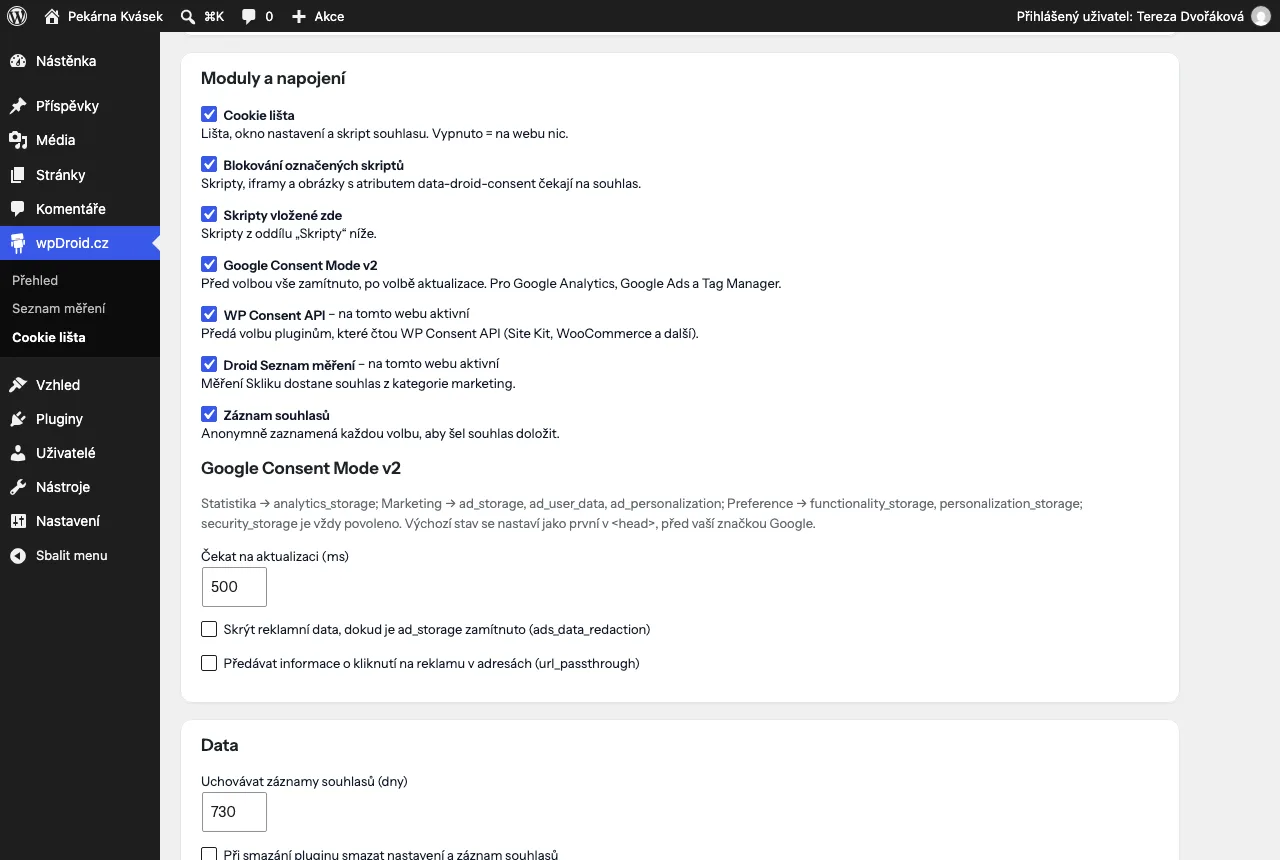
- Google Consent Mode v2: everything denied before the choice (security_storage granted), updated after it. Optional ads_data_redaction and url_passthrough.
- WP Consent API: the plugin registers as a consent provider (opt-in) and sets the categories functional, preferences, statistics, statistics-anonymous and marketing.
- Droid Seznam Measurement: Sklik gets consent from the marketing category automatically.
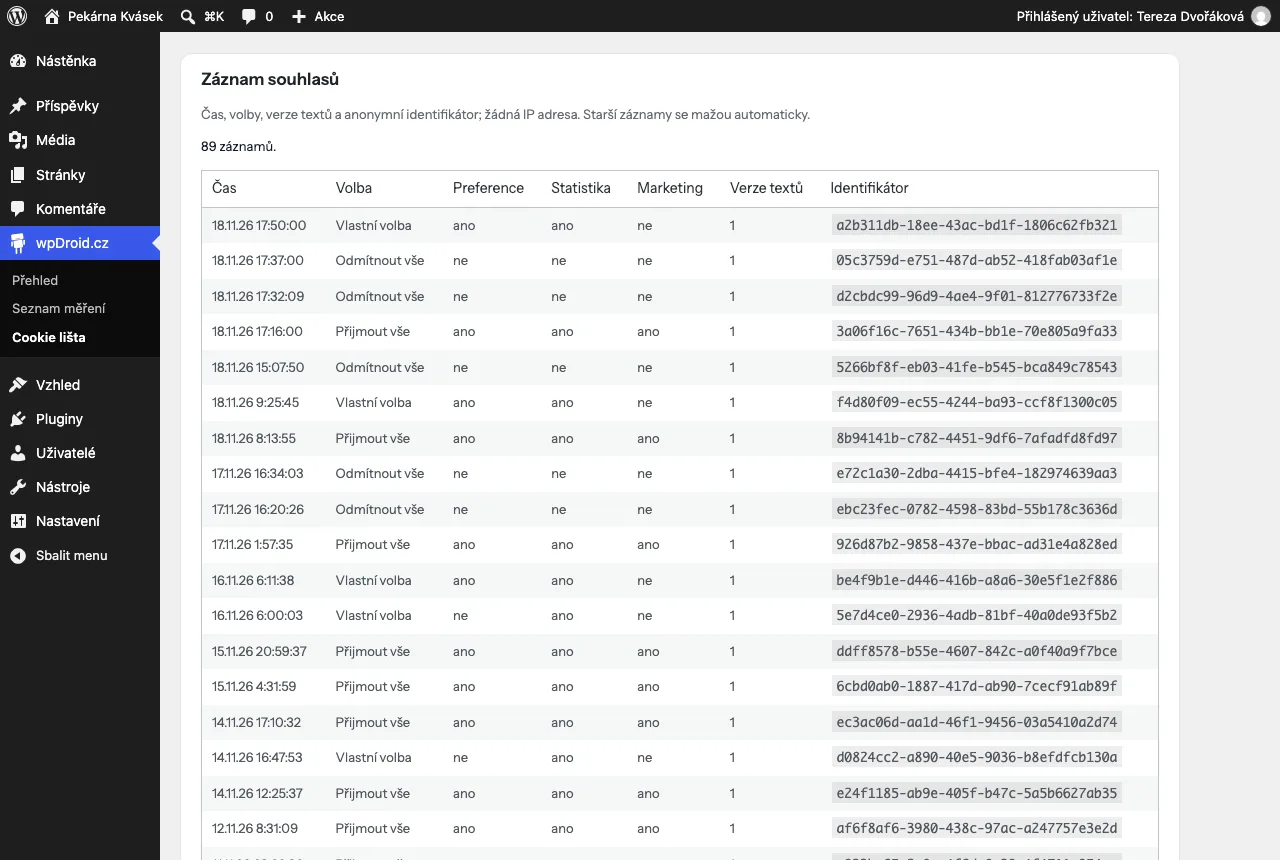
- Consent log: time, choices, text version and a random identifier – no IP address. CSV export; records older than the set period are deleted daily.
- Reopen the settings with the shortcode
[droid_cookie_nastaveni](for example in the footer), a menu link to#droid-cookies, or the optional floating button. - Consent validity is configurable; a change of the texts asks every visitor again.
- Works with page cache: the HTML is the same for everybody, the stored choice is read in the browser.
- Small script without dependencies (no jQuery). Full Czech and Slovak translation.
The default texts are a starting point, not legal advice. Check them against what your site really uses.
Licence
Droid Cookie Banner is a paid plugin distributed from wpdroid.cz with a yearly licence for 1 site or 5 sites (Agency). The licence gives you updates and support for its term. The plugin keeps working after the licence expires, only without updates: the banner, the script blocking, Consent Mode and the consent log work the same with or without a valid licence and while the licence server is down.
External services
This plugin itself does not send data to third parties. The scripts you insert in its settings (for example Google Analytics) load only after the visitor's consent; they are your choice and their own terms apply. Consent records go to your own site (REST endpoint droid-cookies/v1/consent).
wpDroid.cz plugin catalog
The shared wpDroid.cz → Overview page loads the list of wpDroid.cz plugins from https://wpdroid.cz/api/wp/catalog, only when an administrator opens that page, at most once every 12 hours. No site or visitor data is sent; like every WordPress HTTP request it carries the WordPress version and the site address in the User-Agent header. The catalog is provided by wpDroid.cz.
Licence and updates (wpdroid.cz)
The licence key is checked at https://wpdroid.cz/api/v1 when you activate or deactivate it and once a day afterwards; the request carries the licence key, the product, the plugin version, the PHP version and the site domain. WordPress asks https://wpdroid.cz/api/v1/update/droid-cookies for new versions about twice a day. No content of the site and nothing about visitors or their consents is sent. The service is provided by wpDroid.cz.
Screenshots
What you get
- Droid Cookie Banner plugin to download from your customer account
- Licence key for one site (Agency licence: five sites)
- Updates right in the WordPress admin while the licence is valid
- E-mail support while the licence is valid
Installation
- Download the plugin from wpdroid.cz, then in Plugins → Add New Plugin → Upload Plugin upload the zip and activate it.
- Open wpDroid.cz → Cookie lišta, check the texts, and paste the scripts of your services (Google Analytics, Meta pixel…) with their categories, or mark the existing ones with
data-droid-consent. - Add
[droid_cookie_nastaveni]to the footer so visitors can change their choice. - Enter the licence key at the bottom of the same screen (updates and support).
Common questions
- Can I move the licence to another site?
Yes. Deactivate the domain in the customer portal and use the freed slot elsewhere.
- What happens if I do not renew?
Your site keeps running and the plugin stays installed and working. After a 14-day grace period, updates and support stop. The exception are add-ons where the licence unlocks Pro features (Droid ČNB Pro, Droid MCP Bridge Pro): there those features switch off after the grace period too. Renewing switches everything back on and the key stays the same.
- Can I get a refund?
You may withdraw within 14 days of the purchase until you ask in the customer portal for the licence key and the downloads to be released — that ends the right of withdrawal. If the product does not work as described, get in touch — that is a defect and it gets fixed.
- Will I get a tax document?
Yes, sent to the e-mail on the order. Businesses from another EU country with a valid VAT ID buy under the reverse charge mechanism.
- How much does the plugin cost?
690 CZK a year for 1 site, Agency licence for 5 sites 2,490 CZK a year (prices excl. VAT). Updates and support for the term of the licence are included.
- Does the cookie banner depend on the licence?
No. The banner, the script blocking, Consent Mode and the consent log work the same with an expired licence and while the licence server is down. The licence affects only updates and support; the banner and the consent records never talk to a server of wpdroid.cz.
- Will the plugin make me compliant with the GDPR and the Electronic Communications Act?
The plugin gives you the tools: an equally prominent reject option, blocking scripts until consent is given, and a consent log. The default texts are, however, only a starting point, not legal advice. Whether your site is compliant depends on what actually runs on it – assess this with your adviser.
- How do I block a script added by the theme or another plugin?
Add the attribute
data-droid-consent="statistics"(orpreferences,marketing) to its tag. The plugin changes such a script totype="text/plain"(iframes and images lose theirsrc) until the visitor consents. Developers can block registered scripts by handle using thedroid_cookies_blocked_handlesfilter.- Does the plugin find scripts and cookies on the site by itself?
No. You add scripts in the settings or mark them with the attribute. The plugin has no automatic cookie scanning.
- Does it work with Google Tag Manager?
Yes. The Consent Mode default state is set first in the
<head>, before any Google tag, and each choice sends thedroid_cookies_consentevent to the dataLayer.- What happens when a visitor withdraws consent?
The new choice is saved and passed on, and the page reloads (this can be turned off), because a script that is already running cannot be stopped.
- What does a blocked video or map show?
In a frame of the same size: the name of the service (based on the URL – YouTube, Mapy.com…), the cookie category, an Allow and load button that gives consent to this category (so everything else in it loads as well), and a Cookie settings button. The placeholder is part of the page HTML, so it also works with page caching. Developers can change the list of services using the
droid_cookies_placeholder_providersfilter and the appearance using thedroid_cookies_placeholder_htmlfilter.- Does the banner work with page caching?
Yes. The HTML is the same for all visitors and the saved choice is read only by the browser. A visitor who has already decided will not see the banner again.
- Does it work with the Droid Seznam Measurement plugin?
Yes. Sklik receives consent from the marketing category automatically; you don't set anything up. For the Droid Seznam Measurement admin to show the banner as detected, you need Droid Seznam Measurement version 1.0.1 or later.
- Is the consent log personal data?
The log does not store the IP address, browser or account – only the time, the choices, the text version and a random identifier stored in the visitor's consent cookie.
- What data does the plugin send?
The plugin itself sends nothing to third parties. Scripts you add in the settings load only after consent, and the terms of the respective service apply to them. The consent record goes to the REST API of your own site. The wpDroid.cz → Overview page loads the list of plugins from wpdroid.cz only when an administrator opens it (at most once every 12 hours), without any information about the site. Only the licence check (key, product, plugin and PHP version, site domain) and the update check go to wpdroid.cz.